




LightningChart .NET v.10.5.1 has been released!
DataCursor and 3D TransparencyRenderMode are now available.
DataCursor enabled for all 3D, Polar, and Smith series
In earlier stages, LightningChart provided different tools that required users to write additional code in order to enable the data tracking functionality. Later, the XY DataCursor built-in functionality was introduced during the recent LightningChart v.10.4 release.
Now, we’re glad to announce that the DataCursor built-in functionality is enabled for all 3D, Polar, and Smith series as well. As a refresher, the DataCursor functionality allows the user to explore a series and the closest value to the mouse cursor will be automatically tracked. This will display the result data within a table on the chart, as shown below:
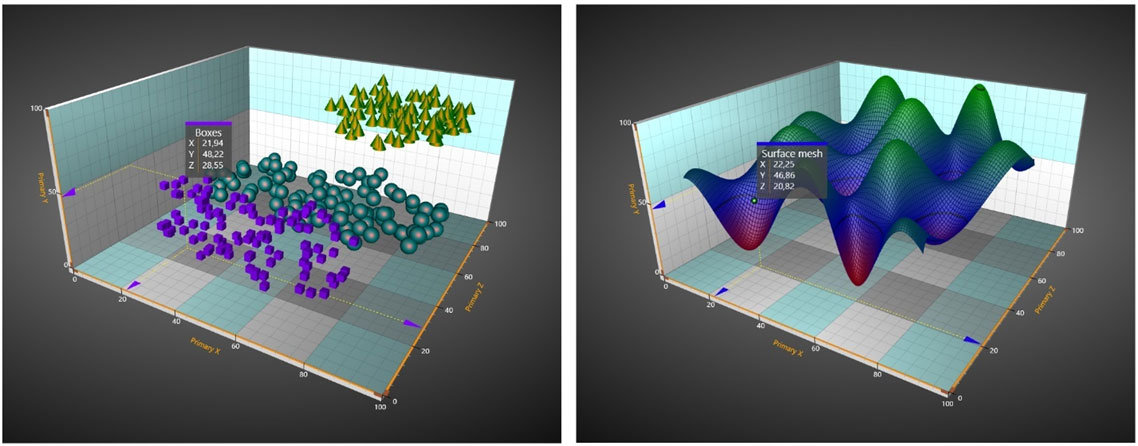
DataCursor displayed within PointLineSeries and SurfaceMesh3D charts
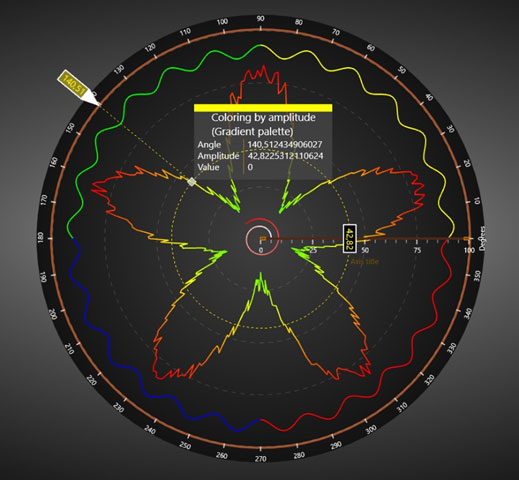
DataCursor displayed on a Polar chart
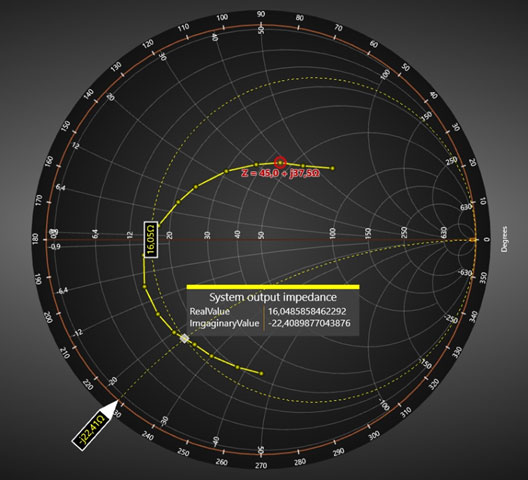
DataCursor displayed on a Smith chart
Additionally, here you can see a table of the public properties for the DataCursor feature:
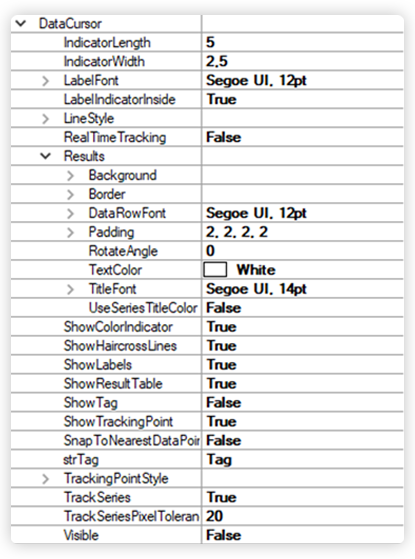
Table of public properties
3D TransparencyRenderMode feature
The TransparencyRenderMode property is now available for 3D surface series including:
- SurfaceGridSeries3D
- SurfaceMeshSeries3D
- WaterfallSeries3D
and for the PointLineSeries 3D. LightningChart offers 3 options for handling transparency of the surface: Unordered, ShaderApproximation, and OrderingTriangles. The new feature helps to mitigate artifacts and improve translucent object handling in the chart.
Notice that this new way how to handle a translucent surface or line is only available when using DirectX 11 rendered, i.e., when the RendererDeviceType is set to HardwareOnlyD11 or SoftwareOnlyD11.
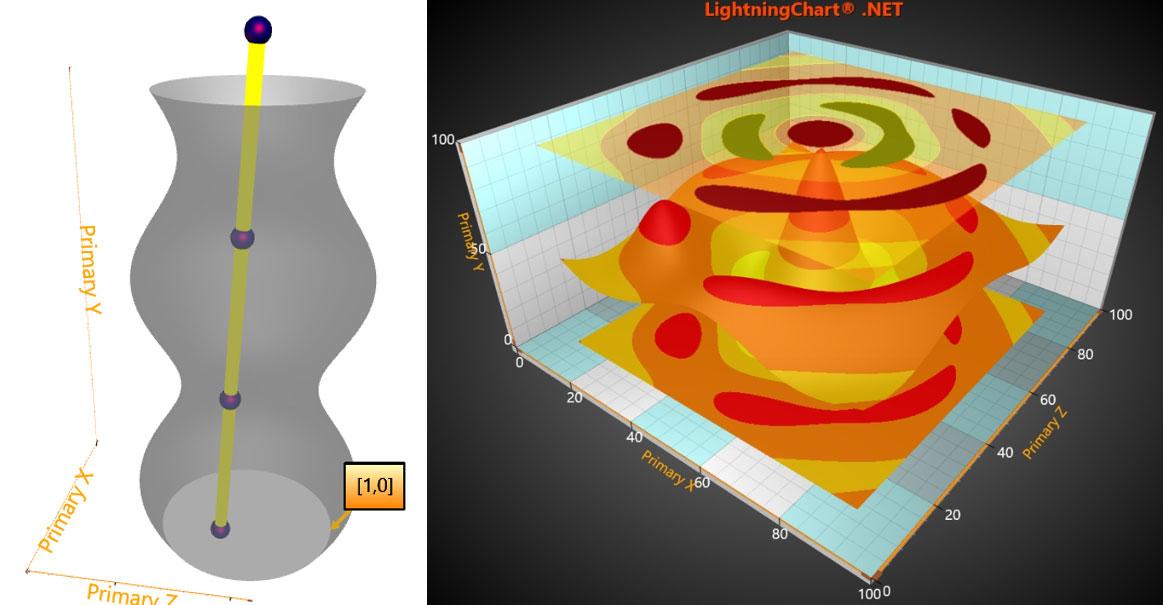
Left image: semi-transparent SurfaceMeshSeries3D wrapped as a tube. Right image: several SurfaceGridSeries3D with the top layer having a transparent fill using the SahaderApproximation method.
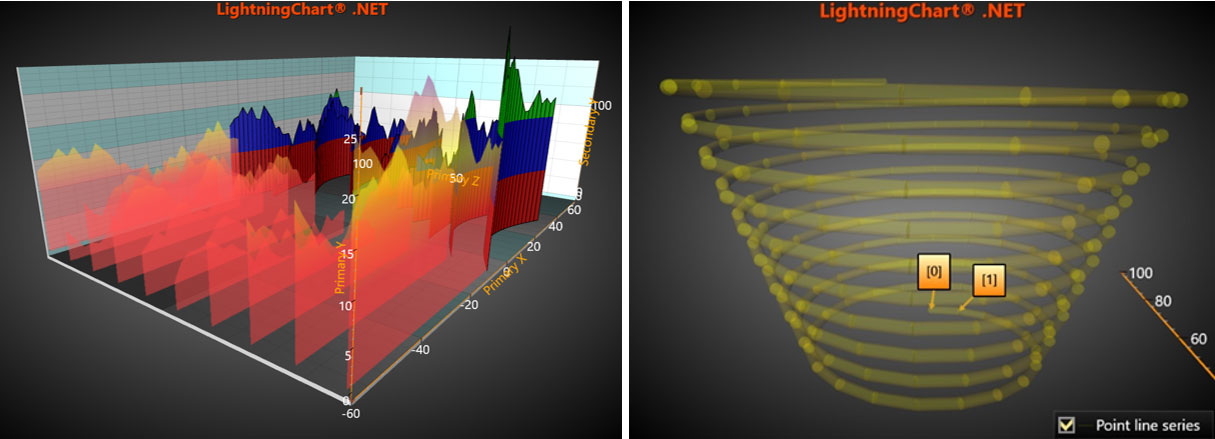
Left image: two WaterfallSeries3D with the first one having a transparent fill using the ShaderApproximation method. Right image: a semi-transparent PointLineSeries3D coiled as a spring.
.NET Target Framework
In this release, the target version for LightningChart’s library is updated to .NET Framework 4.6.2. Any user’s project, which uses LightningChart’s library, should set a target framework of at least .NET Framework 4.6.2. Any newer version, like .NET Framework 4.8 or .NET 7.0, is fine as well.
Get started with LightningChart .NET v.10.5.1
See more news
LightningChart .NET v.12.6.1
LightningChart .NET v.12.6.1 is out now!Features of LightningChart® .NET version 12.6.1In this release we added new features, made several improvements and fixed dozens of errors. We upgraded target framework (from .NET 8.0 to 10.0), added Universal-Data-Parser...
Trend Lines in Trading
Trend lines are among the simplest yet most powerful tools in technical analysis. They help traders visualize market direction, identify potential support and resistance levels, and make more informed trading decisions. Despite their simplicity, trend lines remain a...
Announcement: Baumer as LightningChart customer
Enabling High-Performance Visualization of Industrial Sensor Data with LightningChartDiscover how Baumer uses LightningChart to configure and visualize data from a wide variety of industrial sensors and create responsive, data-rich visualization...
Best Python Charting Library in 2026
Python's charting ecosystem is large, overlapping, and regularly misunderstood. Most comparison guides stop at Matplotlib, Plotly, and Seaborn. This one goes further: it covers what happens when your datasets grow large, your update rates increase, or your chart types...



If you have any questions, feel free to contact us!



©LightningChart Ltd 2026. All rights reserved.





