



LightningChart .NET v.10.3.2 has been released!
More performance, more features, and new pricing.
New features added to the TradingChart control
We’ve added seven new technical indicators to the TradingChart control. These are:
- Accumulation/Distribution
- Average Directional Index
- Commodity Channel Index
- Ichimoku Cloud
- On-Balance Volume
- Parabolic Stop-and-Reverse (PSAR)
- Percentage Price Oscillator
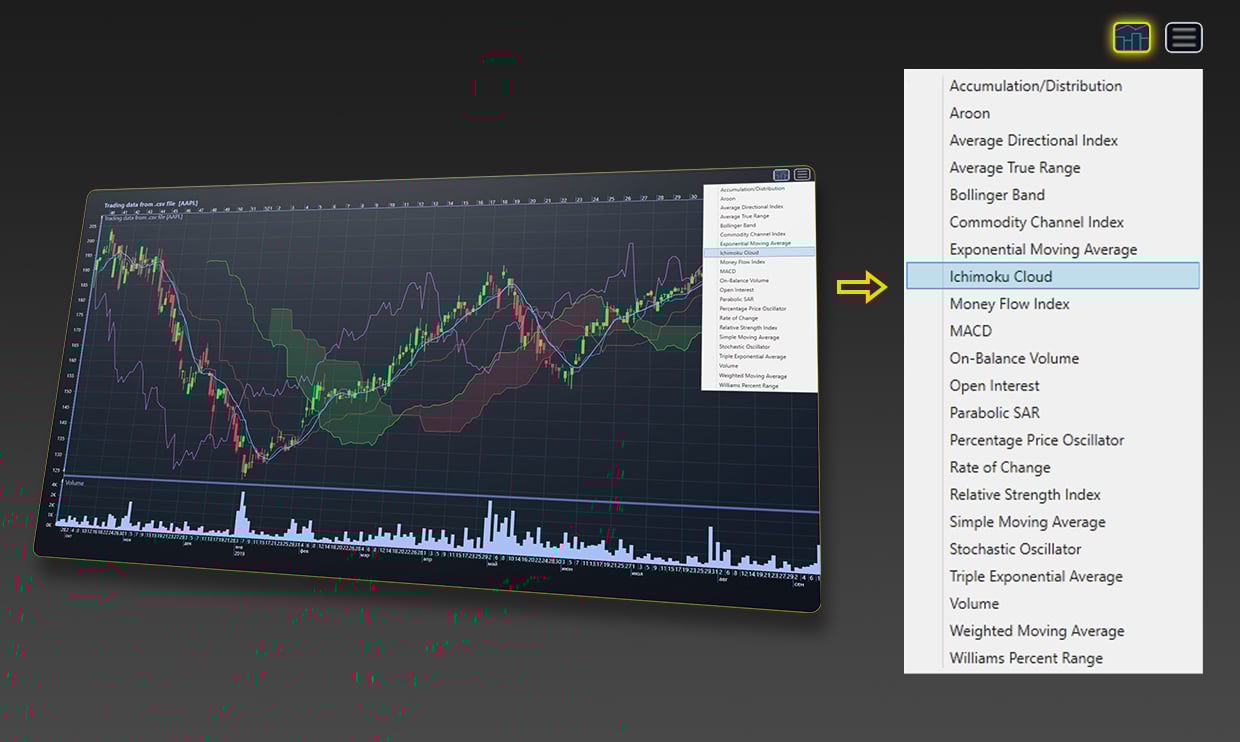
TraderChart control displaying all the featured technical indicators
The TradingChart control features now five new drawing tools. These are:
- Elliot Wave
- Head and Shoulders
- Pitchfork
- Triangle
- XABCD Pattern

TraderChart control displaying all the available drawing tools
Altogether, LightningChart .NET features now 10+ drawing tools and 20+ technical indicators, including the previously released Aroon, Rate of Change, TRIX, and Williams Percentage Range.
Additional features for the LineSeriesCursor
The TrackLineSeries and SolveYValue features are now available for the LineSeriesCursor. These features help to customize the Cursor tracking behavior.
The TrackLineSeries is Predicate to determine if the cursor should draw/resolve the TrackPoint for a series implementing ITrackable interface.
The SolveYValue feature overrides LineSeriesCursor’s Y-value solving/tracking method.
Func (predefined generic) delegate type can be used with an anonymous method or lambda expression.
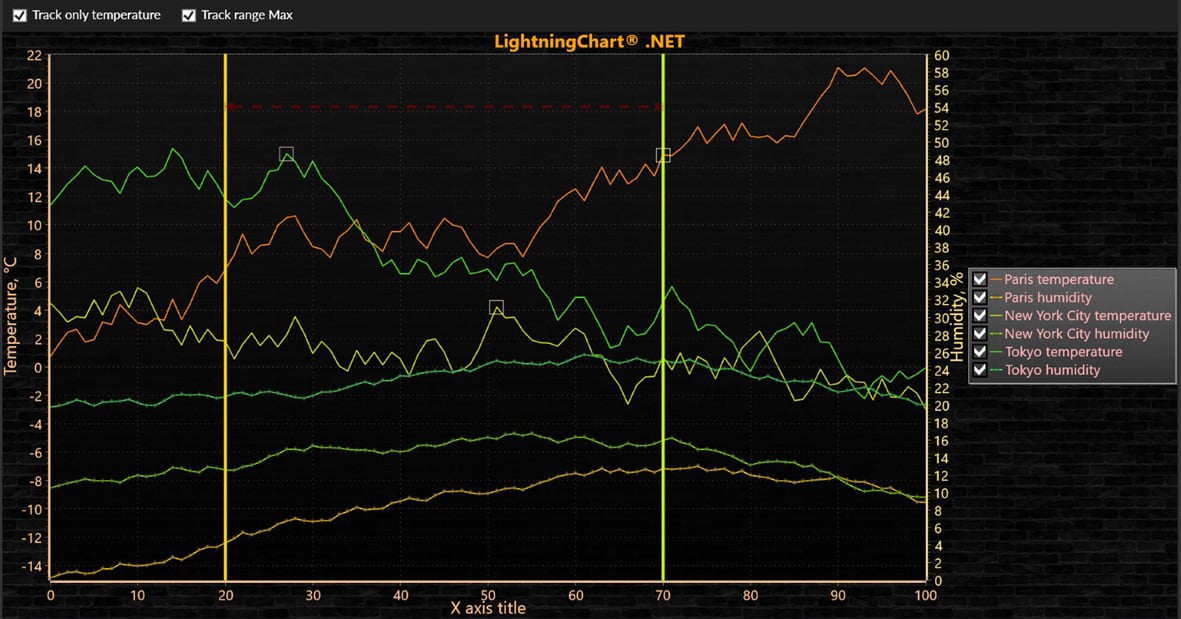
LineSeriesCursor
Performance improvements & additional features
In this release, we improved the rendering speed for the 3D Spectrograms by a 50%. Additionally, the 2D Spectrograms’ performance increased by about a 20%.
Many minor errors have been fixed in the library code and we added new examples in our Interactive Examples App. Those newly added examples demonstrate the new features of LineSeriesCursor and potency of library in EEG data visualization. To access the changelog, please visit the LightningChart portal.

EEG Data Visualization
New Pricing
For all our .NET customers, we kindly inform you that in order to cope with the impact of inflation, the prices of all LightningChart .NET licenses will rise by 10% starting from August 1st.
This price change will not affect those invoices and quotations sent out before August 1st. For more information about our new pricing, please visit our pricing page or contact us at [email protected]
Get started with LightningChart .NET v.10.3.2
See more news
LightningChart .NET v.12.6.1
LightningChart .NET v.12.6.1 is out now!Features of LightningChart® .NET version 12.6.1In this release we added new features, made several improvements and fixed dozens of errors. We upgraded target framework (from .NET 8.0 to 10.0), added Universal-Data-Parser...
Trend Lines in Trading
Trend lines are among the simplest yet most powerful tools in technical analysis. They help traders visualize market direction, identify potential support and resistance levels, and make more informed trading decisions. Despite their simplicity, trend lines remain a...
Announcement: Baumer as LightningChart customer
Enabling High-Performance Visualization of Industrial Sensor Data with LightningChartDiscover how Baumer uses LightningChart to configure and visualize data from a wide variety of industrial sensors and create responsive, data-rich visualization...
Best Python Charting Library in 2026
Python's charting ecosystem is large, overlapping, and regularly misunderstood. Most comparison guides stop at Matplotlib, Plotly, and Seaborn. This one goes further: it covers what happens when your datasets grow large, your update rates increase, or your chart types...



If you have any questions, feel free to contact us!



©LightningChart Ltd 2026. All rights reserved.