




LightningChart .NET v.12.4.1 is out now!
New DataCursor, Annotation, palette, LegendBox functionalities and .NET Trader update.
New Features
In this release there are two dozen of new features or improvements. New properties or functionality is added to DataCursor, Annotation, palette, LegendBox etc.
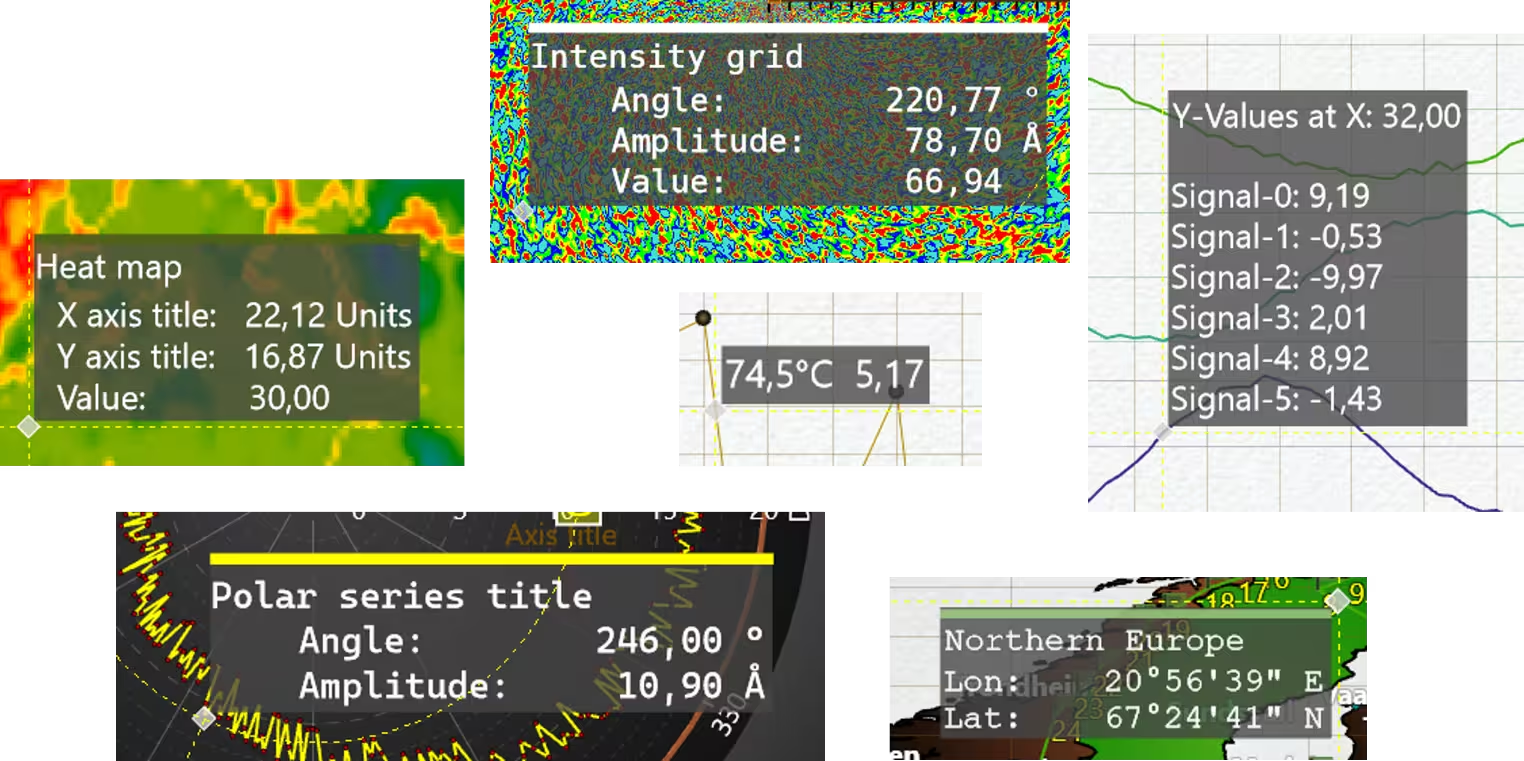
DataCursor’s ResultTable now supports customizable content
After subscribing to the DataCursor.ChangeResultContent event, users can use an event handler to create a composite format string, which will be used instead of the default table. As much as composite format string allows, users can define which values to show in the ResultTable, with what precision, and how to arrange items (e.g. padding, alignment, multi-lines).
The ChangeResultContent event is available for XY, 3D, Polar and Smith views with a slightly different event-argument-class for each of them. The event-argument gives users access to tracked series, axis values of tacking point and few other parameters. Read more about the customizable content of ResultTable.
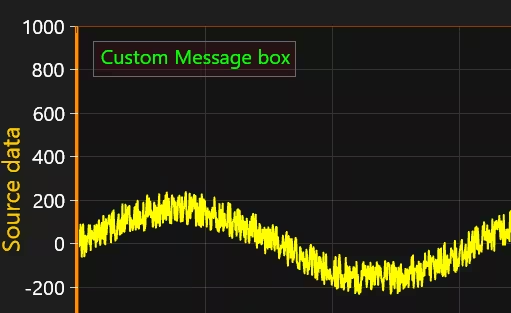
CustomMessage
Now each View has CustomMessage property to draw text box in the top-left corner. User can have custom messages written on the chart (as text box in the left-top corner). Chart. CustomMessageOptions properties allow to change colors, font and offset of the message box. Custom message will be shown until View. CustomMessage property is set to empty/white-space string. In addition, by enabling CustomMessageOptions. SetChartMessageAsCustomMessage property user can pass all internal LightningChart messages to this CustomMessage
Data overview and zoom-bar window
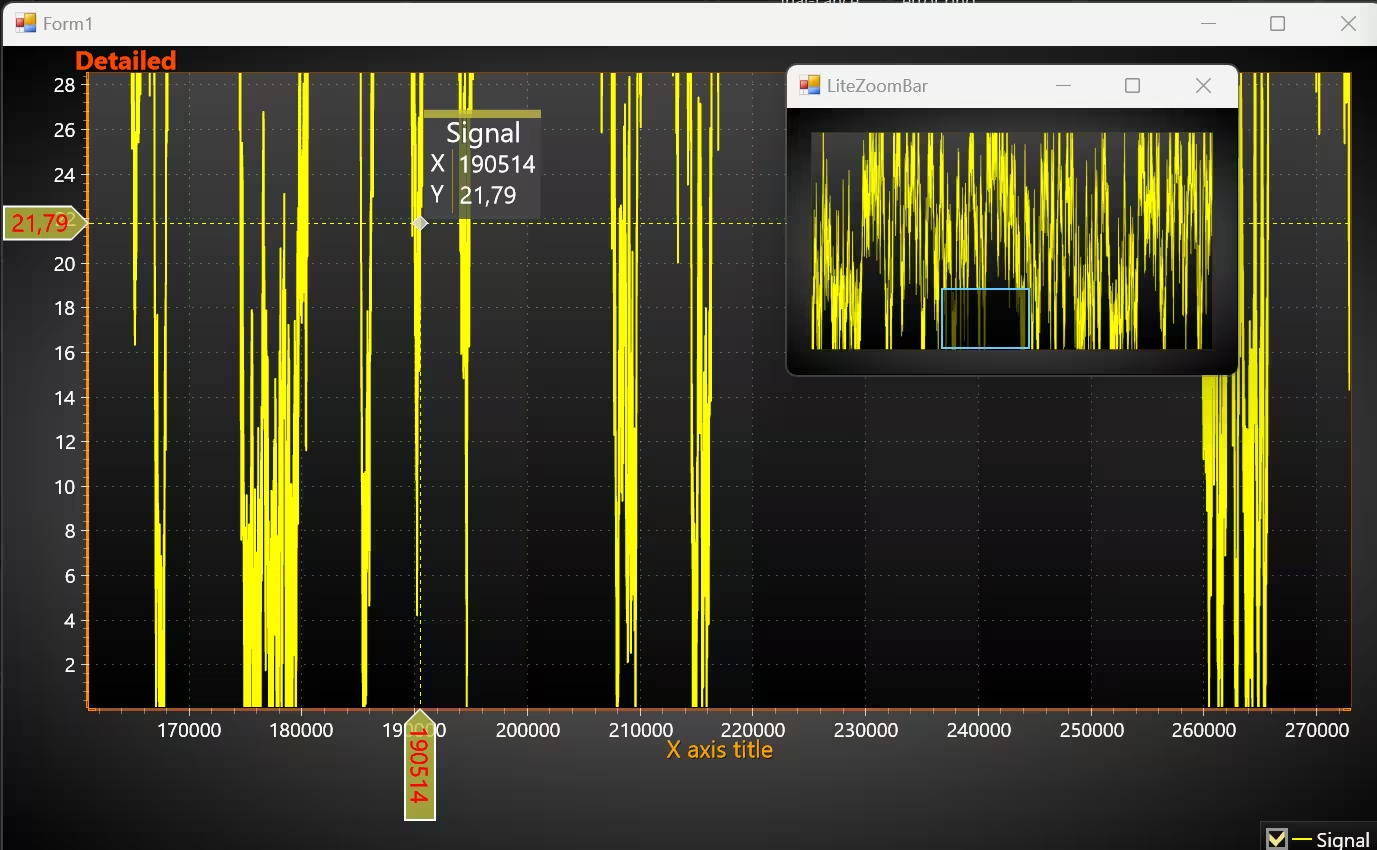
Sometimes it is very useful to have a data overview window next to the zoomed-in chart. Such functionality can be done with ZoomBar and LiteZoomBar controls. Pan property is added ZoomBar user-control in this release. Pan property controls the direction of zoom-box movement inside this custom control.
LiteZoomBar is completely new control. LiteZoomBar is a UserControl for XY chart, which can be used to get an overview of the whole dataset and to zoom the chart to specific areas. As name suggest, LiteZoomBar is lightweight version of ZoomBar. It is basically a bitmap image (of reference chart) with range selection rectangle on top. Therefore, it lacks the normal interactivity of LightningChart or ZoomBar. However, the memory consumption is significantly reduced. LiteZoomBar has been added as separate window on to top of the main chart, giving an overview of the whole data.
New features for Palette / LegendBox
A new property is added for PaletteStep. CustomLegendLabelText defines Custom Label text for palette step label.
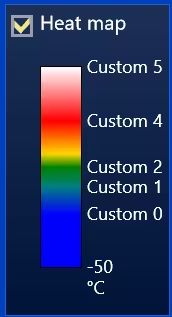
In addtion, a new property is added for ValueRangePalette, LabelShowModeInLegend. LabelShowModeInLegend controls how labels are spaced next to the color-bar in the LegendBox (as well as extent of step’s color). There are 3 options: ValueDepended, ValueDependedLogarithmical, EquidistantAllocation.
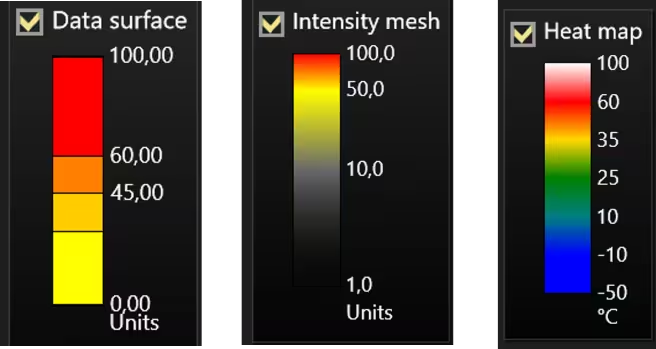
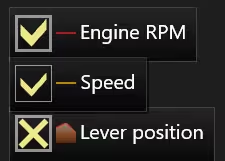
Two new properties are added to control the styling of LegendBox checkboxes, in particular, CheckBoxBorderWidth and CheckMarkStyle. CheckBoxBorderWidth allow changing the checkbox border width to other than the default 3 px. CheckMarkStyle has 3 options: Normal (old style), Thin (thinner check mark) and XMark (‘X’ mark).
Ordering of Series in chart and legend
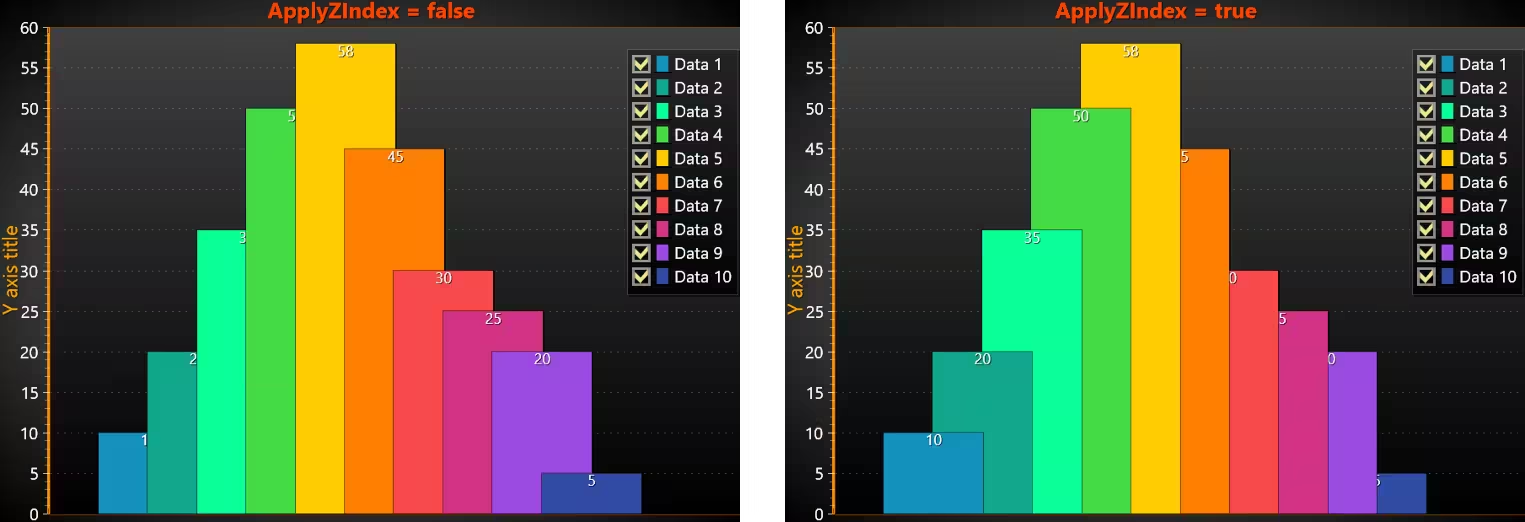
Version 12.4 adds LegendBoxOrderIndex property to various chart series to control their order in LegendBox. LegendBoxOrderIndex property was added to all XY series, 3D series, Polar series, Polar Sector, and Smith LineSeries. Titles in LegendBox are sorted based on LegendBoxOrderIndex. Therefore, legend order can be different from rendering order of series themselves.
At the same time ViewXY’s series has new feature to customize z-order. For that SeriesXY. ZIndex and ViewXY. ApplyZIndex are added. User needs to set ZIndex value higher (default is -1), if one wants series to be rendered at the top. Once ApplyZIndex is enabled, new order is applied.
Annotation arrowhead styling
Default arrowhead is created from an equilateral triangle, where the side length is 3 times of line-width (ArrowLineStyle. Width). Now Annotation’s arrow has more properties for adjustment. In particular, ArrowEndWidthMultiplicator and ArrowBeginWidthMultiplicator have been added (default is 1). Those properties allow finer control of arrow width. That is, width can be any multiple of line-width. ArrowEndAspectRatio property controls the arrow end aspect ratio (width/height), where the default is 1.

Other features / improvements
- A new
Annotation.Sizeproperty is added to the Annotation base class (therefore, applicable for Annotations in all Views), which gets the size of the annotation text bounding box. Border.Widthproperty is added. Therefore, the border line’s thickness can be set to values other than the 1 px default.- Reversed axis support added to ImageLayer.
- Reduced EMF file size for line-chart with DataBreaking.
For a complete list of changes, check the official changelog.
Trader Updates
.NET TradingChart’s user interface has been completely reworked. All features such as technical indicators and drawing tools can now be found in the toolbar located to the left side of the chart. Price chart type can also be changed from the toolbar, whereas previously this was possible only in code. Furthermore, added support to more color themes.
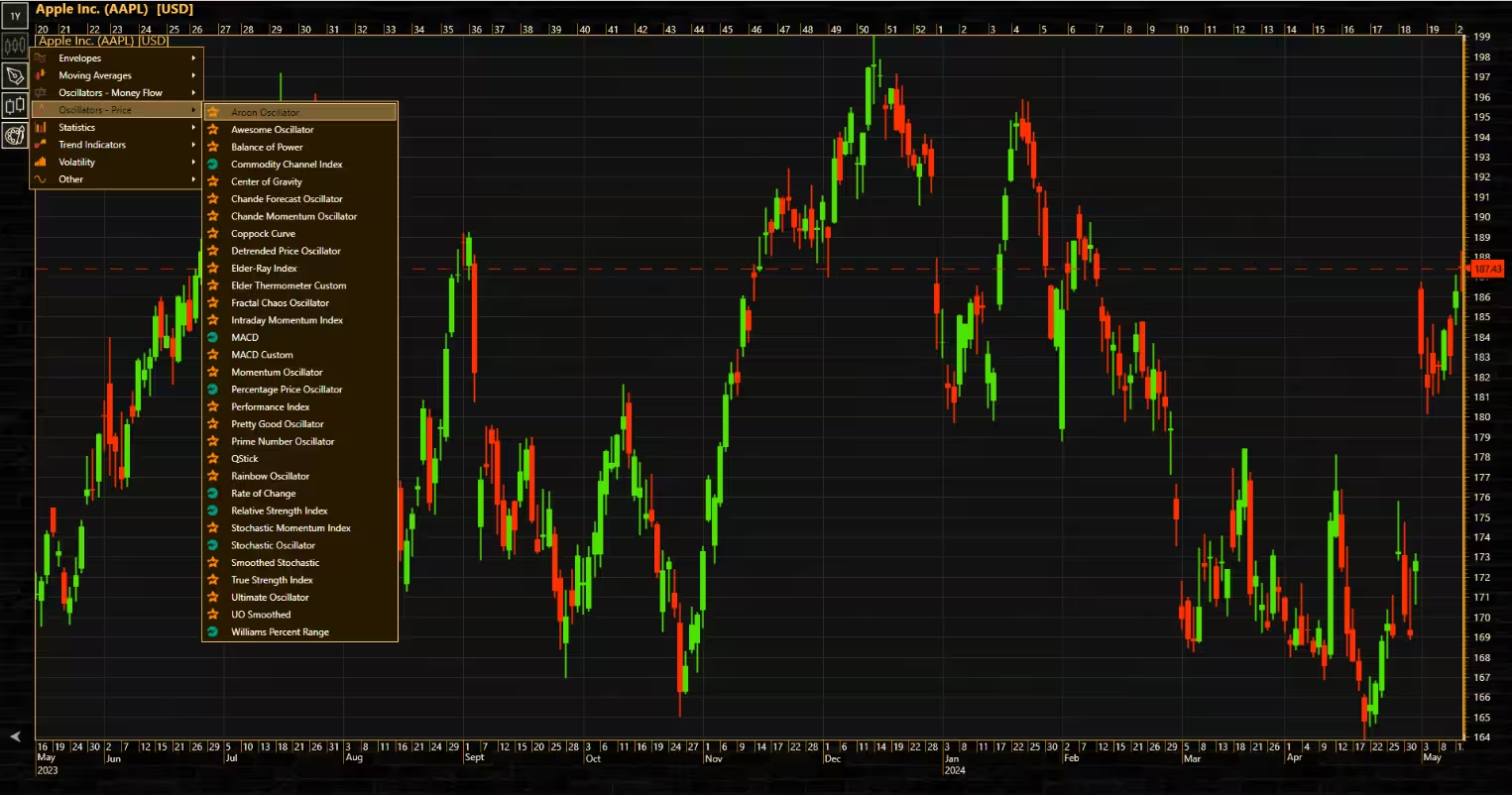
Added end value labels to show the latest price and indicator values
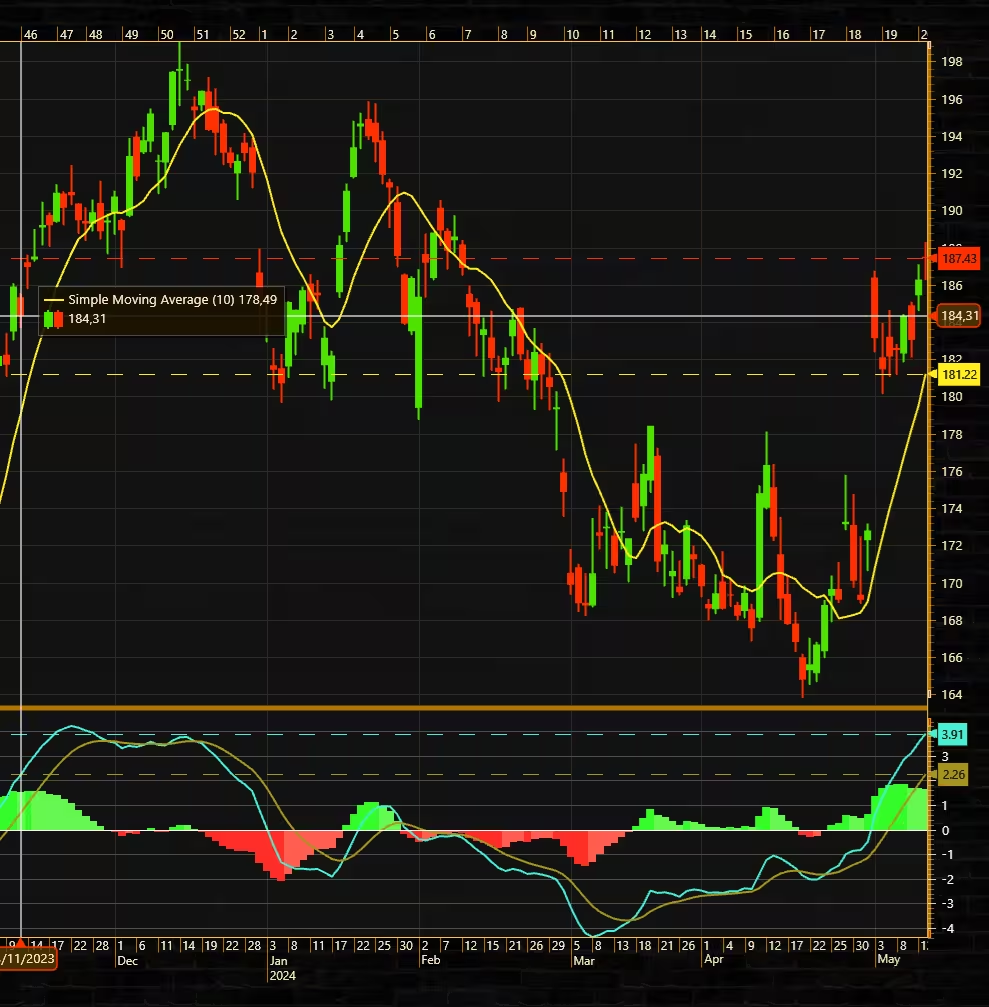
It is now possible to create nested indicators, which allows indicators to be based on each other instead of price data. User can also set other OHLC fields as an indicator basis besides Close.
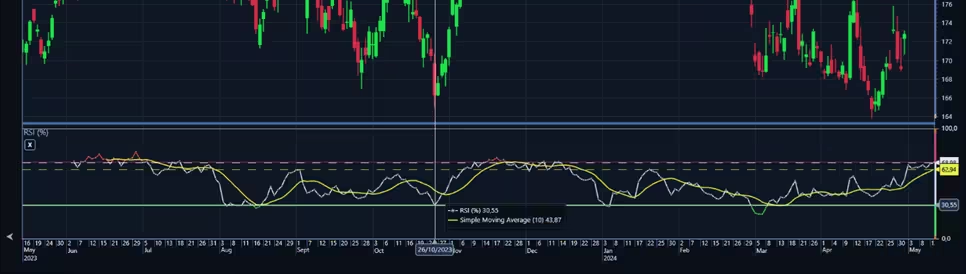
Other TradingChart-related improvements include data cursor update, which causes the cursor to detect data precision automatically, and several drawing tool-related bug fixes and visual improvements.
Get started with LightningChart .NET v.12.4.1
See more news
LightningChart .NET v.12.6.1
LightningChart .NET v.12.6.1 is out now!Features of LightningChart® .NET version 12.6.1In this release we added new features, made several improvements and fixed dozens of errors. We upgraded target framework (from .NET 8.0 to 10.0), added Universal-Data-Parser...
Trend Lines in Trading
Trend lines are among the simplest yet most powerful tools in technical analysis. They help traders visualize market direction, identify potential support and resistance levels, and make more informed trading decisions. Despite their simplicity, trend lines remain a...
Announcement: Baumer as LightningChart customer
Enabling High-Performance Visualization of Industrial Sensor Data with LightningChartDiscover how Baumer uses LightningChart to configure and visualize data from a wide variety of industrial sensors and create responsive, data-rich visualization...
Best Python Charting Library in 2026
Python's charting ecosystem is large, overlapping, and regularly misunderstood. Most comparison guides stop at Matplotlib, Plotly, and Seaborn. This one goes further: it covers what happens when your datasets grow large, your update rates increase, or your chart types...



If you have any questions, feel free to contact us!



©LightningChart Ltd 2026. All rights reserved.





