



LightningChart® JavaScript v.3.1.0 is out now!
Introducing Map Charts, Heatmaps Optimizations & 60+ Improvements!
We’re happy to introduce the new LightningChart for JavaScript version 3.1.0 with important Map Charts and Heatmaps additions to the charting library!
Map Charts
Dynamic map charts can be used as a stand-alone feature or as part of a dashboard.
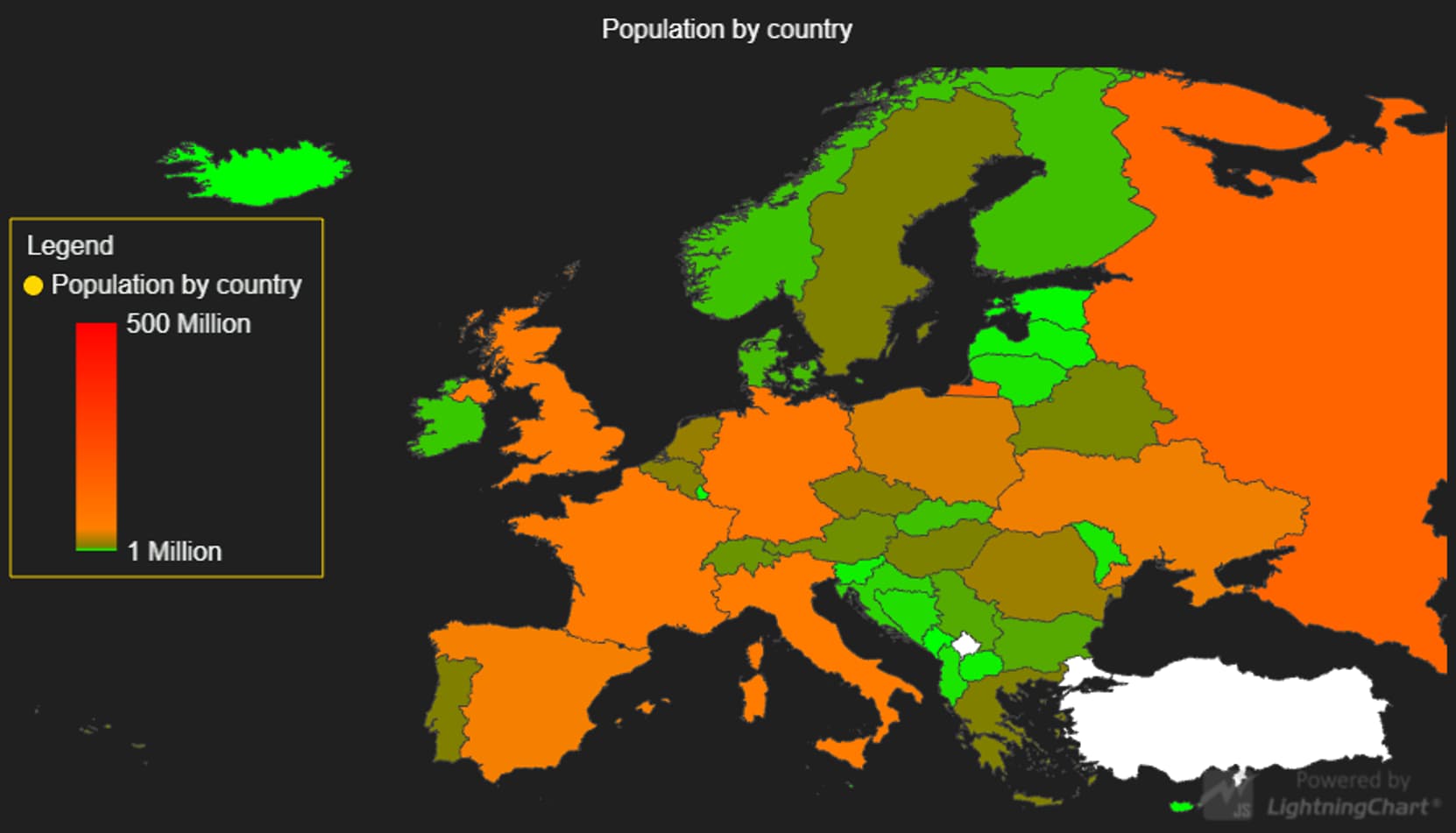
Figure 1. Map Charts Stand-alone View
Map Charts and Heatmaps are a great innovation within the LightningChart® JavaScript library as these features improve the data visualization of a large number of data points. Particularly, the map charts support customizable functions as dynamic color-coding values according to data.
As mentioned, the UI in these new chart types improves with characteristics such as auto-cursor to display data on mouse hovering and different map views by regions (worldwide, USA, North America, South America, Canada, etc.).
Is the Map Charts Performance Compromised?
Not at all! Map charts continue having an outstanding performance with high Frames-Per-Second rates. A total smooth real-time visualization experience!

Figure 2. Map Charts Dashboard View
Heatmaps Optimizations
LightningChart® JavaScript version 3.1.0 puts hands-on heatmaps optimization. Grid series improvements actually help Heatmaps to achieve desktop performance levels on web-based applications, meaning that any web application will basically experience no lagging or delays in visual data rendering.
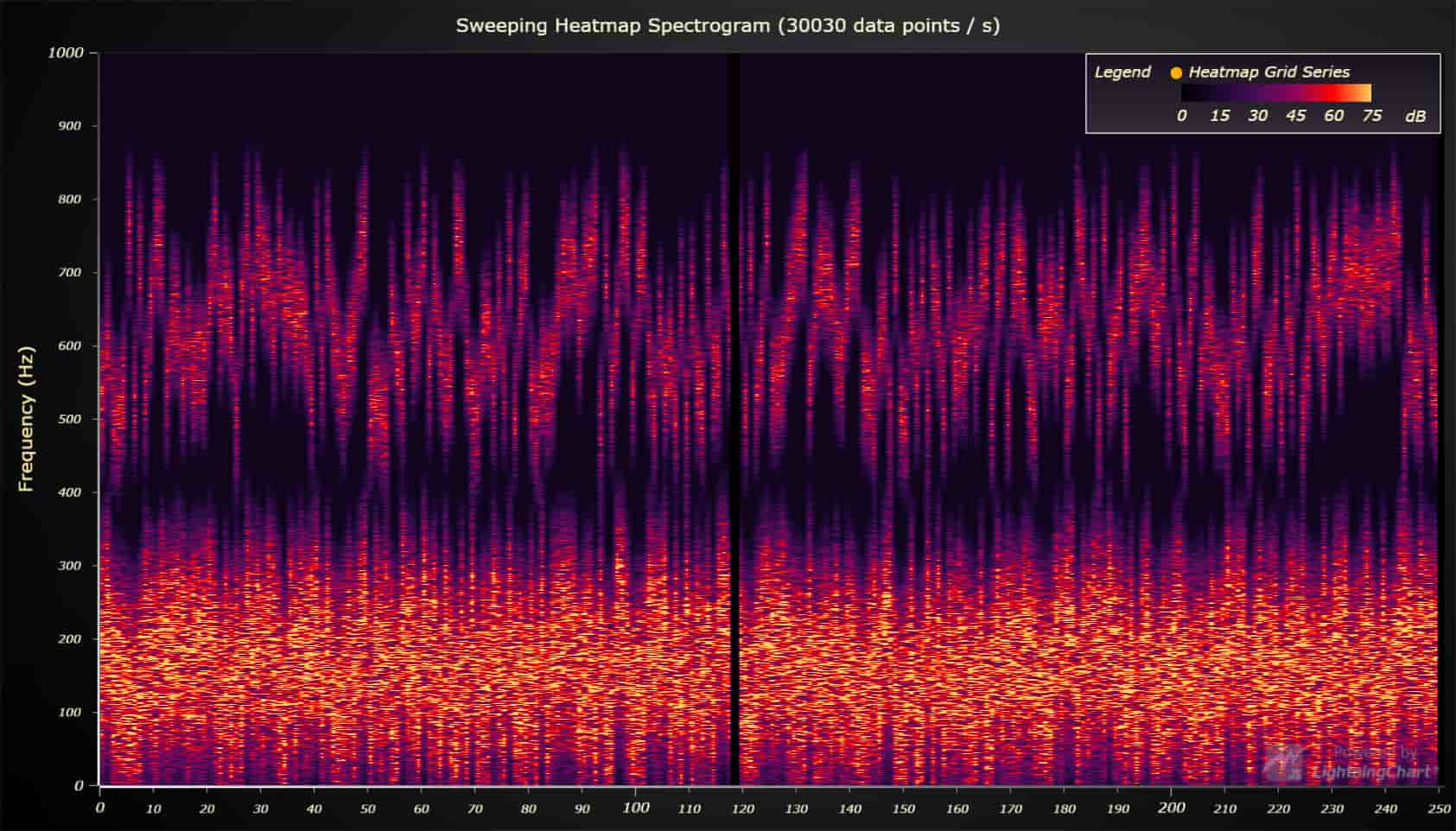
Figure 3. Sweeping Heatmap Spectrogram
Improvements Beyond Map Charts and Heatmaps
We’ve added further advancements to our Interactive Examples. Some of the added features are Time Tick Strategy, High Precision Axis to zoom in at a microsecond level, and Guided Steps to Create a Custom Lasso Interaction.
The list of improvements is huge! And undoubles, version 3.1.0 places LightningChart® at the top of the data visualizations solutions industry.
You can review both the 60+ features included in the v.3.1.0 and read the details in the ChangeLog.
Not Using LightningChart® JavaScript Yet?
All features are included in the non-commercial use Community License which is available for free download.
See all the new features of LightningChart® for JavaScript v3.1.0
See more news
LightningChart .NET v.12.6.1
LightningChart .NET v.12.6.1 is out now!Features of LightningChart® .NET version 12.6.1In this release we added new features, made several improvements and fixed dozens of errors. We upgraded target framework (from .NET 8.0 to 10.0), added Universal-Data-Parser...
Trend Lines in Trading
Trend lines are among the simplest yet most powerful tools in technical analysis. They help traders visualize market direction, identify potential support and resistance levels, and make more informed trading decisions. Despite their simplicity, trend lines remain a...
Announcement: Baumer as LightningChart customer
Enabling High-Performance Visualization of Industrial Sensor Data with LightningChartDiscover how Baumer uses LightningChart to configure and visualize data from a wide variety of industrial sensors and create responsive, data-rich visualization...
Best Python Charting Library in 2026
Python's charting ecosystem is large, overlapping, and regularly misunderstood. Most comparison guides stop at Matplotlib, Plotly, and Seaborn. This one goes further: it covers what happens when your datasets grow large, your update rates increase, or your chart types...



If you have any questions, feel free to contact us!