




Releasing LightningChart Python Trader 1.1
Introducing new product features and UX improvements.
Releasing new product features
In this version, LightningChart Python Trader introduces four new features: drawing tool pointer events, chart-level pointer events, value label controls, and data point management.
Drawing Tool Pointer Events
Drawing tools now support comprehensive pointer event handling, allowing for custom interactions and dynamic chart updates. All drawing tools can now respond to user interactions via Python callbacks. The available events are:
on_pointer_down():Triggered when clicking on a drawing toolon_pointer_up():Triggered when releasing the mouse buttonon_pointer_enter():Triggered when the cursor enters the tool areaon_pointer_leave():Triggered when the cursor exits the tool areaon_drawing_tool_moved():Triggered when the tool position changes
Chart-Level Pointer Events
The charts now support pointer event tracking, which allows building custom interactions, tooltips, or analysis tools. The available events are:
on_pointer_down():Triggered when clicking on a drawing toolon_pointer_up():Triggered when releasing the mouse buttonon_pointer_move():Triggered when the cursor moves
Value Label Controls
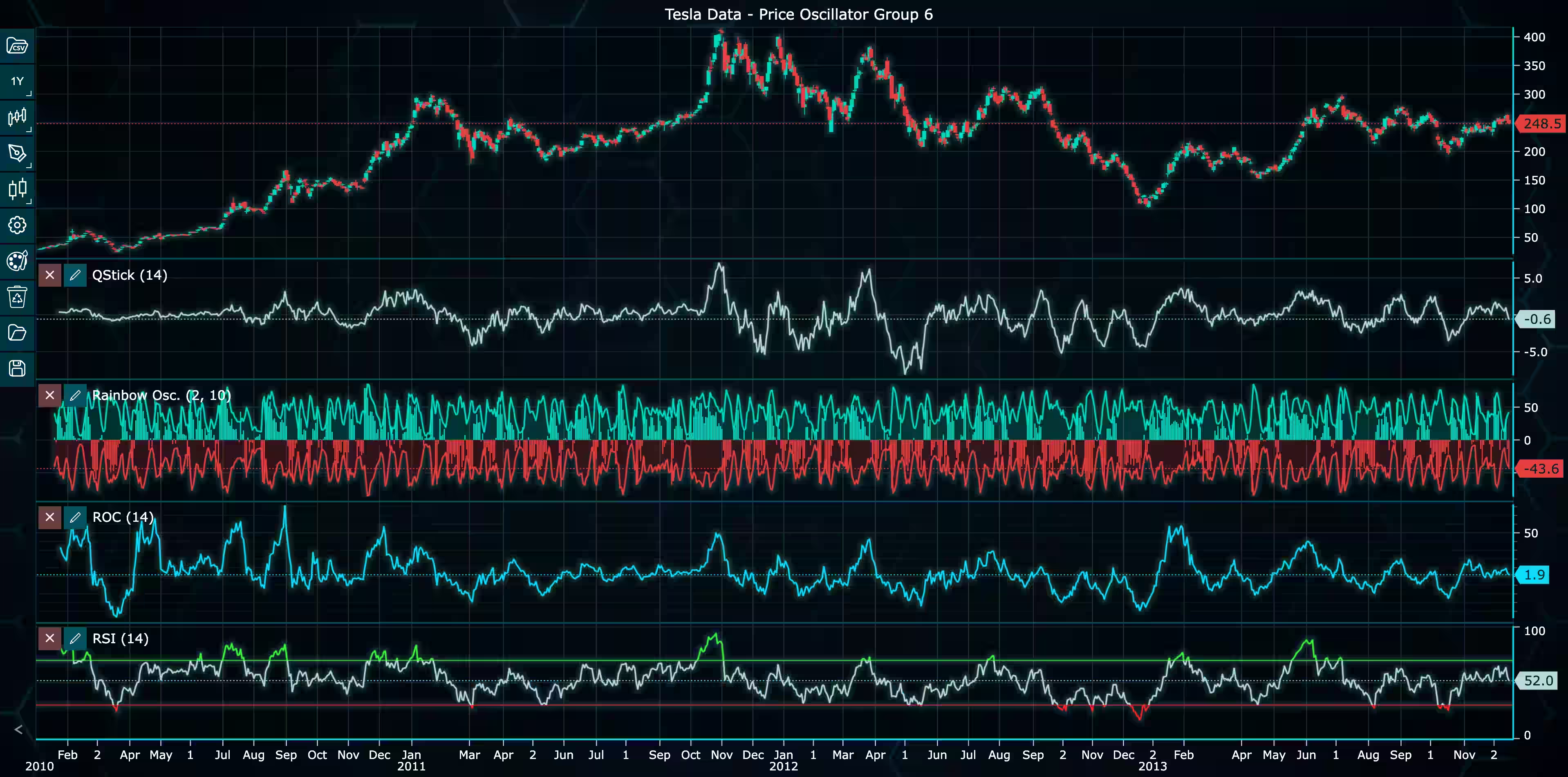
Fine-grained control over value labels allows customization of how the latest values are displayed for both price data and indicators. The new available controls are:
show_value_labels(bool):Show/hide all value labelsset_latest_value_label_type(str):Control the latest price label display
Data Point Management
The new data point management methods provide users with programmatic access to the chart’s data and automatic data-point limiting for real-time applications. All the data points containing full OHLC information, date-time stamps, and optional volume / open interest fields can now be retrieved using the get_data_point_array() function.
The chart also includes a built-in mechanism for automatically dropping old data points in streaming scenarios to maintain performance. This can be enabled or disabled via enable_data_point_limit(bool) and configured with set_data_point_limit(int) to control the maximum number of data points kept in memory.
Library Improvements
LightningChart Python Trader 1.1 also prioritizes improving the developer experience and overall UX. Here are some of the enhacements:
Axis Interaction Controls: Customize mouse button behavior for each axis independently, choosing from DragZoom, Pan, RectangleZoom, ZoomToEnd, or Off to control panning and zooming.
Enhanced Menu Customization: Enhanced menu controls allow you to hide specific UI elements for cleaner, custom interfaces. For example, hiding indicator controls or X/Y axis dropdown action buttons.
Drawing Tool Position Tracking: Get the current positions of drawing tools programmatically via get_position() for analysis, synchronization, or state management.
Enhanced Event System: All event methods now support both subscription and unsubscription patterns for flexible event management.
DateTime Handling Improvements: Behind the scenes, datetime conversion has been completely rewritten to ensure proper handling of date objects throughout the library, fixing edge cases with CSV loading and data manipulation.
New Visual Customization Methods
We have introduced new styling methods to provide greater control over how the chart looks.
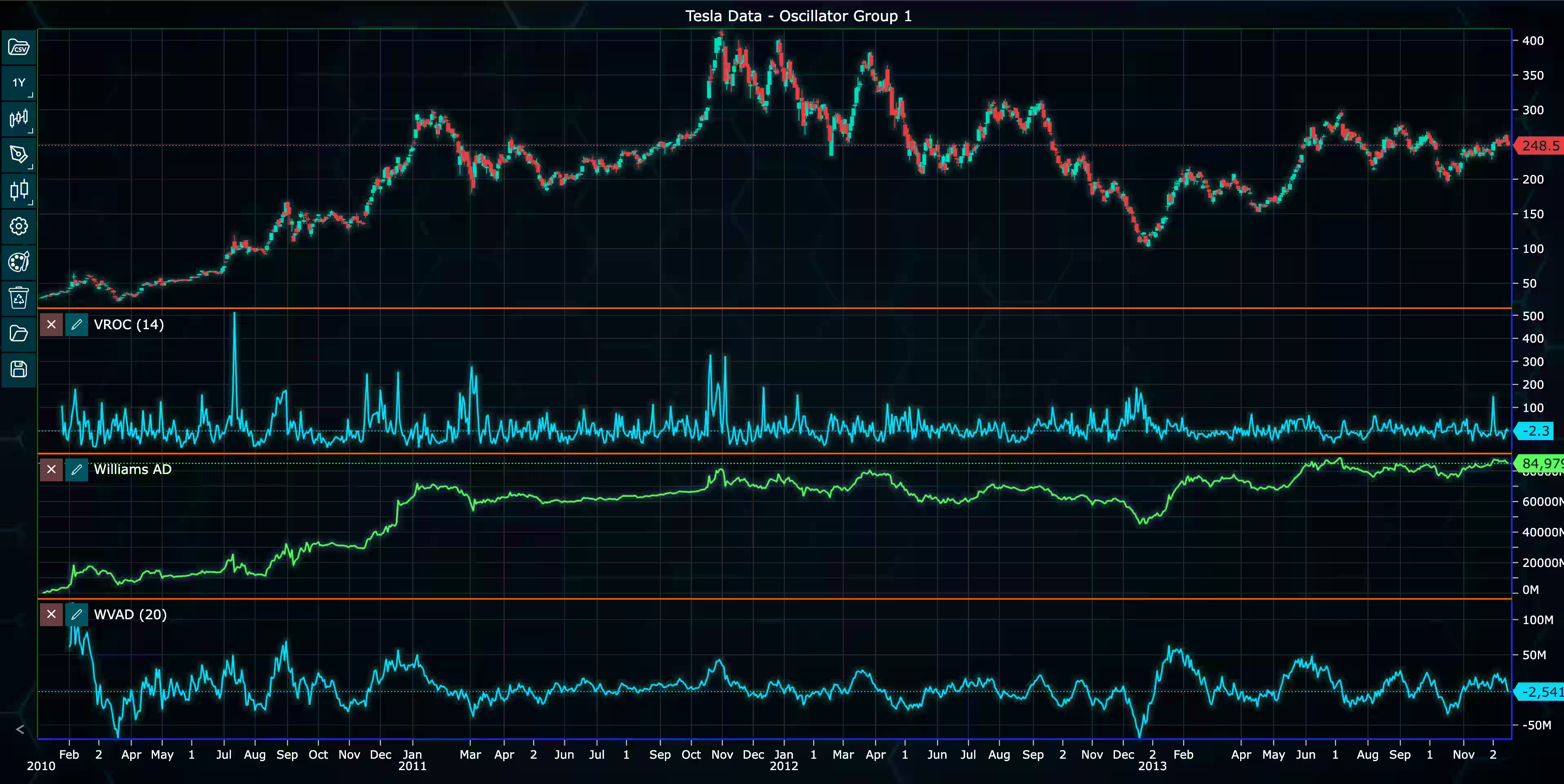
chart.set_splitter_color("#FF6600"): #Orange splitter lineschart.set_border_color('#00FF00’):#Green borderchart.set_axis_color('#0000FF’): #Blue axeschart.show_chart_border(True)chart.set_zooming_sensitivity(1.5)
Get LightningChart Python Trader 1.1
Getting started with LightningChart Python Trader is easy. We’ve compiled a comprehensive documentation and 26+ examples that can be easily downloaded as ZIP files (requires a license key to run) to help you get started visualizing financial data in Python.
See more news
LightningChart .NET v.12.6.1
LightningChart .NET v.12.6.1 is out now!Features of LightningChart® .NET version 12.6.1In this release we added new features, made several improvements and fixed dozens of errors. We upgraded target framework (from .NET 8.0 to 10.0), added Universal-Data-Parser...
Trend Lines in Trading
Trend lines are among the simplest yet most powerful tools in technical analysis. They help traders visualize market direction, identify potential support and resistance levels, and make more informed trading decisions. Despite their simplicity, trend lines remain a...
Announcement: Baumer as LightningChart customer
Enabling High-Performance Visualization of Industrial Sensor Data with LightningChartDiscover how Baumer uses LightningChart to configure and visualize data from a wide variety of industrial sensors and create responsive, data-rich visualization...
Best Python Charting Library in 2026
Python's charting ecosystem is large, overlapping, and regularly misunderstood. Most comparison guides stop at Matplotlib, Plotly, and Seaborn. This one goes further: it covers what happens when your datasets grow large, your update rates increase, or your chart types...



If you have any questions, feel free to contact us!



©LightningChart Ltd 2026. All rights reserved.





