



Announcing Dashtera Beta Release
A new revolutionary dashboarding platform for real-time insights, stunning visuals, and unmatched performance powered by LightningChart technology.
Introducing Dashtera beta platform
Dashtera is the next-generation web platform for building high-performance, real-time dashboards, now launched in beta. Dashtera has been built on cutting-edge LightningChart technology, empowering users to explore, analyze, and share data faster than ever before.
Whether you’re monitoring live data feeds or creating interactive reports, Dashtera delivers the speed, clarity, and flexibility needed to turn data into action, no code needed.
Dashtera’s benefits
Dashtera is designed for professionals in any industry who demand performance without compromising usability. Some of the Dashtera’s benefits include:
- Ultra-high-performance dashboards with real-time updates and smooth UI interactions
- Stunning visuals and color themes to help your data stand out and tell a clear story
- Effortless data connections to SQL databases, real-time streams, or local files, and more
- Industry-grade observability to visualize hundreds of data feeds with millisecond-level resolution
- 2D and 3D charting powered by WebGL technology and optimized for massive datasets
- Secure dashboard sharing with public or internal viewing modes
How Dashtera stands out
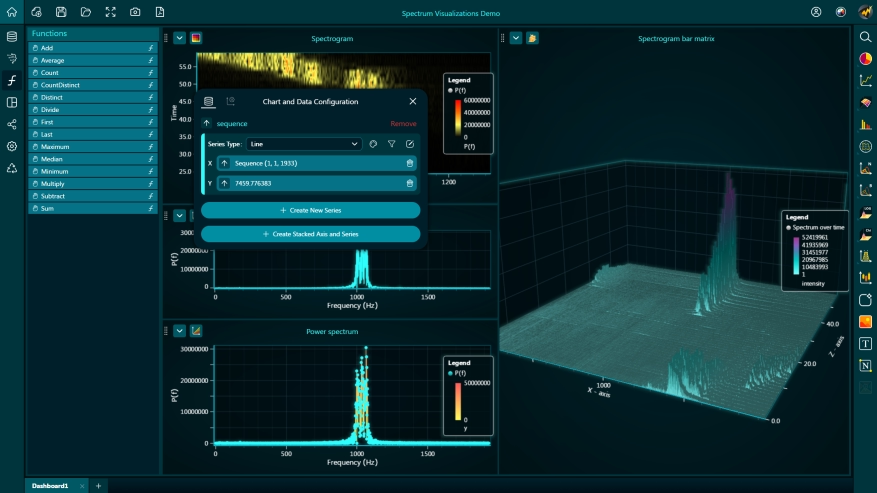
Unlike traditional dashboarding tools, Dashtera doesn’t slow down under pressure. It’s built from the ground up for GPU-accelerated rendering and true real-time performance. These capabilities are ideal for demanding use cases where speed and precision are critical. Dashtera’s intuitive interface and instant responsiveness help you spot insights immediately, without data down-sampling or delays.
Features
Dashtera provides users with a full suite of features designed for building advanced dashboards effortlessly:
Multiple data sources and connectors
Dashtera can seamlessly connect to databases supporting PostgreSQL, MySQL, InfluxDB, MS SQL Server, MariaDB, and several more to come.

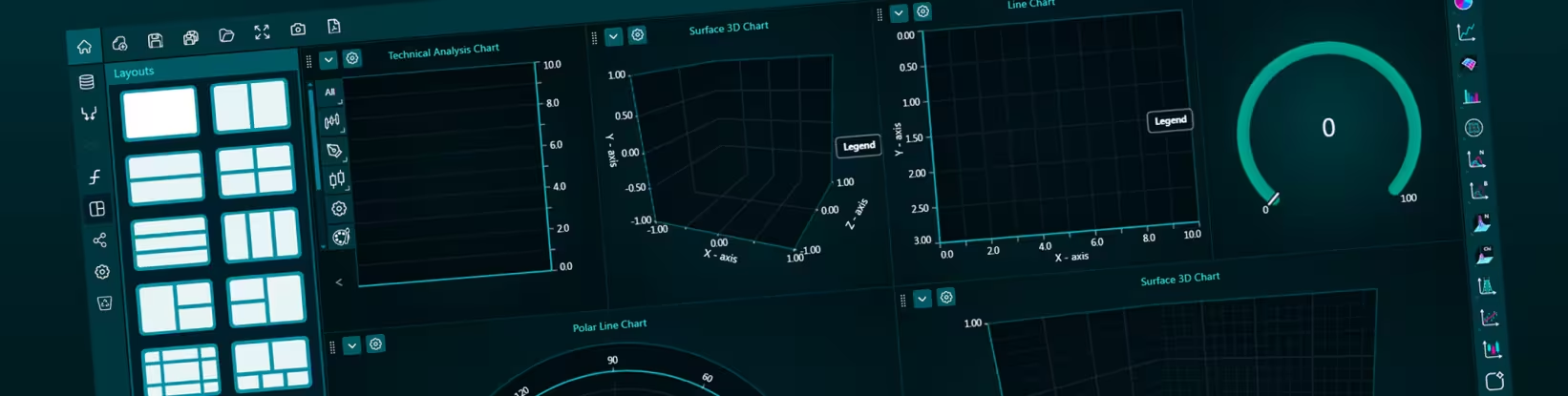
Dashboard Editor
An intuitive interface for building and customizing dashboards quickly.
Visualizations

Dashtera features wide range of high-performance visualizations, including:
- basic charts
- XY Charts
- Bar Charts
- 3D Charts
- Polar Charts
- Technical Analysis Charts
- Statistics Charts
- Maps
Dashtera also provides users with interactivity tools including drill-down, drill-through, data filtering, grouping, and aggregation for deeper exploration. It is also possible to work with custom functions, apply formulas and data transformations directly within dashboards.
Reporting and Sharing

PDF Reporting
Easily export dashboards to PDF format for streamlined sharing and documentation.
Sharing Options
Securely share dashboards within your team or make them publicly accessible for external audiences.
Who is Dashtera for?
Dashtera was built for professionals in engineering, finance, IoT, healthcare, defense, business and any industry that relies on high-volume and high-velocity data. Whether you’re visualizing sensor streams, monitoring market activity, or tracking mission-critical systems, Dashtera gives you the tools to stay ahead.
LightningChart Development Commitment
Custom applications and data science projects are consistently in demand, and this need continues to grow. As a result, we reaffirm our commitment to actively develop and provide our .NET, JavaScript, and Python chart libraries to meet these evolving needs.
Get access to Dashtera Beta
Start with the Free Plan or unlock advanced capabilities with Business or Engineering plans tailored to your needs. Try Dashtera today and experience dashboards like never before.
See more news
LightningChart .NET v.12.6.1
LightningChart .NET v.12.6.1 is out now!Features of LightningChart® .NET version 12.6.1In this release we added new features, made several improvements and fixed dozens of errors. We upgraded target framework (from .NET 8.0 to 10.0), added Universal-Data-Parser...
Trend Lines in Trading
Trend lines are among the simplest yet most powerful tools in technical analysis. They help traders visualize market direction, identify potential support and resistance levels, and make more informed trading decisions. Despite their simplicity, trend lines remain a...
Announcement: Baumer as LightningChart customer
Enabling High-Performance Visualization of Industrial Sensor Data with LightningChartDiscover how Baumer uses LightningChart to configure and visualize data from a wide variety of industrial sensors and create responsive, data-rich visualization...
Best Python Charting Library in 2026
Python's charting ecosystem is large, overlapping, and regularly misunderstood. Most comparison guides stop at Matplotlib, Plotly, and Seaborn. This one goes further: it covers what happens when your datasets grow large, your update rates increase, or your chart types...



If you have any questions, feel free to contact us!



©LightningChart Ltd 2026. All rights reserved.