Line style
LineStyle is property of many line-series (see Line-series comparison).
If the line should not be visible, disable LineVisible property, or series. Visible (in case series does NOT support PointStyle), or LineVisibleHigh & LineVisibleLow properties (in case HighLowSeries).
Alter the point style by setting PointStyle properties.
LineStyle

LineStyle and LineVisible properties
The series have properties controlling color and width of the line under LineStyle class. As HighLowSeries has two lines, their styling is controlled by LineStyleHigh and LineStyleLow properties respectively.
Accordingly, Color is for setting line's color and Width is for setting line's width in PXs. In addition to those properties, line pattern (Pattern) also can be modified. Available options include Solid, Dot, Dash, DashDot and SmallDot. Pattern line could be drawn for SampleDataSeries, PointLineSeries, FreeformPointLineSeries, AreaSeries, HighLowSeries and LineCollection. For these series PatternScale property can be used to modify the length of each dash or dot.
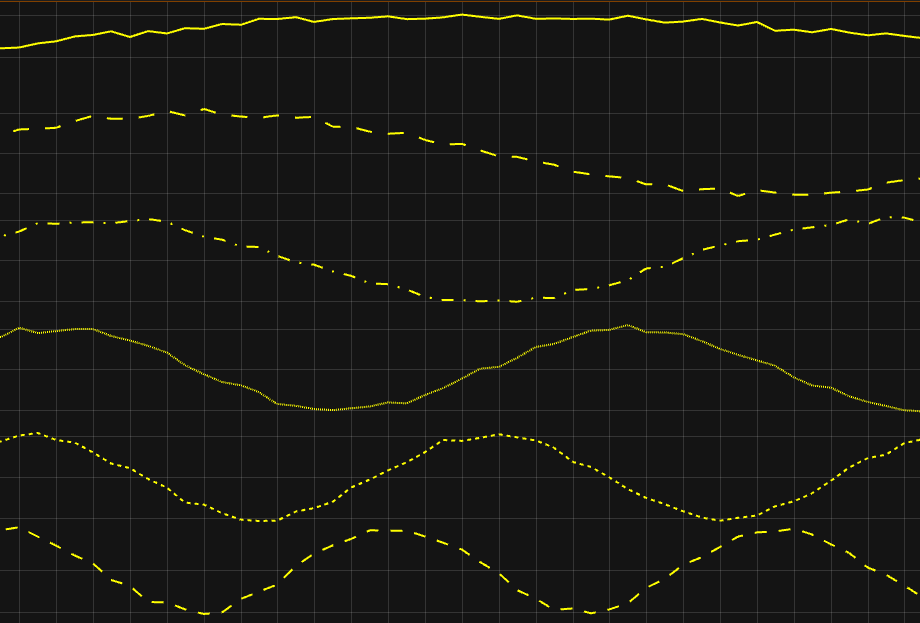
LineStyle.Pattern from top to bottom: Solid, Dash, DashDot, SmallDot, Dot and Dot. Two bottom ones are 'Dot' pattern but for one PatternScale=1 (default), while another PatternScale=3.
PolygonSeries. Border is also LineStyle type. So is ZoomOutRectLine & ZoomRectLine and several other properties.
To see feature demonstration as example, check LineSeriesXYFeatures from our Demo.