








LightningChart Python 2.0 is out now!
Introducing customizable legends, enhanced data handling, and improved chart control features.
Modifications to Legends
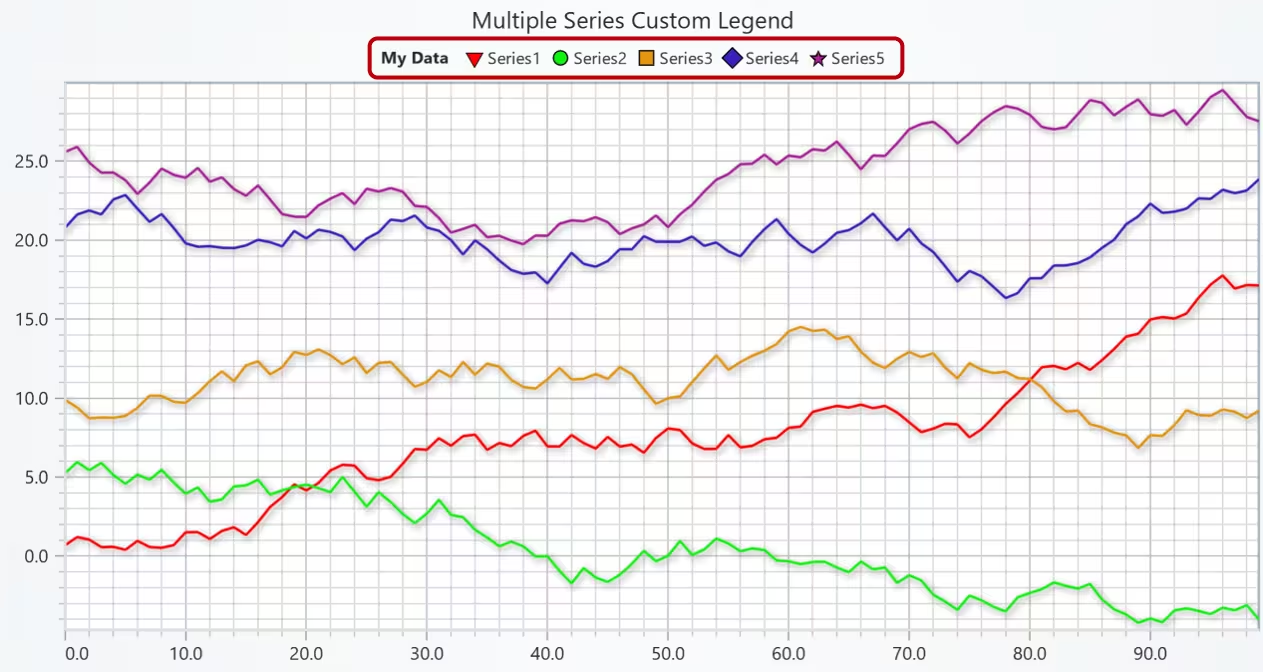
Legends are now added automatically and can be fully customized at the chart, series, and entry levels, which gives you total control over how information is displayed.
Chart-level configuration
Set up default legend behavior right from chart initialization. You can adjust visibility, position, title, orientation, background style, margins, and even automatic entry management.
Series-level styling
Define how each series appears in the legend as you create it. Customize text, button shape and size, fill styles, fonts, and control visibility per series.
Entry-level customization
Use set_entry_options() to style individual components like series or LUTs. Apply custom text, symbols, colors, and LUT display settings to fine-tune the look of each entry.
Multiple legend support
Add multiple legends to the same chart with chart.add_legend(). You can also manually choose which components appear in each one for precise layout control.
Standalone entries
Include additional informational entries not linked to any chart component using the add() method — perfect for notes, labels, or other context indicators.
Available legend positions
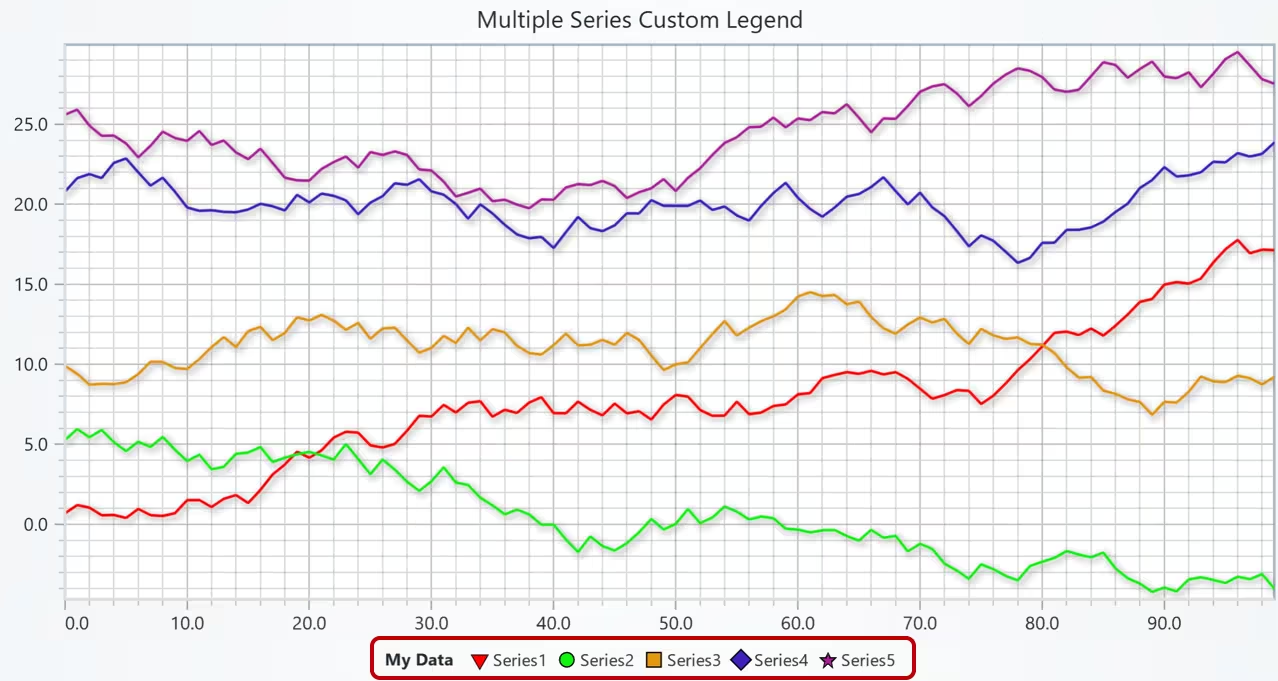
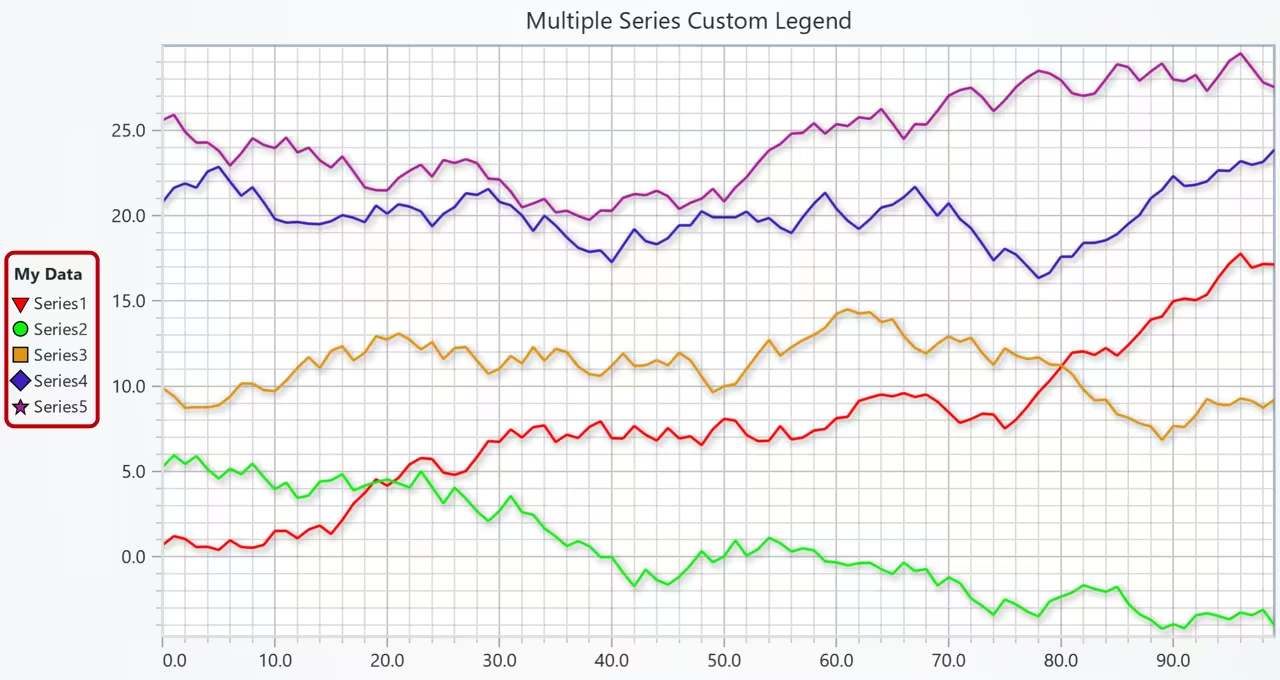
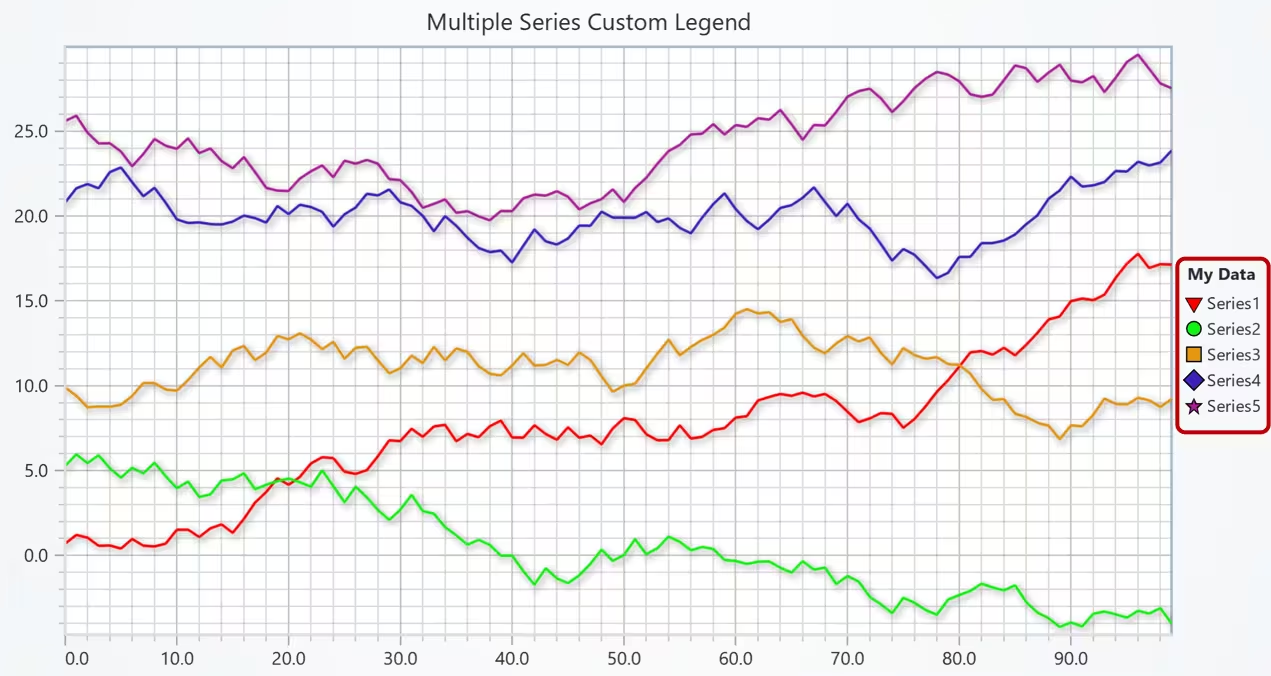
ChartXY Series Data API Improvements
The ChartXY Series Data API has been enhanced to offer more flexibility, precision, and efficiency in how data is added, managed, and updated.
Updated data addition methods
The following methods have been improved for better usability and performance:add(), add_dict_data(), append_JSON(), append_sample(), and append_samples().
Schema-based data management
Define your data structure with the schema parameter during series creation, and use set_data_mapping() to specify how data properties map to chart coordinates. This enables organized data handling and makes it easier to implement progressive data patterns.
Enhanced sample modification
Use alter_samples() to modify data points directly by index, or alter_samples_by_match() to target and update specific points. These methods allow precise edits without needing to replace the entire dataset.
Progressive data patterns
Progressive data patterns can now be applied directly in the schema, supporting real-time and continuous data streaming scenarios.
Property-specific data storage
Optimize memory and performance by configuring storage types per data property. For example:
xValues: {'storage': 'Float32Array'},
yValues: {'storage': 'Float32Array'}
Other Improvements
LightningChart Python 2.0 introduces new developer-focused features: unified scroll strategy API, customizable point borders, automatic TextBox cleanup, refined series management, and broader non-native data type support for optimized performance.
Simplified scroll strategies
A single set_scroll_strategy() method now handles all scroll behaviors. Choose from ‘scrolling’, ‘fitting’, ‘expansion’, or ‘fittingStepped’, and easily fine-tune with parameters like progressive=True, realtime=True, start=False, or end=True.
Customizable point series borders
You can now customize point borders in ChartXY (Point, Point-Line, Spline, Step) and Polar (Point, Point-Line) series using the new set_point_stroke_style() method for better visual control.
TextBox auto-dispose
TextBoxes can now automatically remove themselves when they exceed a specified portion of the viewport. Configure this with set_auto_dispose(mode, threshold) for cleaner, dynamic visuals.
Removed series types
Some previous AreaSeries functionalities have been removed under ChartXY — specifically, the Bipolar, Negative, and Positive series types.
Expanded data type support
The update adds compatibility for a wider range of non-native Python data types, improving flexibility and integration with external data sources.
Get LightningChart Python 2.0
Ready to start with LightningChart Python data visualization library? Select from Data Scientist or Software Developer licenses, and get started developing Python projects at the best performance.
See more news
LightningChart .NET v.12.6.1
LightningChart .NET v.12.6.1 is out now!Features of LightningChart® .NET version 12.6.1In this release we added new features, made several improvements and fixed dozens of errors. We upgraded target framework (from .NET 8.0 to 10.0), added Universal-Data-Parser...
Trend Lines in Trading
Trend lines are among the simplest yet most powerful tools in technical analysis. They help traders visualize market direction, identify potential support and resistance levels, and make more informed trading decisions. Despite their simplicity, trend lines remain a...
Announcement: Baumer as LightningChart customer
Enabling High-Performance Visualization of Industrial Sensor Data with LightningChartDiscover how Baumer uses LightningChart to configure and visualize data from a wide variety of industrial sensors and create responsive, data-rich visualization...
Best Python Charting Library in 2026
Python's charting ecosystem is large, overlapping, and regularly misunderstood. Most comparison guides stop at Matplotlib, Plotly, and Seaborn. This one goes further: it covers what happens when your datasets grow large, your update rates increase, or your chart types...



If you have any questions, feel free to contact us!



©LightningChart Ltd 2026. All rights reserved.