








Announcing LightningChart JS v.8.1
New product features, performance, and developer experience improvements.
New Product Features
LightningChart JS v.8.1 introduces new product features. Here’s an overview:
Heatmap min-max aggregation
In this 8.1 release, LightningChart JS introduces built-in heatmap aggregation features, useful for extremely dense heatmaps where several data points might correspond to only 1 pixel on the monitor. By enabling the min-max aggregation, you can ensure that your application users always see the peak values, regardless if they are zoomed out or not.
The aggregation can be set with heatmapSeries.setAggregation(‘max’). In the following video, you can see small red dots in the middle, which are outliers added for testing. See how they are not visible in the raw upper heatmap.
Heatmap and Surface contours
LightningChart JS 8.1 also introduces built-in contour rendering algorithms for the heatmap and surface series, supporting different stroke and label styles for each level.
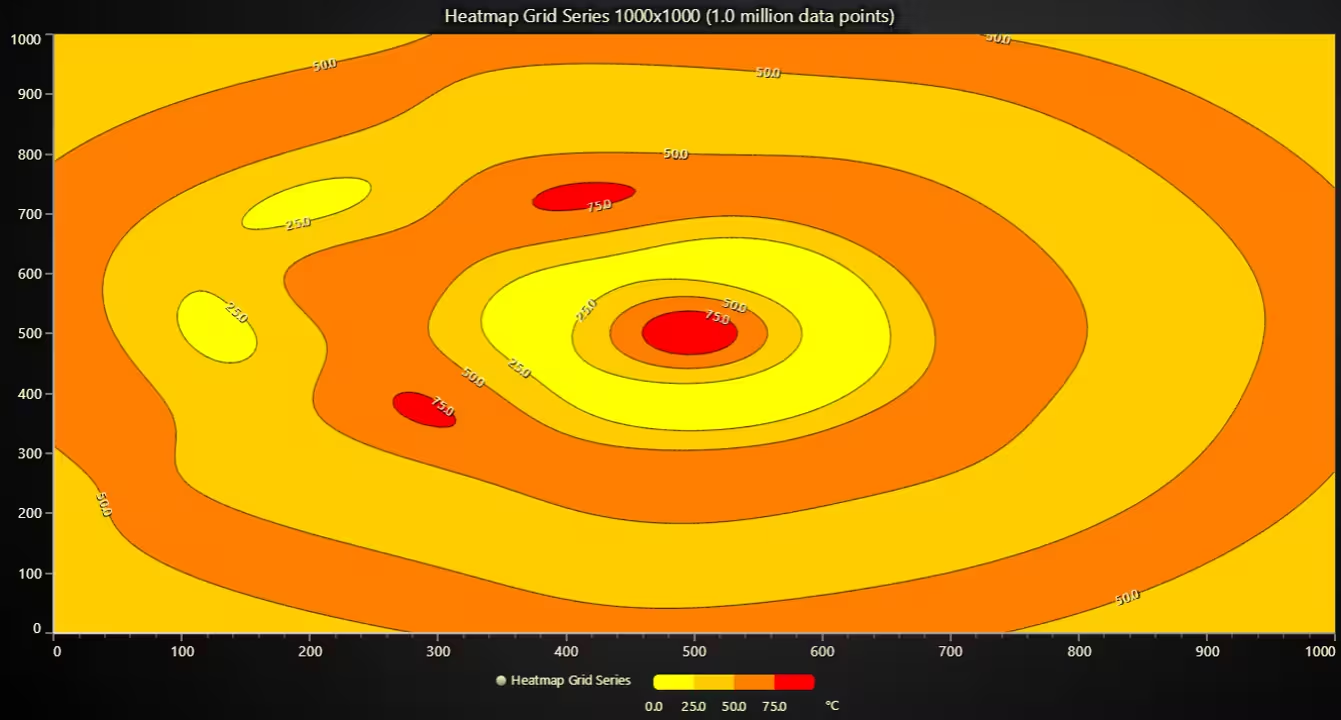
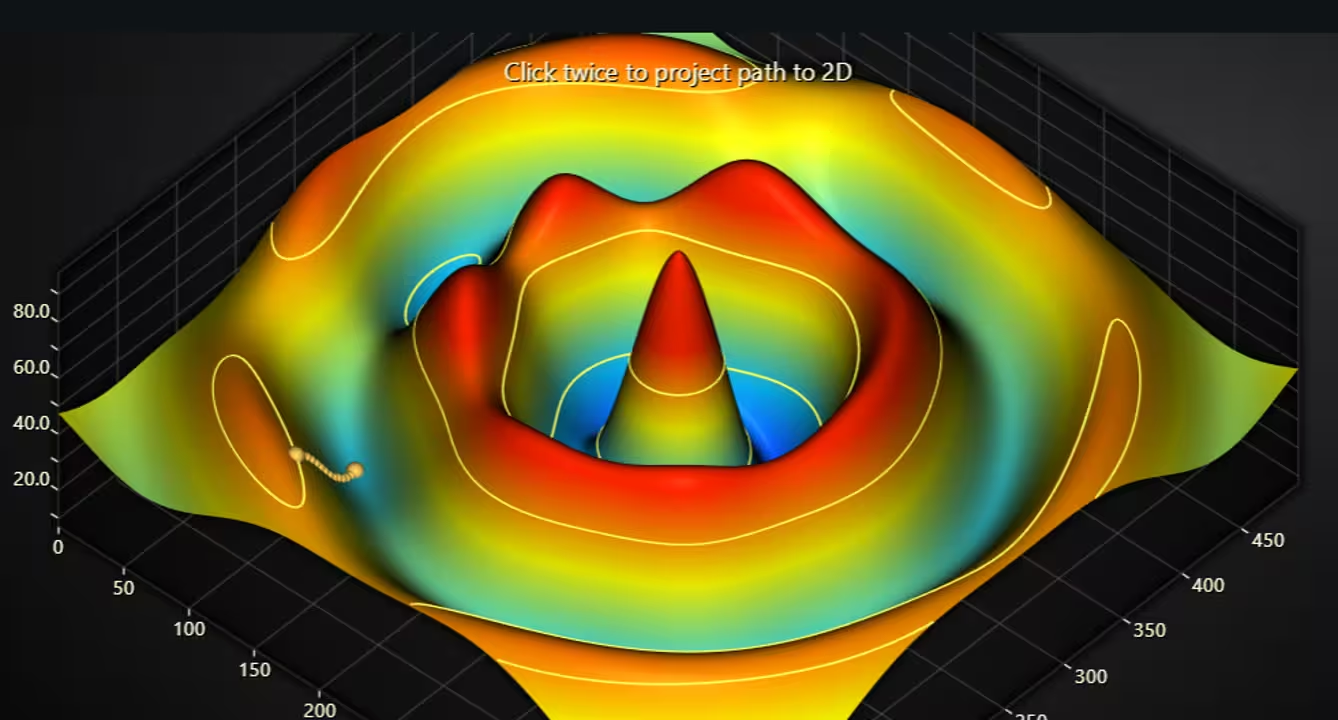
Contour options can be set as follows:
Heatmap.setContours({
	levels: [
		{ value: 10 },
		{ value: 30 }
	]
})
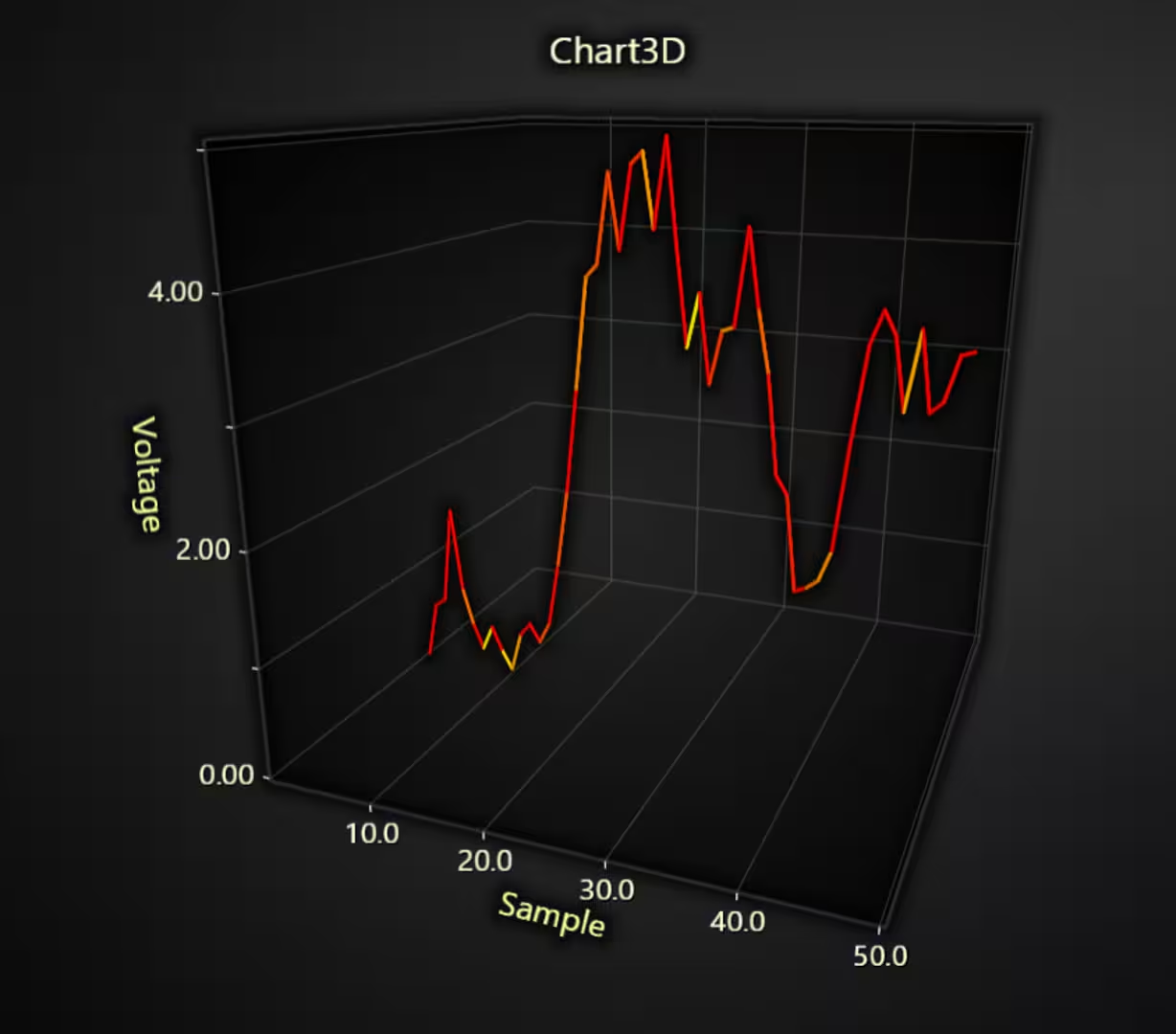
LineSeries3D lookup value coloring
3D line series now support loading separate value properties (not X, Y, or Z) and coloring each line segment with alternating color based on that value.
Inset custom ticks in ChartXY
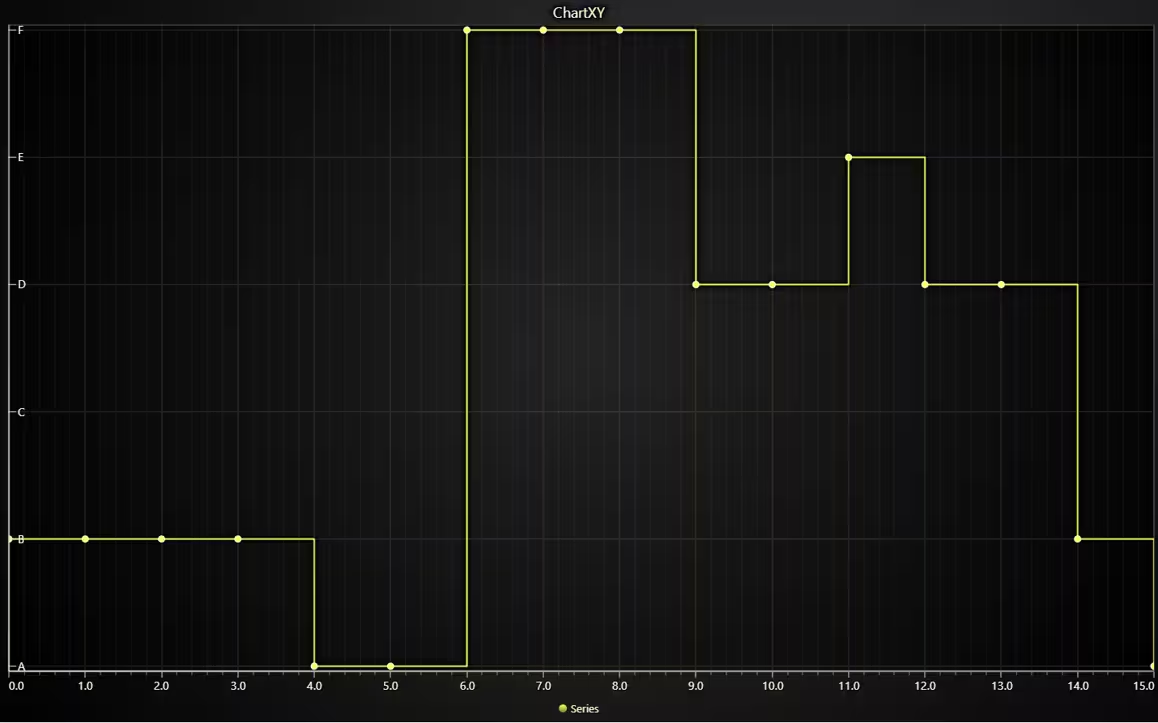
LightningChart 8.1 introduces an API to align custom tick labels on the interior area of the series. Previously, this was already possible for normal ticks, but not for custom ticks. Custom ticks are mostly used for categorical axis.
Cursor style overrides for built-in user interactions
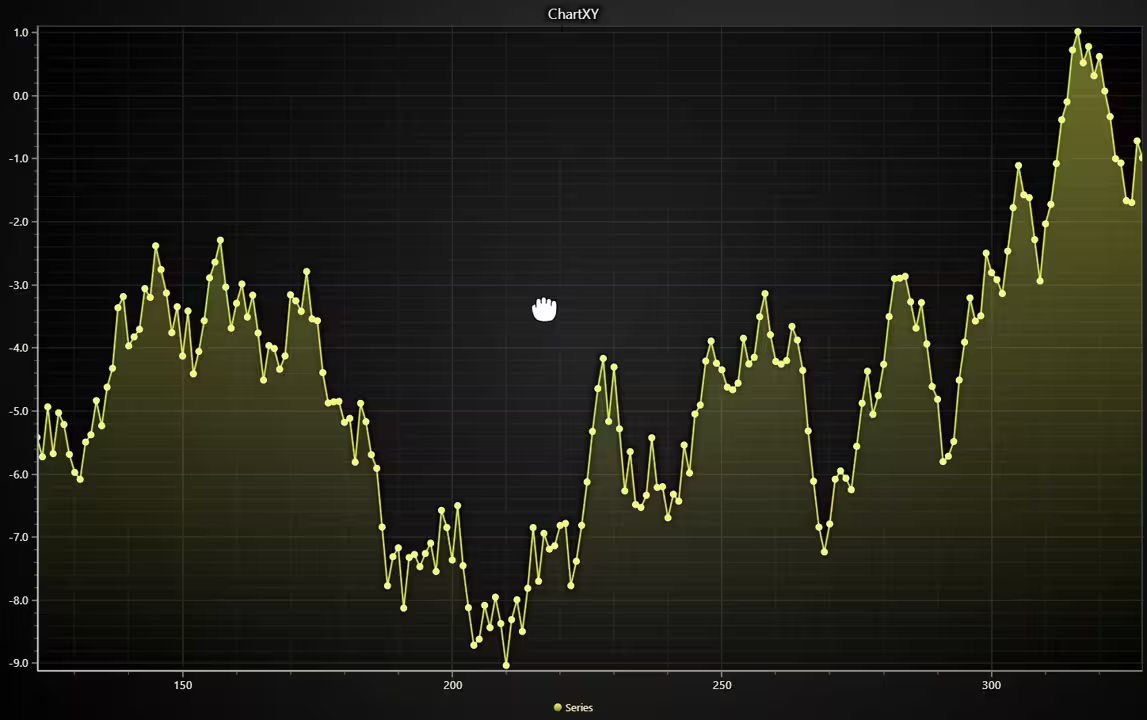
The user interaction configuration API now allows specifying a cursor style between different built-in user interactions. Similarly, styling the cursor can also be disabled by passing a `null` value:
chart.setUserInteractions({
  pan: {
    cursor: 'grabbing',
  },
})
Performance Improvements
This version introduces enhancements for performance, here is a summary:
Rectangle series progressive solve nearest
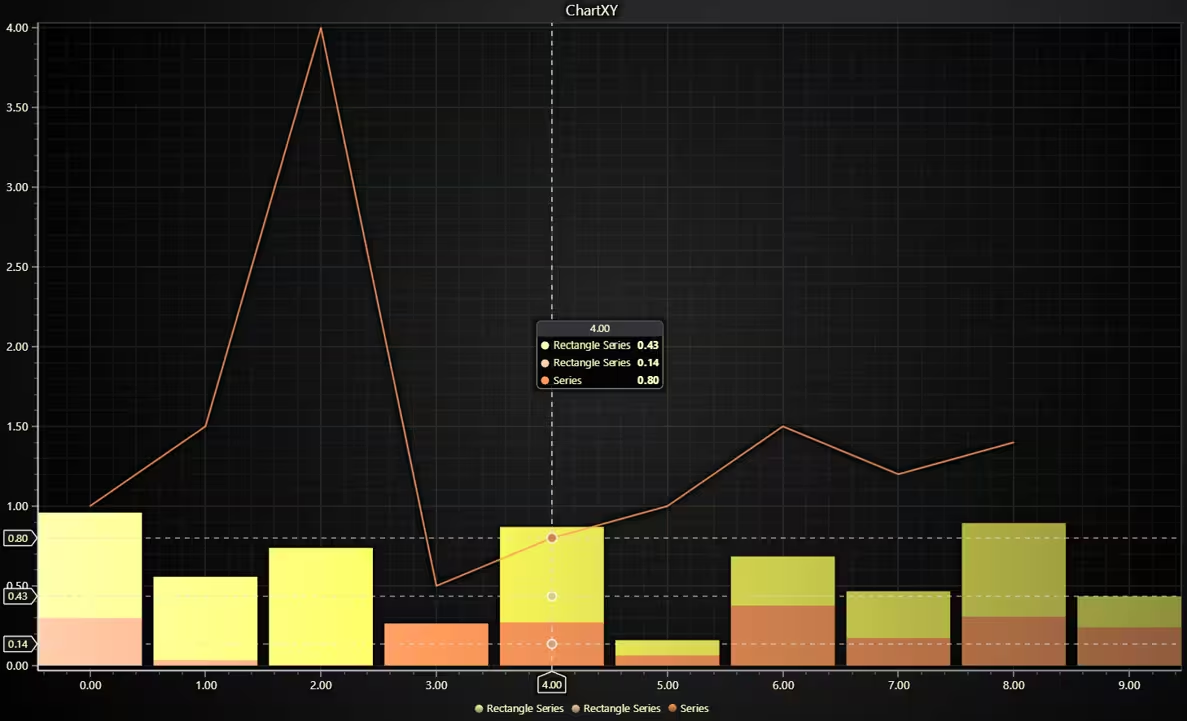
The rectangle series can now automatically change the cursor behavior to a progressive variant, the same way as other XY series. This is a good improvement when using histograms, especially if the same chart includes either several histograms or a histogram and another XY series. This is an out-of-the-box improvement, and an API call is not necessary.
Heatmap flat array input
XY Heatmap grid series now supports data in flat format. Previously, data had to be provided as a number matrix (array of arrays). In many real-world applications, data is loaded or transferred in a flat format. Before, this required converting flat data into a matrix, which was a fast process but added extra loading time and could be memory-intensive for large heatmaps.
The new API also supports loading data from Typed Arrays (e.g., Float32Array, Float64Array), enabling highly efficient data loading, especially when using web workers for async FFT calculations or similar use cases.
Developer Experience Improvements
LightningChart JS 8.1 introduces key chart capturing methods:
Scale parameter to captureFrame/saveToFile methods
The scale parameter allows capturing a screenshot of the chart while simultaneously upscaling or downscaling it by an arbitrary ratio. For instance, this is the code for a 2x upscaled screenshot:
chart.saveToFile('screenshot', undefined, undefined, 2)Get started with LightningChart JS v.8.1
To learn more about this release, visit the documentation.
See more news
LightningChart .NET v.12.6.1
LightningChart .NET v.12.6.1 is out now!Features of LightningChart® .NET version 12.6.1In this release we added new features, made several improvements and fixed dozens of errors. We upgraded target framework (from .NET 8.0 to 10.0), added Universal-Data-Parser...
Trend Lines in Trading
Trend lines are among the simplest yet most powerful tools in technical analysis. They help traders visualize market direction, identify potential support and resistance levels, and make more informed trading decisions. Despite their simplicity, trend lines remain a...
Announcement: Baumer as LightningChart customer
Enabling High-Performance Visualization of Industrial Sensor Data with LightningChartDiscover how Baumer uses LightningChart to configure and visualize data from a wide variety of industrial sensors and create responsive, data-rich visualization...
Best Python Charting Library in 2026
Python's charting ecosystem is large, overlapping, and regularly misunderstood. Most comparison guides stop at Matplotlib, Plotly, and Seaborn. This one goes further: it covers what happens when your datasets grow large, your update rates increase, or your chart types...



If you have any questions, feel free to contact us!



©LightningChart Ltd 2026. All rights reserved.