








A Guide to Technical Indicators with LightningChart Python Trader
Tutorial
Written by a Human
Explore our comprehensive guide to technical indicators to create Python trading applications with LightningChart Python Trader.
Mikael Virtanen
Data Science Python Developer

Introduction
This article is a demonstration of the charting features included in LightningChart’s Python Trader (PT) library. The library will be used to visualize data from Alphavantage’s economic indicators API. The process will explain how to operate the API and import data to Python trader, as well as how to generate and customize charts in it.
The purpose of this article was to demonstrate the technical indicators within Python Trader. Once the data of choice has been imported, this can be done via the UI. It can also be done with code, but it must be done in the setting chart properties phase. Note that the focus is more on demonstrating the functionality of the software rather than providing a viable trading strategy.
The API – Alpha Vantage
The Alpha Vantage API provides free access to most of its APIs with a limit of 25 API calls per day. This includes data on stocks, options, forex, and crypto from several exchanges, with historical data covering the last 20 years. Both adjusted and unadjusted data are available in their stock API. This demonstration will focus on their commodities API exclusively.
There is a 15-minute delay in the stock data for the free and cheapest premium subscriptions, thus putting one at a disadvantage if wanting visualize data in real-time. Additionally, the limit of 25 calls per day can be problematic when testing the functionality of the API. The premium subscriptions start at $50 / month (75 API calls per minute).
The economic indicators offered by Alphavantage are: Real GDP, Real GDP per capita, Treasury Yield, Federal fund interest rate, CPI, Inflation, Retail sales, Durable goods orders, Unemployment rate, and nonfarm payroll. Depending on the indicator different parameters are available in the API. For example, some of them offer data points in certain time intervals (monthly, quarterly, annual, etc.). It should also be noted that the indicators are based on data from the US.
Plotted variables
Python trader requires Open, High, Low, Close (O, H, L, C) values to work (as well as a date). However, most of the indicators(all?) do not return all of these. Only Price and a date. A workaround for this will be presented later in the article.
API parameters
Not all of these are available for all of the series, and available values also vary.
‘function’ = name of the data series of choice. For example, “REAL_GDP”.
‘interval’ = time interval between data points. Not available for all series. Available options also vary between series. Consult Alphavantage’s documentation for detailed options.
‘datatype’ = In what form the data is given. JSON and CSV are available. Optional defaults to JSON.
‘apikey’ = your api key. Either the free or the premium license.
‘maturity’ = Yield to maturity of the bond. Available in time ranges of 3 months, 2 / 5 / 7 / 10, and 30 years.
LightningChart Python Trader
LightningChart’s Python Trader (PT) provides extensive charting solutions with a high degree of customizability through its easy-to-use UI and built-in functionalities. Since the library is built for Python, it’s also possible to use other Python libraries if necessary.
As with all Lightningchart products, Performance has been a high priority when developing the library, even when working with large amounts of data, thus removing possible bottlenecks in this area.
Overview of the UI
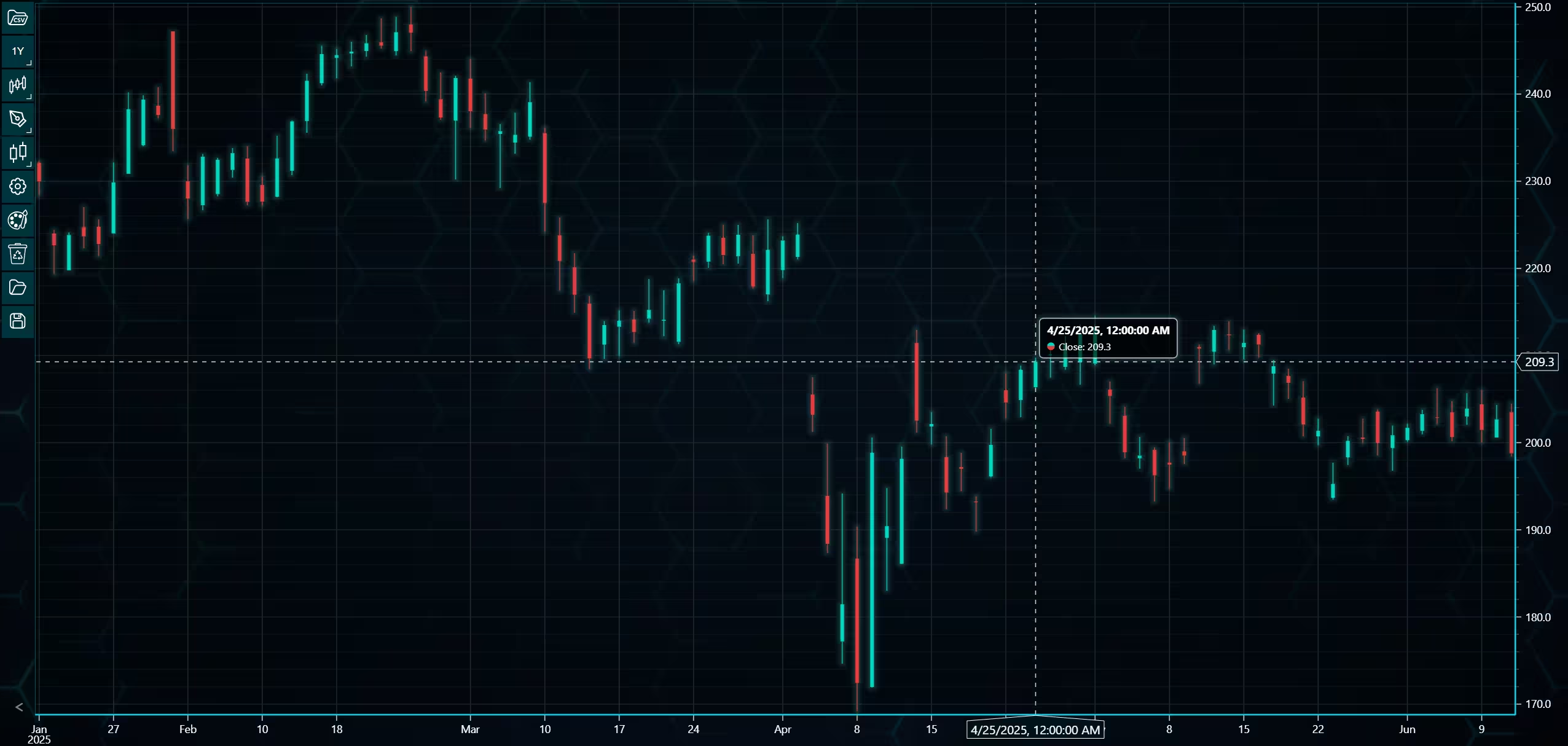
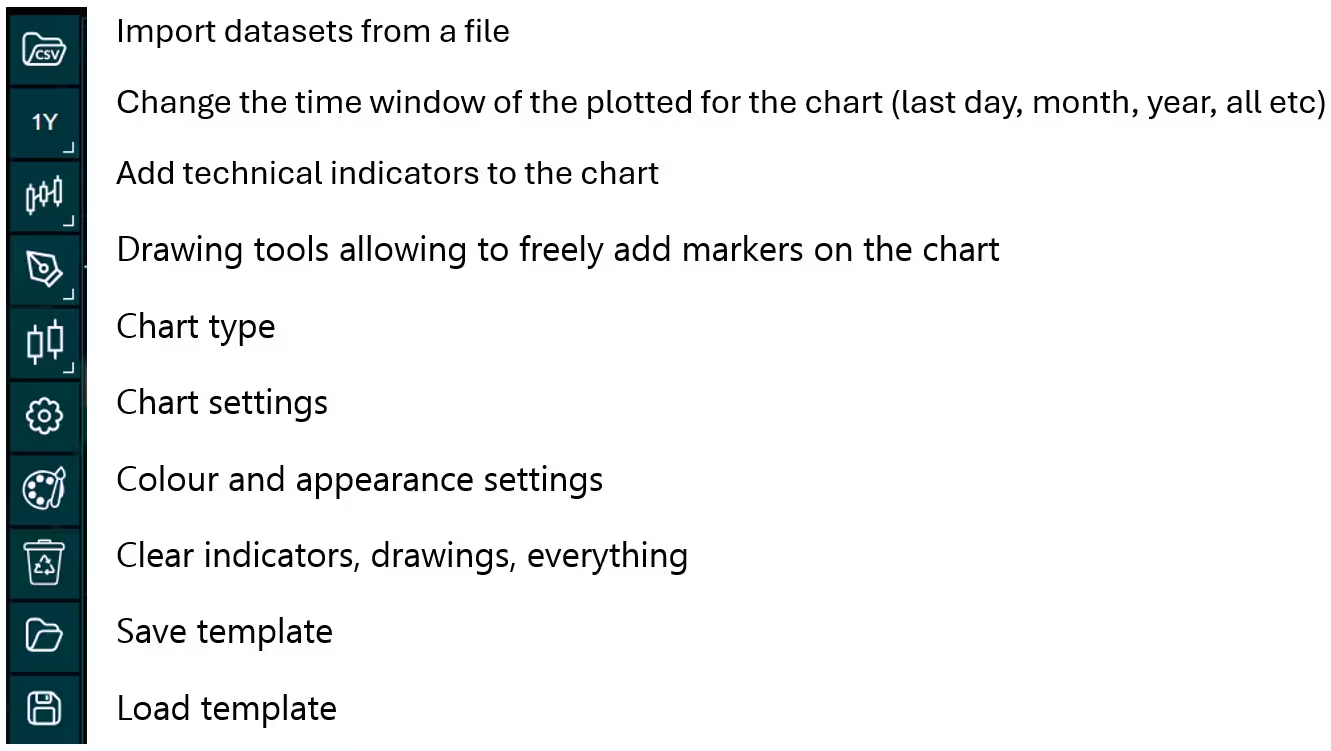
Above is the PT user interface with stock data charted using the default candlestick chart. On the top left are controls used to customize the chart and work with datasets. Here is the explanation for all the UI controls:
Charting features
These are chart types of Python trader provides out of the box.
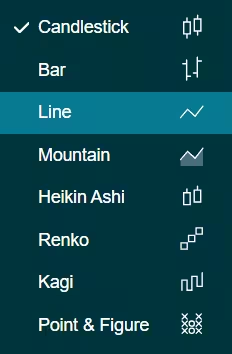
Chart types can be changed with the the UI or with the set_price_chart_type(chart_type) command. Available ones are ‘CandleStick’, ‘Bar’, ‘Line’, ‘Mountain’, ‘HeikinAshi’, ‘Renko’, ‘Kagi’, and ‘PointAndFigure’. For example, a mountain creating a mountain chart using the following methods:
trader.set_price_chart_type('Mountain')
trader.add_data_array(data)
trader.open()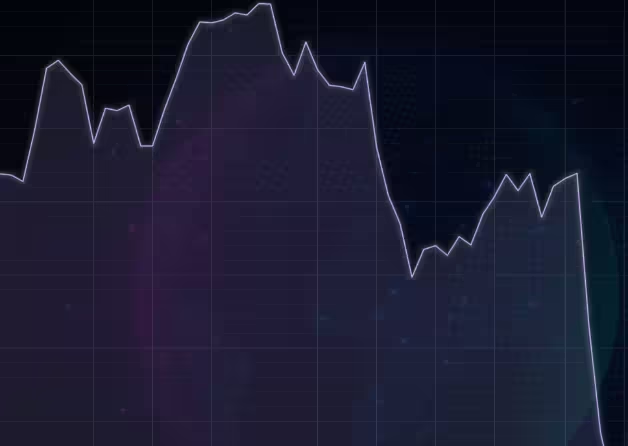
Chart visuals can be customized using the Python trader UI. Below are available settings for chart and indicator colours, background colour/image etc.
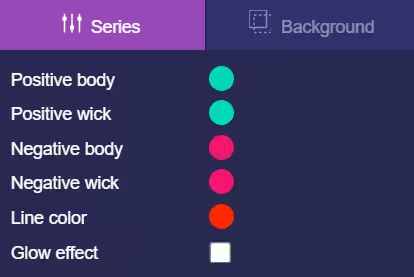
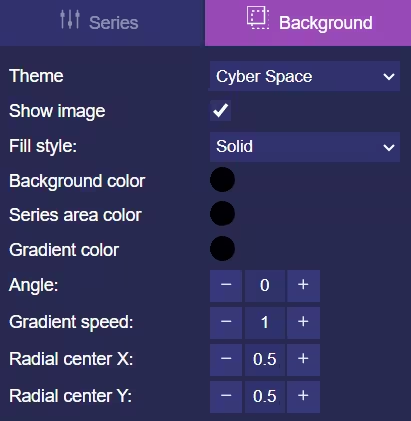
Default chart colours.
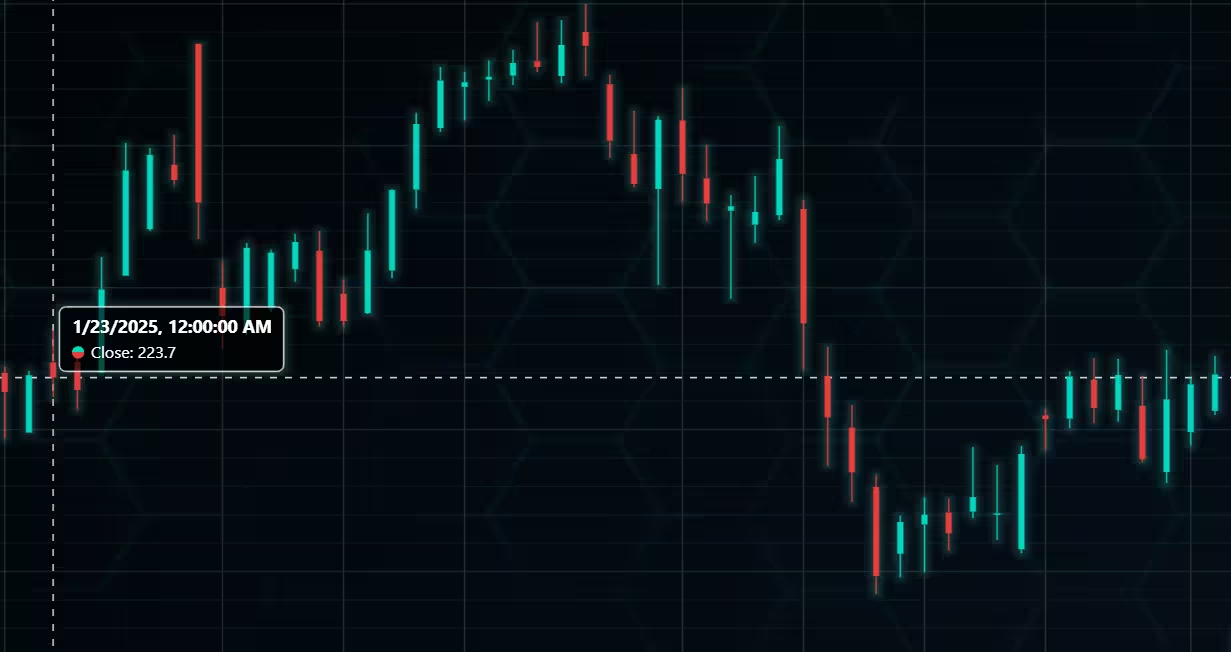
Background and indicator colours changed
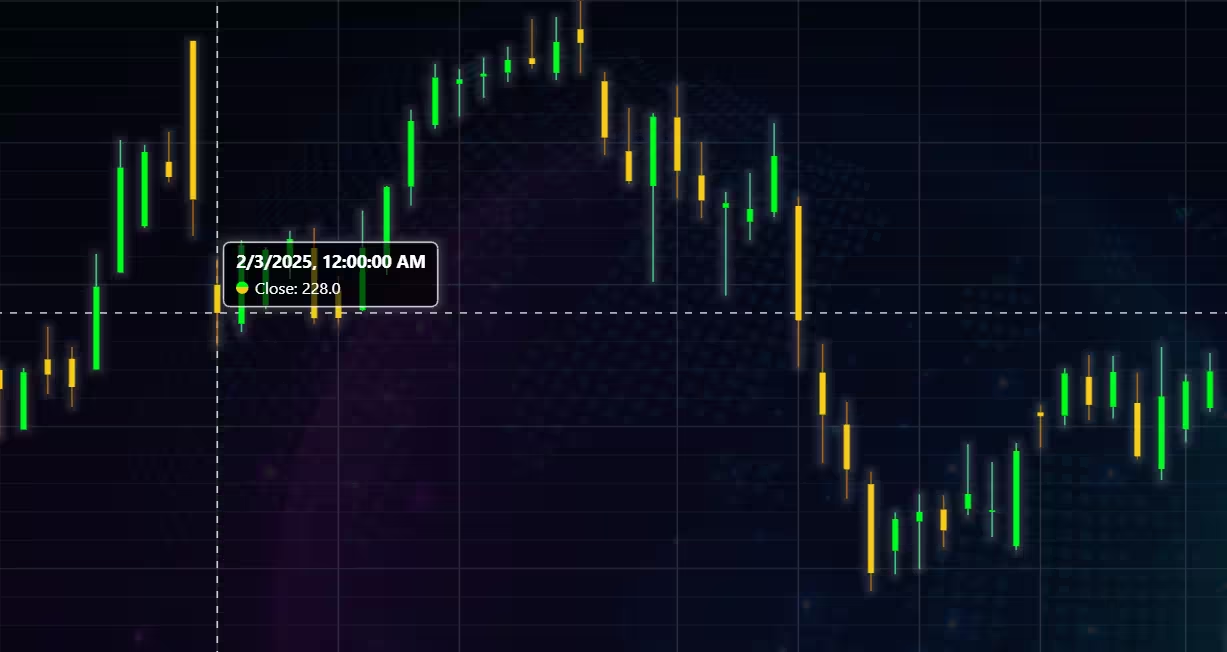
Chart customization
Customisation can also be done with code, using the built-in methods. The code below changes the background image and the chart colours to the ones seen in the right image. But why use code for customisation, since working with UI is easier?
trader.set_color_theme('cyberSpace')
# Changing the indicator colours for the candlesticks
trader.set_positive_body_color('#0fdf0c')
trader.set_positive_wick_color('#33d7a0')
trader.set_negative_body_color("#f3eb16")
trader.set_negative_wick_color('#b85900')
When the customization is applied on code level there’s no need to change any settings or load a template. Meaning you won’t have to make the changes every time when opening a chart. Python trader supports the use of templates for customization, and these files can be loaded in with code.
However, you still need to manually select the file, and in case you want to share the chart the template file would also need to be shared. When the changes are done in code, only it needs to be shared to get the same results.
Technical indicators
Python trader supports over 100 technical indicators. These include ones such as Relative Strength Index (RSI), Bollinger bands, Moving averages (SMA, EMA etc), Oscillators for money flow and price, Fibonacci retracements, as well as statistical ones like Standard deviation. Technical indicators can be added to a chart easily with the trader UI, their properties (period count, standard dev) can also be changed the same way.
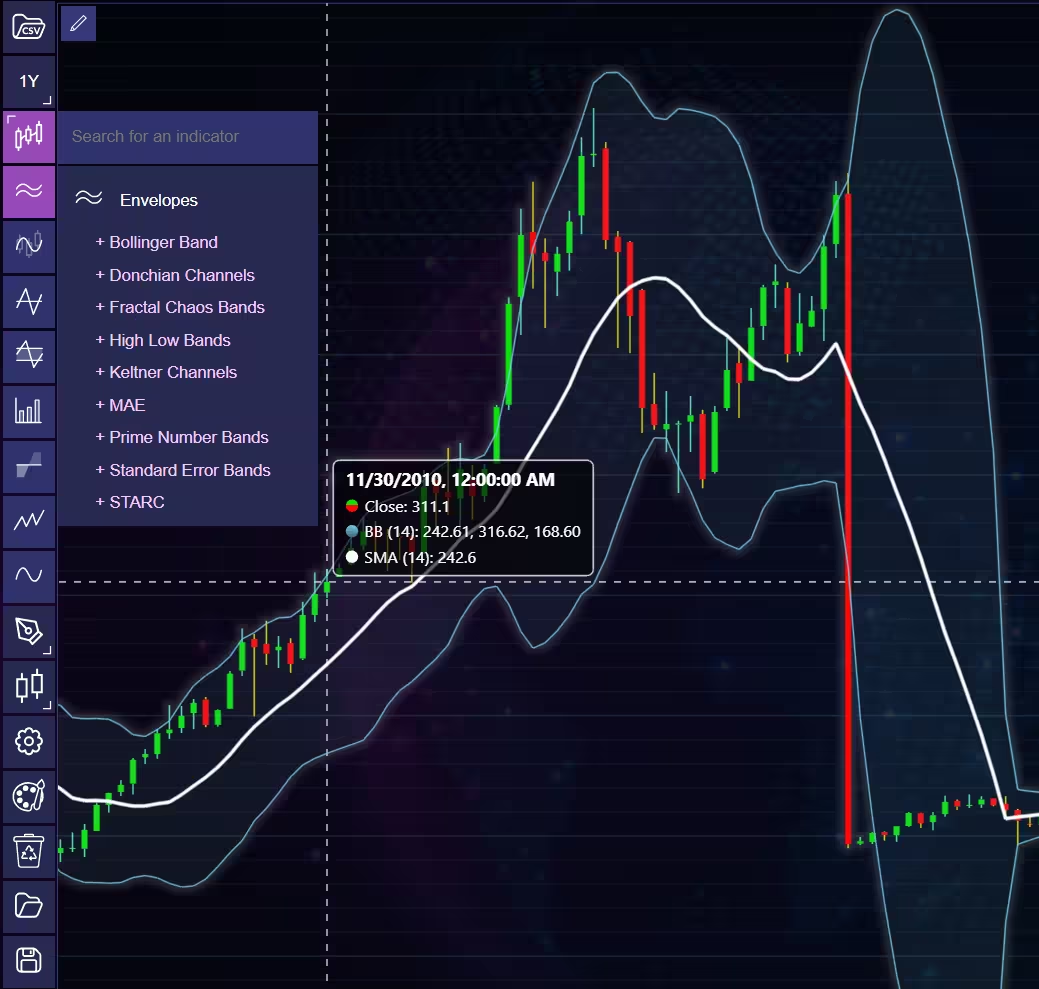
These indicators can also be added and customized via code.
trader.add_simple_moving_average(period_count=14)
trader.add_bollinger_band(period_count=14)
Indicators such as the Fibonacci patterns can be added with the built-in draw tools. Other markers can also be added this way. To see all the indicators, refer to the documentation.
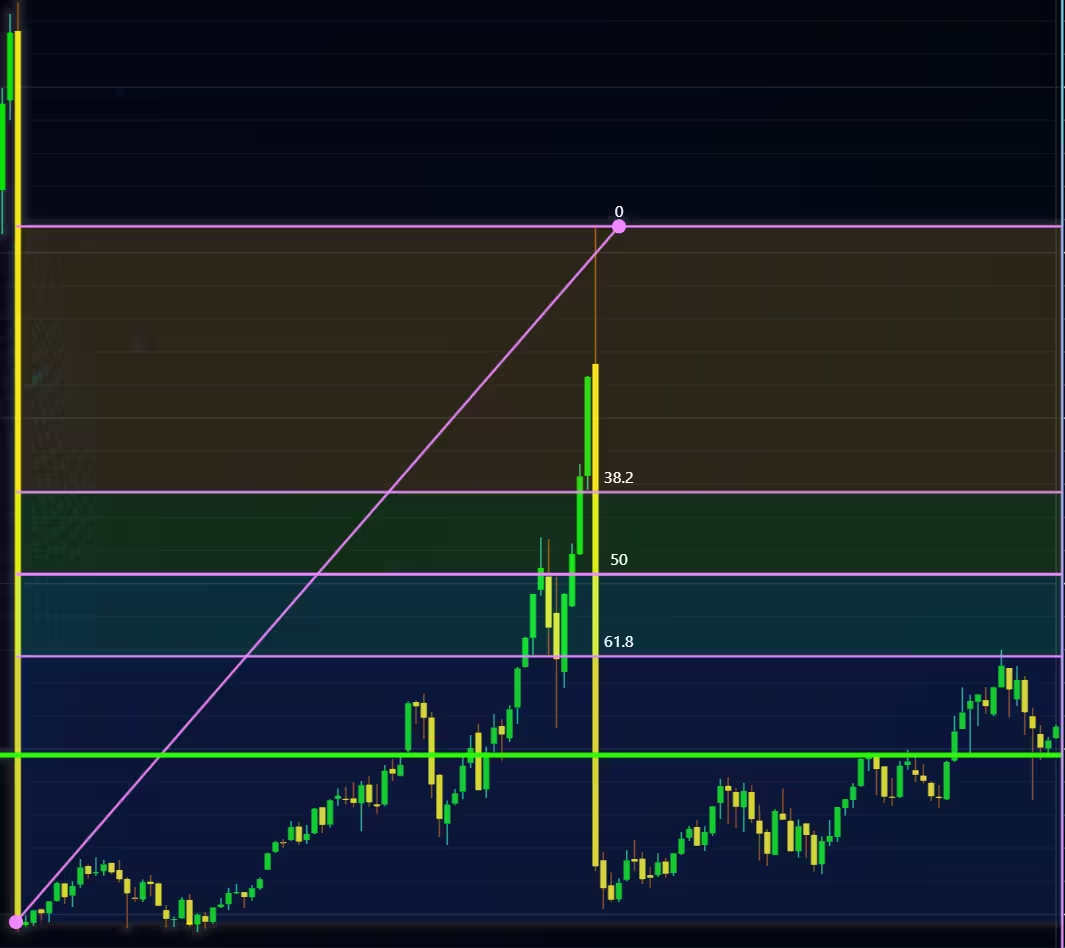
Setting Up Python Environment
import requests
from lightningchart_trader import TAChart
license_key_path = "Python-Trader_License_key.txt"
# Load the license key and initializing Python trader
license_key = open(license_key_path).read()
trader = TAChart(license_key)
# api_name is the APi you wish to use for data eg: TIME_SERIES_DAILY. 'ticker' is the ticker specific stock eg: AAPL
# key is your Alphavantage API key
# https://www.alphavantage.co/query?function=api_name&symbol=ticker&apikey=key
api_key_path = "API-key.txt"
# Load the license key
api_key = open(api_key_path).read()
Getting data from the API and processing it
def stock_api_call(template):
    """Getting the stock data from the API.  Time out in 5 seconds in case the API doesn't respond (optional)"""

    print(template)
    r = requests.get(template, timeout=5).json()
    # Get the second dictionarys key
    series_key = list(r.keys())[1]
    # Formatting the API data for the Trader chart
    data_list = []
    for y, x in r[series_key].items():
        # Converted the data from string to float
        # Add the dictionary z to a list that is then imported to the trader
        data_list.append({'open':float(x['1. open']),
                          'high':float(x['2. high']),
                          'low':float(x['3. low']),
                          'close':float(x['4. close']),
                          'volume':float(x['6. volume']),
                          'date':y})
    # Adding the data to the chart
    trader.set_data(data_list)
Visualizing Technical Indicators
The purpose of this article was to demonstrate the technical indicators available in Python Trader. Once imported, indicators can be added and changed with the UI or with code.
TA indicators example 1 – Simple moving average (SMA) and Bollinger’s band
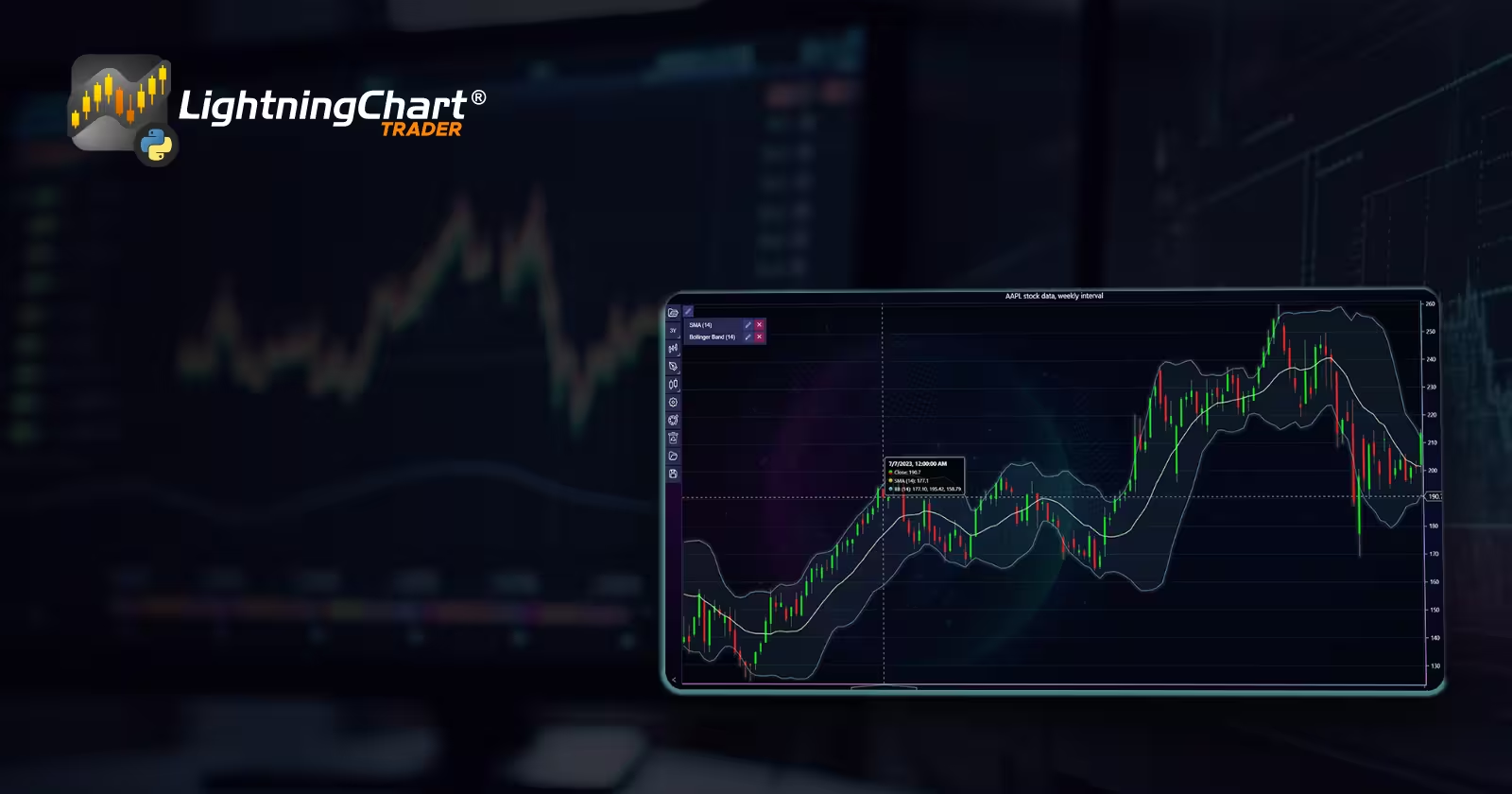
Simple moving average (SMA) is used to calculate the average price for a certain period. A very straight forward indicator that helps to eliminate market noise. The Bollinger band is an indicator that extends simple moving average. The center line is the SMA of the time period while the upper and lower band that are a set (usually 2) standard deviations above and below that.
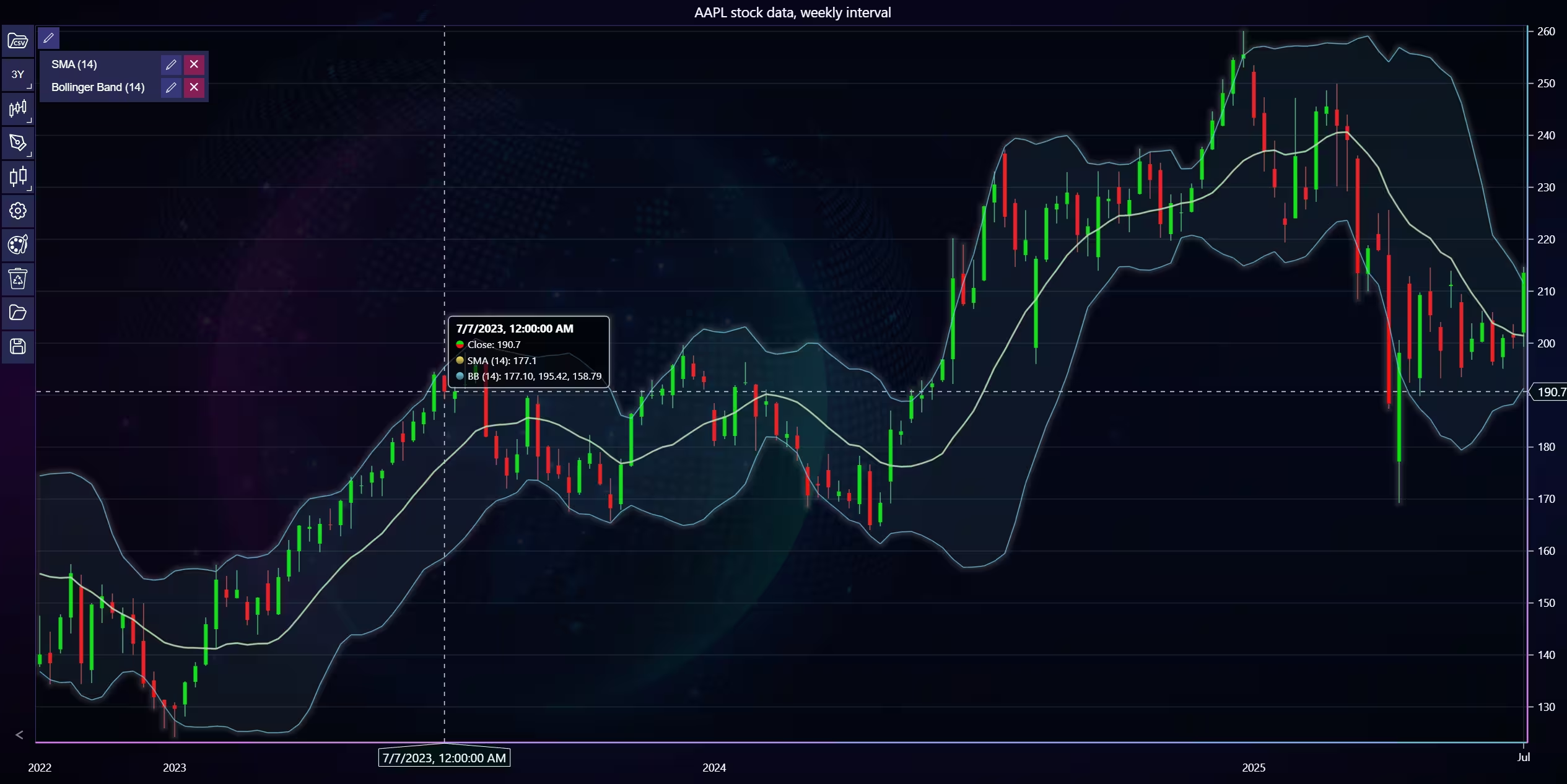
def open_chart1():
    """Variables used for the API call. The license key is the same for all charts, everything else is set per chart basis.
    More information regarding these can be found from Alphavantages documentation"""

    api_name = 'TIME_SERIES_DAILY_ADJUSTED'
    ticker = 'AAPL'
    interval = '30min'
    adjusted = 'true'
    outputsize = 'full'
    template_url = f'https://www.alphavantage.co/query?function={api_name}&symbol={ticker}&apikey={api_key}&outputsize={outputsize}'
    #Calls the api function with the specified url.
    stock_api_call(template_url)
    #Change background
    trader.set_color_theme('cyberSpace')
    #Set colours for the candlesticks
    trader.set_positive_body_color('#0fdf0c')
    trader.set_positive_wick_color("#68d991")
    trader.set_negative_body_color("#f31616")
    trader.set_negative_wick_color("#d75b5b")
    #set the chart type.
    trader.set_price_chart_type('CandleStick')
    #Add technical indicators
    trader.add_bollinger_band(period_count=14)
    trader.set_chart_title(f'{ticker} stock data')
    #Open the chart
    trader.open()
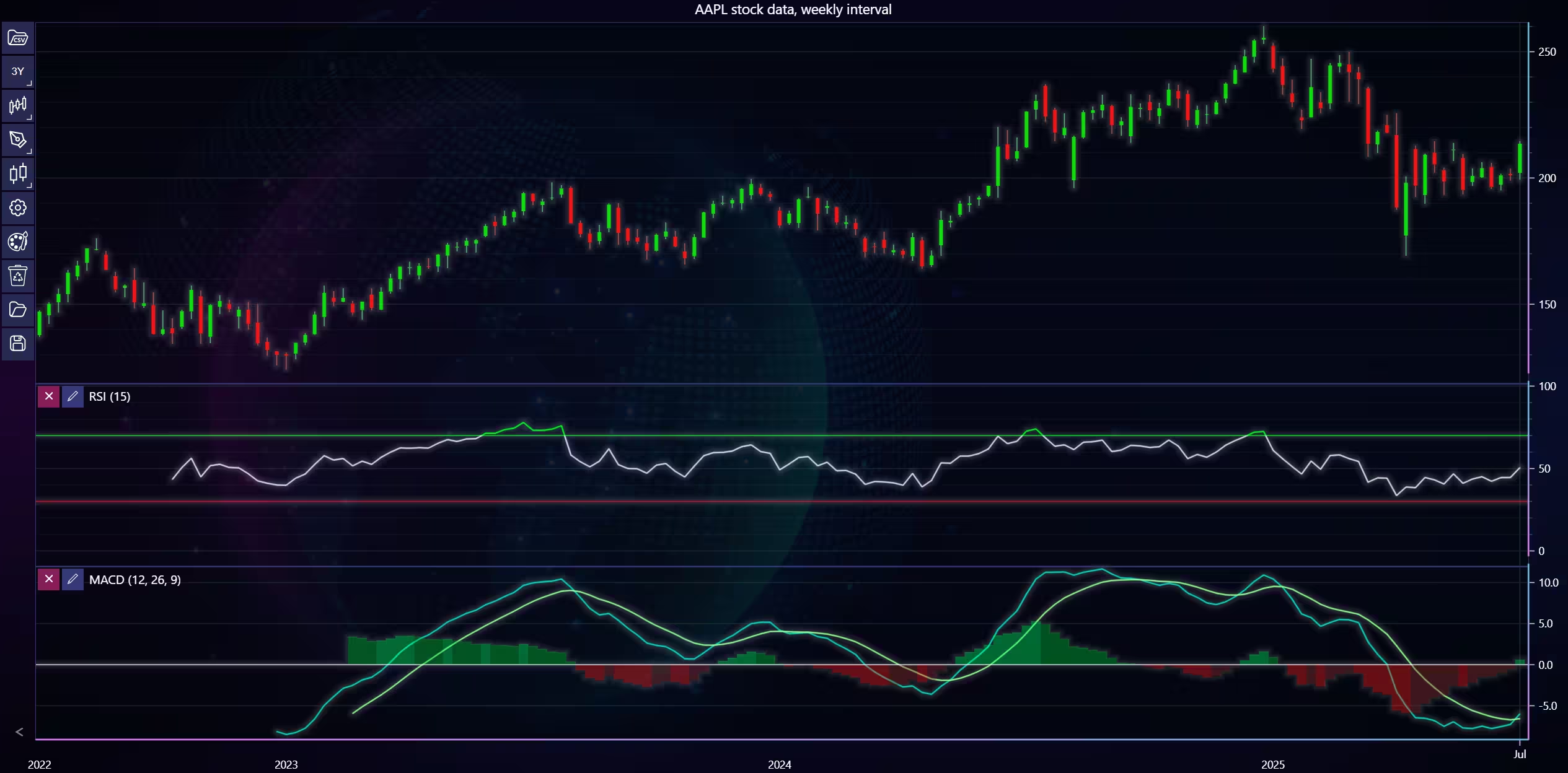
TA indicators example 2 – Relative strength index (RSI) and moving average convergence divergence (MACD)
Indicators used: Relative strength index (RSI) and Moving average convergence/divergence (MACD). Both of these are momentum indicators. Momentum indicators are used to find strengths and weaknesses in price trends.
RSI measures the speed of price changes by assigning a value between 0-100 to the stock. A value of <30 indicates oversold, and a value of >70 indicates overbought.
The MACD indicator shows the relation between two Exponential moving averages (EMAs) of a security. This is done by taking a 26-day EMA and a 12-day EMA, then subtracting the latter from the former. A 9-day EMA is used to plot a signal line on top of the MACD.
def open_chart2():
    api_name = 'TIME_SERIES_WEEKLY_ADJUSTED'
    ticker = 'AAPL'
    outputsize = 'full'
    template_url = f'https://www.alphavantage.co/query?function={api_name}&symbol={ticker}&apikey={api_key}&outputsize={outputsize}'
    #Calls the api function with the specified url.
    stock_api_call(template_url)
    #Change background
    trader.set_color_theme('cyberSpace')
    #Set colours for the candlesticks
    trader.set_positive_body_color('#0fdf0c')
    trader.set_positive_wick_color("#68d991")
    trader.set_negative_body_color("#f31616")
    trader.set_negative_wick_color("#d75b5b")
    #set the chart type.
    trader.set_price_chart_type('CandleStick')
    trader.set_chart_title(f'{ticker} stock data')
    trader.add_relative_strength_index()
    trader.add_moving_average_convergence_divergence()
    #Open the chart
    trader.open()
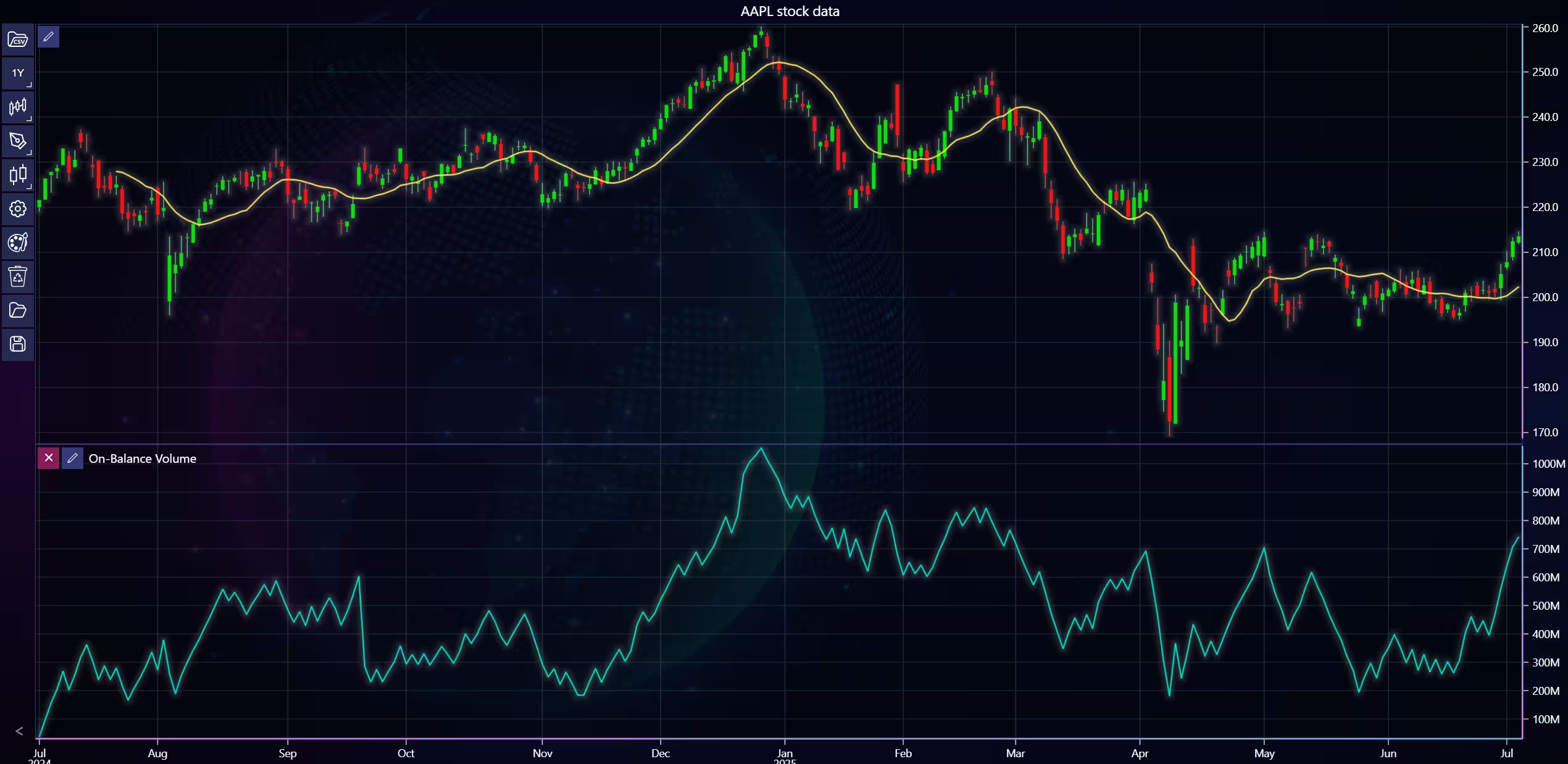
TA indicators example 3 – On-balance volume (OBV)
def open_chart3():
    api_name = 'TIME_SERIES_DAILY_ADJUSTED'
    ticker = 'AAPL'
    outputsize = 'full'
    template_url = f'https://www.alphavantage.co/query?function={api_name}&symbol={ticker}&apikey={api_key}&outputsize={outputsize}'
    # Make an API with the specified url.
    stock_api_call(template_url)

    trader.set_color_theme('cyberSpace')
    trader.set_positive_body_color('#0fdf0c')
    trader.set_positive_wick_color("#68d991")
    trader.set_negative_body_color("#f31616")
    trader.set_negative_wick_color("#d75b5b")

    trader.set_price_chart_type('CandleStick')
    #Add technical indicators
    trader.add_on_balance_volume
    trader.set_chart_title(f'{ticker} stock data')
    #Open the chart
    trader.open()
Conclusion
Python trader provides plenty of technical indicators out of the box, removing any hassle of having to search for them. This, alongside its other features, complements it as an ultimate financial analysis tool. Only a small portion of the available indicators were covered here, and you can find more about them in the LightningChart Python Trader documentation.
Continue learning with LightningChart
DataGaps Trading Chart with React
Written by a human | Updated on April 11th, 2025React JS Gap Trading Chart Hi again, this is Omar with another React JS article. This time we'll execute an interesting React JS exercise using LightningChart JS and the Gap Trading Chart. A gap trading chart is...
Smith Chart
Written by a human | Updated on April 11th, 2025Smith Chart The Smith Chart is named after its inventor Phillip Smith, who developed it at Bell Telephone's Radio Research Lab during the 1930s. It is believed that Mizuhashi Tosaku developed this tool independently...
React Bar Chart
Written by a human | Updated on April 11th, 2025React Bar ChartIf you have seen the previous articles, we have practiced with various JavaScript-based frameworks. We have implemented the Lightning Charts library and taken advantage of its great compatibility with each...



If you have any questions, feel free to contact us!
©LightningChart Ltd 2025. All rights reserved.