





How to use the Supertrend indicator for Fintech app development with LightningChart JS Trader
Article
Assisted by AI
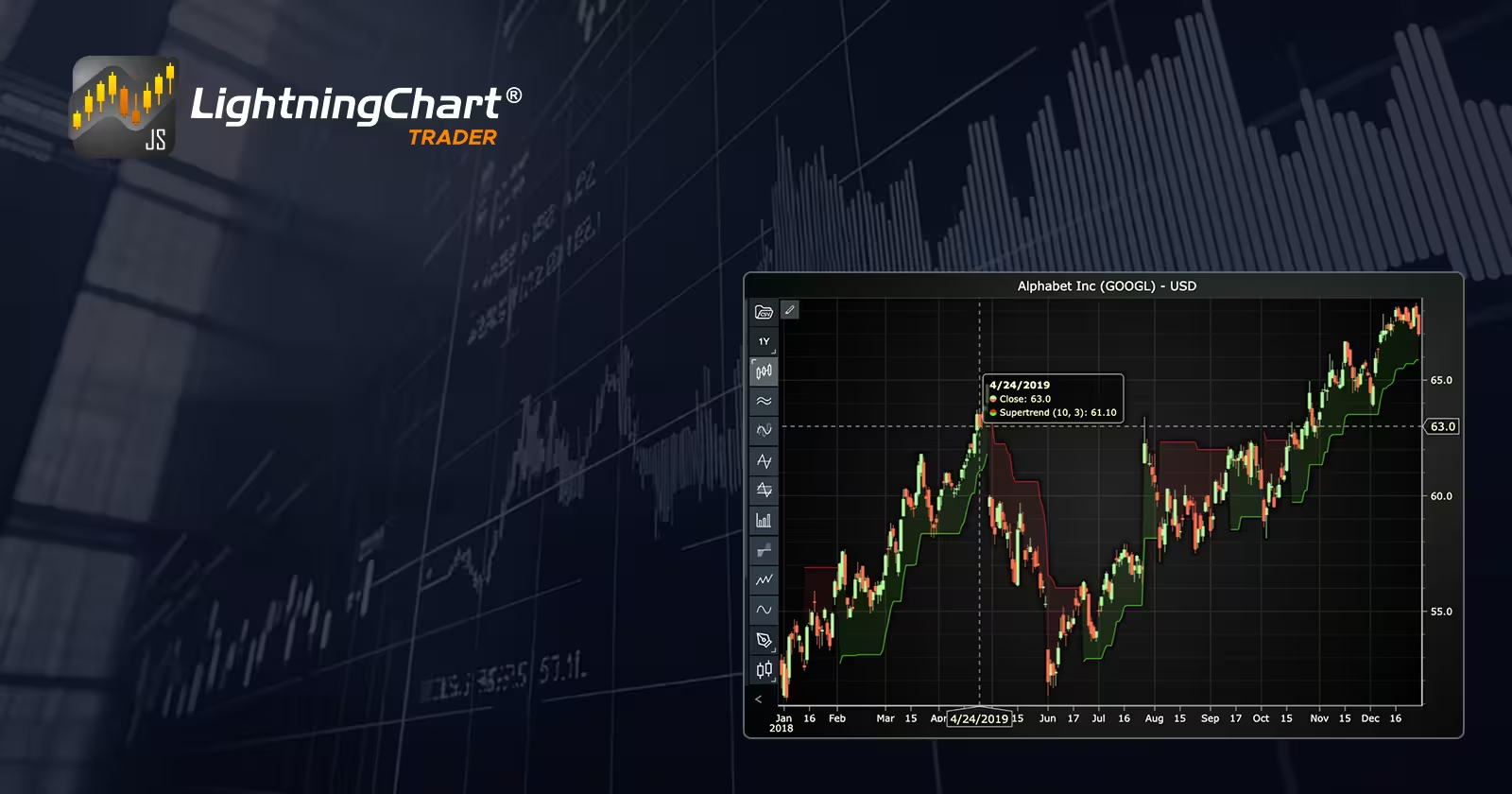
Learn about the Supertrend indicator in fintech app development to generate clear buy and sell signals, optimize ATR settings, and enhance trading strategies.
Ahmad Omid
Data Science Developer

Introduction
The Supertrend indicator is a powerful and simple tool used in technical analysis to identify the direction of the market and generate actionable buy or sell signals. It overlays directly on the price chart, making it visually intuitive for traders. As a trend-following indicator, it works best in markets that are strongly trending, helping users ride the momentum and avoid noise.
What makes the Supertrend indicator especially relevant in fintech app development is its real-time signal clarity and ease of implementation. It’s often featured in trading platforms, charting libraries, and algorithmic strategies to improve decision-making for retail and professional traders alike.
The most common settings for the Supertrend indicator are:
- ATR Period: 10
- Multiplier: 3
These values can be adjusted depending on the asset’s volatility and the trader’s risk appetite. A shorter ATR period or lower multiplier makes the indicator more reactive, while higher values reduce false signals by smoothing noise.
Formula
The supertrend indicator is based on the Average True Range (ATR), which measures market volatility. It calculates upper and lower bands that follow price direction, flipping positions when the price crosses the opposite band.
Supertrend Formula:
Upper Band

Lower Band

Where:
- ATR is the Average True Range over a defined period (usually 10 or 14)
- Multiplier is a constant (commonly 3)
- ATR (Average True Range) measures volatility and is calculated as:
- TR = max [(High − Low), |High − Previous Close|, |Low − Previous Close|]

Where:
- ATR = Average True Range (for the current period)
- Previous ATR = ATR value from the previous period
- n = Number of periods (e.g., 10 or 14)
- Current TR = True Range for the current period
Interpretation:
If the price closes above the upper band, the supertrend indicator turns green and suggests a buy signal. And if the price closes below the lower band, it turns red and gives a sell signal. The indicator sticks with the direction until the opposite band is broken, at which point the signal flips.
Calculation Example
Assume:
- ATR (10-period) = 2.5
- Multiplier = 3
- Current high = 105
- Current low = 95
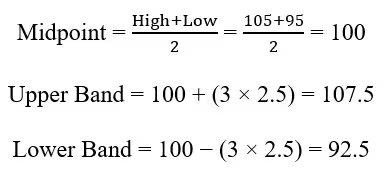
If the price closes above 107.5, the Supertrend indicator turns bullish. If it drops below 92.5, it turns bearish.
How to Create the Technical Indicator Using LC JS Trader
Step 1: Get LightningChart JS Trader
To begin, you’ll need access to LightningChart JS Trader. This specialized library contains all the necessary components for developing advanced technical indicators, including the Supertrend indicator. Visit the LightningChart JS Trader page to download the required components and review the documentation.
Step 2: Review the Interactive Example
LightningChart JS Trader includes interactive examples that demonstrate how to create custom technical indicators. These examples do more than just explain; they show you what works in practice.
Start with the documentation and focus on how to add the Supertrend indicator to your chart. The interactive examples take you through each step of the process, from importing the right modules to adjusting your chart settings for the best display.
Step 3: Code Explanation
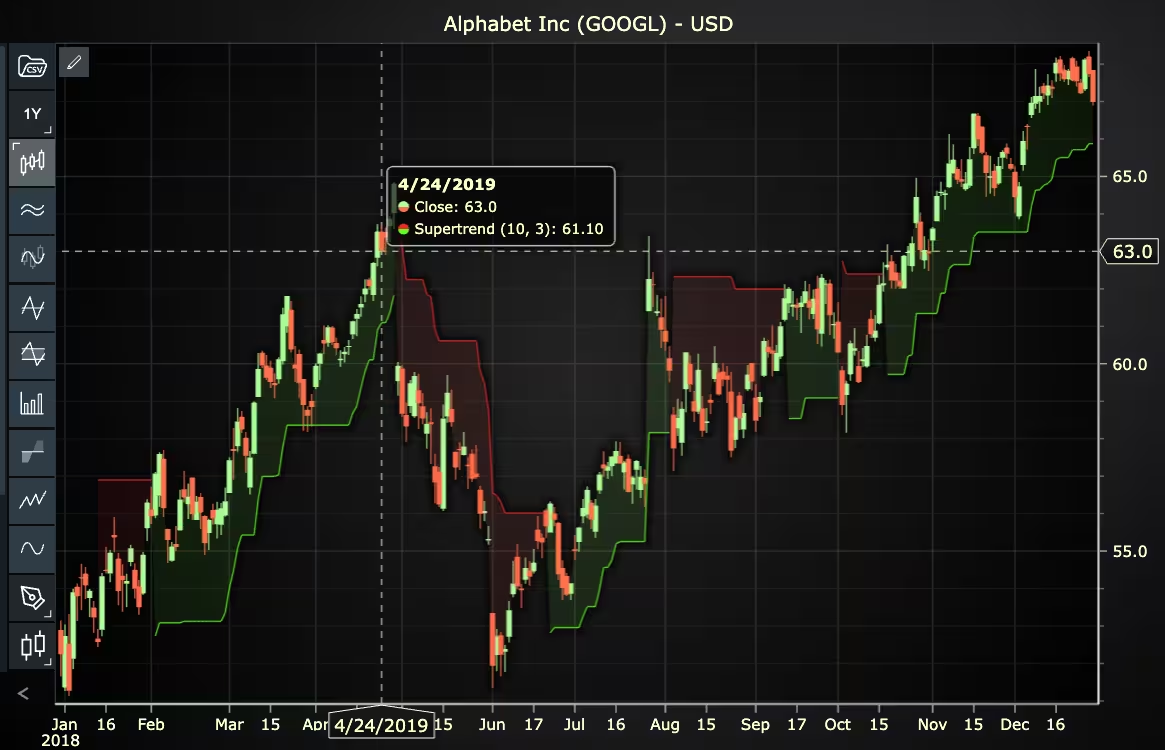
In this step, we’ll examine the code that creates the chart with the Supertrend indicator, as shown in the image, using LightningChart JS Trader. The code reveals how to properly initialize a trading chart, apply the indicator, and customize its visual properties to enhance your technical analysis. Understanding these code components helps you see how the different parts work together to produce an effective analysis tool. This knowledge allows you to adapt the implementation for your specific trading requirements.
Here’s a detailed breakdown of each section:
A. Importing the Required Libraries:
const lcjsTrader = require('@lightningchart/lcjs-trader')
const lcjs = require('@lightningchart/lcjs')- lcjsTrader: This library provides access to the LightningChart JS Trader functionalities, allowing you to create advanced financial charts.
- lcjs: The main LightningChart JS library, used for general charting functionality.
B. Initializing the Trading Chart:
lcjsTrader.trader(TRADER_LICENSE).then(async (trader) => {
  // Create a trading chart.
  const tradingChart = trader.tradingChart({ loadFromStorage: false, colorTheme: Themes.darkGold })
trader(TRADER_LICENSE): Initializes the LightningChart JS Trader with the provided license key (TRADER_LICENSE). This is required to access the charting functionalities for financial data.
Note you can request a LightningChart JS Trader trial license, which is free.
tradingChart(): This function creates a trading chart with certain options.loadFromStorage: false: This disables the loading of previously stored chart data from local storage, ensuring a fresh chart setup.
C. Adding and Customizing the Indicator
// Add a Supertrend indicator
const s10 = tradingChart.indicators().addSuperTrend()
s10.setPeriodCount(10)
s10.setMultiplier(3)
s10.setFillEnabled(true)
s10.setUpperColor('#F02828')
s10.setLowerColor('#64FA28')
s10.setLineWidth(2)addSuperTrend(): Supertrend is designed to follow trends and spot buy and sell signals. It is plotted on top of the price charts.s10.setPeriodCount(10): Sets the number of time periods (n) used to calculate the indicator.s10.setMultiplier(3): Sets the multiplier for the Average True Range used in Supertrend calculations.s10.setFillEnabled(true): Sets whether the area between the Supertrend and the price values should be colored. Set true to enable coloring.s10.setUpperColor('#F02828'): Sets the color of the Supertrend to red when it is above the price values.s10.setLowerColor('#64FA28'): Sets the color of the Supertrend to green when it is below the price values.s10.setLineWidth(2): Sets the lines width of the indicator to 2 pixels.
D. Loading Data from a CSV File
    // Reading data from a file.
    await fetch(`${document.head.baseURI}examples/assets/0000/Alphabet Inc (GOOGL).csv`).then((res) => res.text()).then((text) => {
        tradingChart.readCsvString(text, 'Alphabet Inc (GOOGL)')
})fetch(): This function retrieves a CSV file containing historical data for Alphabet Inc. (GOOGL). The CSV file includes pricing information for the company’s stock, which is plotted on the chart.readCsvString(): This function reads the CSV data and interprets it as pricing data for Alphabet Inc. The second argument (‘Alphabet Inc (GOOGL)’) sets the label for the chart, as seen at the top of the chart image.
E. Setting the Currency for the Chart
    tradingChart.setCurrency('USD')
})setCurrency('USD'): This sets the currency of the chart to USD, ensuring that the pricing data is interpreted and displayed in US dollars.
Advantages and Limitations of the Indicator
The Supertrend indicator has several practical benefits that make it ideal for integration into trading apps and fintech environments:
- Clarity: It delivers clear and immediate buy/sell signals without crowding the chart.
- Volatility-adjusted: Because it uses ATR, it adapts to different market conditions.
- Ease of use: Unlike many indicators, it doesn’t require deep technical knowledge to interpret.
However, it’s not without flaws:
- Lagging nature: Like most trend-following tools, the Supertrend indicator reacts after a trend has started. This can cause late entries.
- Poor performance in sideways markets: It can produce false signals in choppy or consolidating conditions.
- Not predictive: It does not forecast price direction, only reacts to it.
Developers should consider pairing it with other indicators like RSI or MACD to filter signals and reduce whipsaws.
Conclusion
The Supertrend indicator is a go to choice for trend-following strategies and trading app interfaces. Its straightforward logic, dynamic nature, and visual clarity make it a strong addition to any fintech application. By understanding its formula, strengths, and limitations, developers and traders can harness it effectively, especially when paired with robust charting environments like LC JS Trader.
Continue learning with LightningChart

Geospatial data visualization with Google Maps & LightningChart
Written by a human | Updated on April 10th, 2025Geospatial Data Visualization This article showcases and describes a particular use case of LightningChart JS for geospatial data visualization. LightningChart JS is a JavaScript charting tool designed for...
![[Tutorial] How to embed interactive charts in PowerPoint presentations](https://lightningchart.com/wp-content/uploads/2022/12/Interactive-Charts-in-PowerPoint-feature-image.jpg)
[Tutorial] How to embed interactive charts in PowerPoint presentations
Written by a human | Updated on April 9th, 2025Embed interactive charts in PowerPoint presentations Embedding charts within PowerPoint presentations has always been possible but perhaps one of the most ignored possibilities is actually embedding web applications...
Motorsports Analytics
Updated on April 10th, 2025 | Written by human Motorsports Analytics Large companies in the motorsports industry are collecting huge volumes of real-time data coming from different sources on and off the pitch during racing competitions. These data are both...





If you have any questions, feel free to contact us!
©LightningChart Ltd 2026. All rights reserved.