






The LightningChart JS Agent Skill: Give Any AI Coding Agent Accurate Charting Knowledge in 60 Seconds
Article

Niilo Keinänen
CTO, LightningChart JS, Team Lead (JS)


An agent skill is a folder of instructions your AI coding tool picks up automatically. This one teaches any compatible agent how to use LightningChart JS correctly, before it writes a single line of chart code.
Agent skills are a relatively new concept and the terminology is still settling, so a quick definition before anything else: an agent skill is a folder of structured instructions that you place in a location your AI coding agent monitors. When the agent picks it up, it gains domain-specific knowledge it can apply to relevant tasks automatically, without you having to include that knowledge in every prompt.
The LightningChart JS Agent Skill teaches any compatible agent how to build correct LightningChart JS charts: the right package name, the right API patterns, the most common mistakes to avoid, and where to look for documentation when it needs more context.
Which agents support agent skills
The Agent Skills standard is supported by:
- OpenAI Codex — reads from
~/.codex/skills/ - VS Code with compatible extensions — reads from
.agents/skills/in your project - Any other agent that supports the
.agents/skills/project-local directory convention
If you are using Claude Code, Cursor, Cline, Roo Code, or Windsurf, use the MCP server instead. It is a better fit for those tools and does the same job.
Installing the skill
The skill is a folder called lightningchart-js. Get it from GitHub and copy it to the right location for your agent.
For project-local use (any agent skills compatible tool):
git clone https://github.com/Lightning-Chart/lightningchart-js-agent-skill.git
cp -r lightningchart-js-agent-skill/lightningchart-js .agents/skills/
For OpenAI Codex (global install, available across all projects):
# macOS / Linux
cp -r lightningchart-js-agent-skill/lightningchart-js ~/.codex/skills/

# Windows PowerShell
Copy-Item -Recurse .\lightningchart-js $env:USERPROFILE\.codex\skills\
That is the entire installation. No npm install, no config file edits, no restart required. The skill directory is just a folder the agent reads.
Using it in prompts
Many agents pick up locally installed skills automatically when the task is relevant. Try this in a JavaScript or TypeScript project after installing the skill:
If the agent picks up the skill, you will see it use correct LightningChart JS API patterns without being told to. If it does not pick it up automatically, reference the skill explicitly:
The $lightningchart-js prefix tells the agent explicitly which skill to load for this task. Using it explicitly is the most reliable approach if your agent does not auto-discover skills.
What the skill teaches the agent
Without any special guidance, AI coding agents writing LightningChart JS code tend to make several consistent mistakes:
- Using
@arction/lcjs(the old package name) instead of@lightningchart/lcjs - Mixing in Chart.js or Recharts method signatures that do not exist in LCJS
- Using API patterns from old LCJS versions that have been updated
- Guessing method names rather than checking documentation
- Missing the license key setup step
The skill gives the agent a reliable starting point that prevents all of these. It loads official LCJS agent instructions maintained by the LightningChart JS maintainers and updated when the API changes, so the guidance stays current.
The skill vs the MCP server: which one to use
They do the same job through different mechanisms. The right choice depends on your tool:
- Use the MCP server for Claude Code, Cursor, Cline, Roo Code, Windsurf, and any MCP-compatible agent. It integrates more deeply and the agent can call it dynamically during a session.
- Use the agent skill for OpenAI Codex and VS Code-compatible tools that support the skills directory convention.
If your tool supports both, the MCP server is generally the better option because it can be called on demand rather than being loaded once at the start of a session.
Useful Links & Resources
Also listed in the Agent Skills Directory at skills.sh under “data visualization” and “chart”.
Continue learning with LightningChart
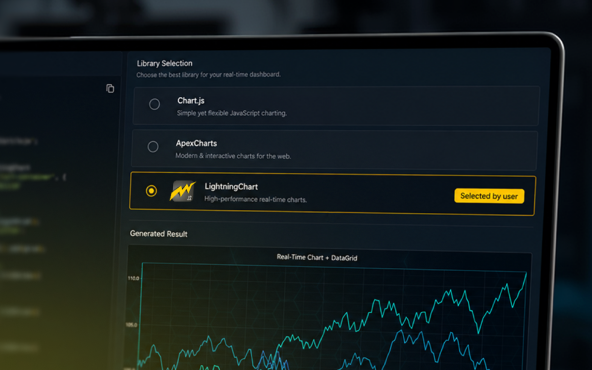
Why AI Coding Agents Get Data Visualization Wrong, and What to Do About It
AI coding assistants are getting good at most parts of application development. Data visualization is one of the areas where they still have a consistent, predictable failure mode. This article explains the mechanics of why it happens and the practical fix. I spent a...
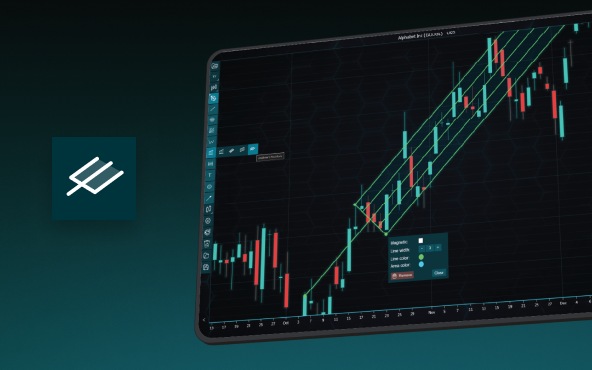
Andrews’ Pitchfork in Technical Analysis
Andrews' Pitchfork is one of the most respected technical analysis tools used by traders to identify potential support and resistance levels, trend direction, and future price paths. Developed by Dr. Alan H. Andrews, the indicator is based on the principle that prices...

React Charting Performance
Here's a scenario that plays out across development teams every few months. Someone builds a React dashboard, picks Recharts or Victory because they're popular, the devs love them, and the first demo looks great. Then the dataset gets bigger. Or the data starts...



If you have any questions, feel free to contact us!



©LightningChart Ltd 2026. All rights reserved.