





Using the Gopalakrishnan Range index for Fintech App Development with LightningChart JS Trader
Article
Assisted by AI
Discover how the Gopalakrishnan Range index measures volatility using logarithmic price ranges and enhances fintech app analytics and trading strategies.
Ahmad Omid
Data Science Developer

Introduction
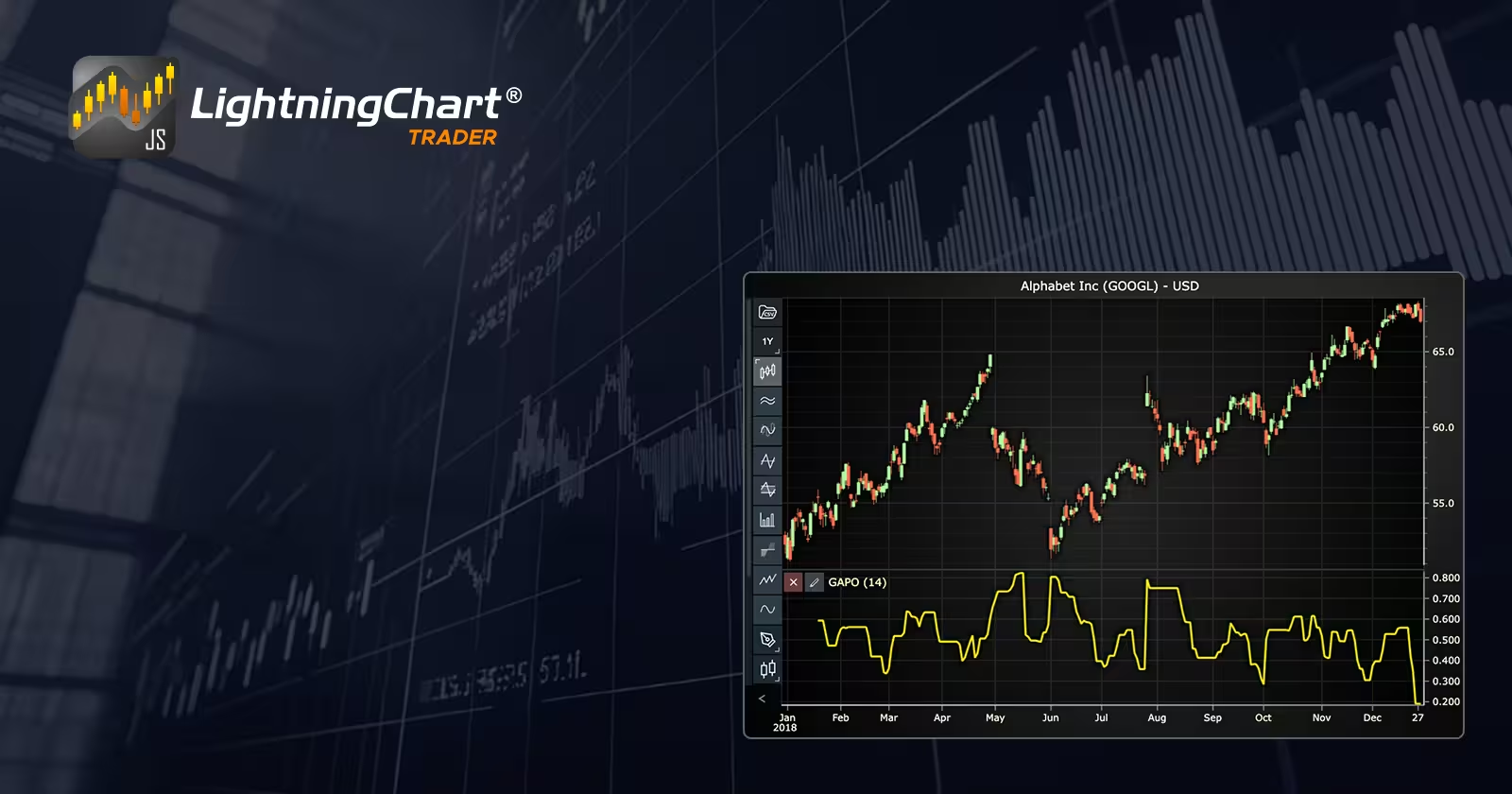
The Gopalakrishnan Range Index, often abbreviated as GAPO or GOPRI, is a technical indicator developed to quantify price volatility by analyzing the logarithmic range of price movements. Unlike traditional measures that merely look at absolute ranges, the Gopalakrishnan Range Index leverages logarithms to provide more nuanced insights, smoothing out extreme price fluctuations while capturing true volatility trends.
How to use the Gopalakrishnan Range Index?
Traders and fintech developers integrate the Gopalakrishnan Range Index into their analytics dashboards and trading strategies to measure price variability. By doing so, they can quickly identify periods of high volatility, anticipate trend reversals, or confirm breakout conditions. A rising GAPO indicator suggests increased market volatility, which could signal traders to tighten stop-losses, hedge positions, or adjust risk management strategies accordingly.
What is the GAPO indicator?
The GAPO indicator is essentially another name for the Gopalakrishnan Range Index. It’s frequently used by fintech apps and trading platforms that need a clear, actionable volatility indicator. The indicator’s logarithmic nature ensures that it is less sensitive to short-term anomalies, providing a clearer, more stable representation of volatility over various market cycles.
Formula
The standardized Gopalakrishnan Range Index formula is:

Where:
- High Price = the highest price of the period
- Low Price = the lowest price of the period
- n = number of periods in the look-back window
- Log = natural logarithm
This version of GAPO ensures normalization, allowing for robust comparisons between different periods or securities.
Interpretation
A higher GAPO indicates increased volatility, suggesting larger price swings and potentially higher risk or opportunity. Conversely, a lower GAPO denotes stability, fewer market fluctuations, and generally reduced trading risks.
Calculation Example
Consider a stock with a highest price of $120 and a lowest price of $115 over a 5-day period (n=5):

Thus, the GAPO value is 1, signaling moderate volatility. Tracking GAPO across multiple intervals helps traders better assess ongoing volatility dynamics.
How to Create the Technical Indicator Using LC JS Trader
Step 1: Get LightningChart JS Trader
To begin, you’ll need access to LightningChart JS Trader. This specialized library contains all the necessary components for developing advanced technical indicators, including the Gopalakrishnan Range Index Indicator. Visit the LightningChart JS Trader page to download the required components and review the documentation.
Step 2: Review the Interactive Example
LightningChart JS Trader includes interactive examples that demonstrate how to create custom technical indicators. These examples do more than just explain; they show you what works in practice.
Start with the documentation and focus on how to add the GAPO Indicator to your chart. The interactive examples take you through each step of the process, from importing the right modules to adjusting your chart settings for the best display.
Step 3: Code Explanation
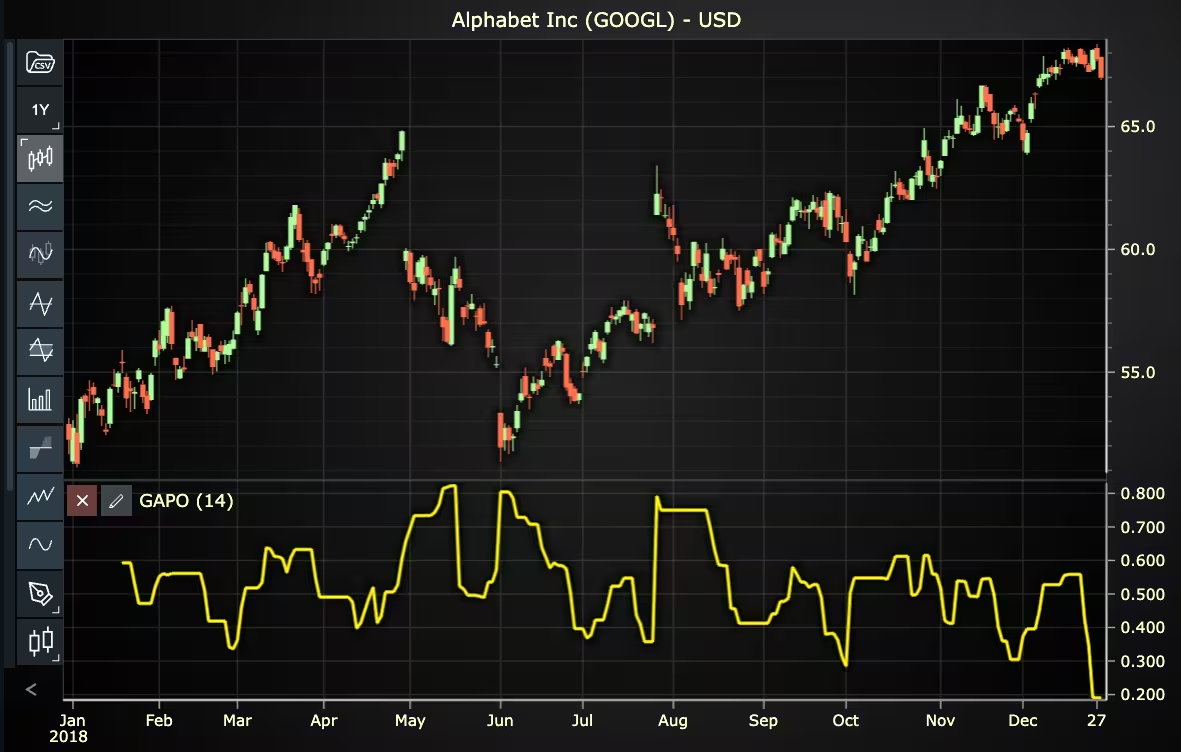
In this step, we’ll examine the code that creates the chart with the GAPO Indicator, as shown in the image, using LightningChart JS Trader. The code reveals how to initialize a trading chart properly, apply the indicator, and customize its visual properties to enhance your technical analysis. Understanding these code components helps you see how the different parts work together to produce an effective analysis tool. This knowledge allows you to adapt to the implementation of your specific trading requirements.
Here’s a detailed breakdown of each section:
A. Importing the Required Libraries:
const lcjsTrader = require('@lightningchart/lcjs-trader')
const lcjs = require('@lightningchart/lcjs')- lcjsTrader: This library provides access to the LightningChart JS Trader functionalities, allowing you to create advanced financial charts.
- lcjs: The main LightningChart JS library, used for general charting functionality.
B. Initializing the Trading Chart:
lcjsTrader.trader(TRADER_LICENSE).then(async (trader) => {
  // Create a trading chart.
  const tradingChart = trader.tradingChart({ loadFromStorage: false, colorTheme: Themes.darkGold })
trader(TRADER_LICENSE): Initializes the LightningChart JS Trader with the provided license key (TRADER_LICENSE). This is required to access the charting functionalities for financial data.
Note you can request a LightningChart JS Trader trial license, which is free.
tradingChart(): This function creates a trading chart with certain options.loadFromStorage: false: This disables the loading of previously stored chart data from local storage, ensuring a fresh chart setup.
C. Adding and Customizing the Indicator
// Add a Gopalakrishnan Range Index indicator
const gapo = tradingChart.indicators().addGopalakrishnanRangeIndex()
gapo.setPeriodCount(14)
gapo.setLineColor('#FFF714')
gapo.setLineWidth(3)addGopalakrishnanRangeIndex(): GAPO measures the volatility of a stock or commodity. It uses the logarithm of the price range to determine the variability of price data.gapo.setPeriodCount(14): Sets the number of time periods (n) used to calculate the indicator.gapo.setLineColor('#FFF714'): Sets the line color of the GAPO line to yellow.gapo.setLineWidth(3): Sets the line width of the indicator to 3 pixels.
D. Loading Data from a CSV File
    // Reading data from a file.
    await fetch(`${document.head.baseURI}examples/assets/0000/Alphabet Inc (GOOGL).csv`).then((res) => res.text()).then((text) => {
        tradingChart.readCsvString(text, 'Alphabet Inc (GOOGL)')
})fetch(): This function retrieves a CSV file containing historical data for Alphabet Inc. (GOOGL). The CSV file includes pricing information for the company’s stock, which is plotted on the chart.readCsvString(): This function reads the CSV data and interprets it as pricing data for Alphabet Inc. The second argument (‘Alphabet Inc (GOOGL)’) sets the label for the chart, as seen at the top of the chart image.
E. Setting the Currency for the Chart
    tradingChart.setCurrency('USD')
})setCurrency('USD'): This sets the currency of the chart to USD, ensuring that the pricing data is interpreted and displayed in US dollars.
Advantages and Limitations of the Indicator
The Gopalakrishnan Range Index provides distinct advantages, particularly in fintech contexts. Its normalized structure facilitates reliable comparisons across various securities and periods, enhancing its practical utility in risk management and volatility analysis. The logarithmic method effectively reduces the impact of short-term price anomalies, promoting more stable trading signals and better-informed decisions.
However, GAPO does have limitations. Because it considers only high and low prices, it may overlook intraday volatility or price trends captured through opening and closing prices. Additionally, if the price range is minimal or approaches zero, the logarithmic calculation may become unstable or meaningless, requiring alternative approaches or supplementary indicators to handle edge cases effectively.
Conclusion
The Gopalakrishnan Range Index, with its normalized logarithmic approach, is a valuable addition to fintech applications, particularly those focused on precise volatility measurement and comparative analysis. Integrating GAPO with LightningChart JS Trader functionalities allows users to visualize volatility dynamically in real-time, enhancing responsiveness and usability.
While GAPO offers reliable volatility insights, fintech developers and traders must remain aware of its inherent limitations. Combining GAPO with complementary indicators ensures comprehensive volatility analysis, making fintech applications more robust and market-responsive.
Continue learning with LightningChart
Why Performance Matters in Data Visualization?
Written by a human | Updated on April 10th, 2025Performance in Data VisualizationI was doing a Google search a couple of days ago and particularly, I wanted to know what are the options for developers who need to visualize large amounts of data points within...

Geospatial data visualization with Google Maps & LightningChart
Written by a human | Updated on April 10th, 2025Geospatial Data Visualization This article showcases and describes a particular use case of LightningChart JS for geospatial data visualization. LightningChart JS is a JavaScript charting tool designed for...
![[Tutorial] How to embed interactive charts in PowerPoint presentations](https://lightningchart.com/wp-content/uploads/2022/12/Interactive-Charts-in-PowerPoint-feature-image.jpg)
[Tutorial] How to embed interactive charts in PowerPoint presentations
Written by a human | Updated on April 9th, 2025Embed interactive charts in PowerPoint presentations Embedding charts within PowerPoint presentations has always been possible but perhaps one of the most ignored possibilities is actually embedding web applications...





If you have any questions, feel free to contact us!
©LightningChart Ltd 2026. All rights reserved.