








Advanced NBR Stock Data Visualization Using LightningChart Python Trader
Tutorial
Written by a Human
Explore NBR stock data visualization using LightningChart Python Trader to analyze trends, volume, and price movement with high-performance charts.
Mikael Virtanen
Data Science Python Developer

Introduction
This article demonstrates the visualization and analysis of Nabors Industries (NBR) stock prices, showcasing effective NBR stock data visualization techniques. LightningChart Python Trader was used to generate the charts, with data pre-processing handled through Pandas. The stock data was sourced from a publicly available Kaggle dataset.
The visualisation covers historical closing prices and OHLC values through candlestick and Heikin Ashi charts, along with trading volume and trend direction to provide a clearer understanding of NBR’s market behavior.
Kaggle dataset
The data for this article was sourced from a Kaggle dataset created by Oleh Onyshchak. The dataset includes information on both stocks and ETFs; however, it only extends through 2020. This analysis focuses specifically on Nabors Industries (NBR). The data is stored as a .csv file, making it easy to process with Pandas and other Python libraries.
Plotted variables
LightningChart Python Trader is designed to work seamlessly with standard financial time-series data. It utilizes Open, High, Low, and Close (OHLC) values—along with a date field—to accurately represent daily price behavior, including market open, close, and intraday highs and lows.
While trading volume is not mandatory for basic charting, it enables the use of additional volume-based indicators. The dataset conveniently includes both adjusted and unadjusted closing prices, allowing flexibility depending on the analysis requirements.
Python Trader can automatically read and process the data when the fields follow common naming conventions. In this case, the dataset is already structured in a way that works out of the box. If adjusted prices are preferred, the only optional step is renaming the adjusted close column to match the expected format.
Libraries used
LightningChart Python trader
LightningChart Python Trader must be installed unless it is already available in your environment. You can install it using the following command
pip install lightningchart_trader- Pandas: Pandas also needs to be installed before it can be imported into the project.
- OS Library: Python’s built-in OS library will be used briefly. It comes preinstalled with Python, so no additional setup is required
LightningChart Python Trader
LightningChart’s Python Trader (PT) provides extensive charting solutions with a high degree of customizability through its easy-to-use UI and built-in functionalities. Since the library is built for Python, it’s also possible to use other Python libraries if necessary.
As with all Lightningchart products, Performance has been a high priority when developing the library, even when working with large amounts of data, thus removing possible bottlenecks in this area.
Overview of the UI
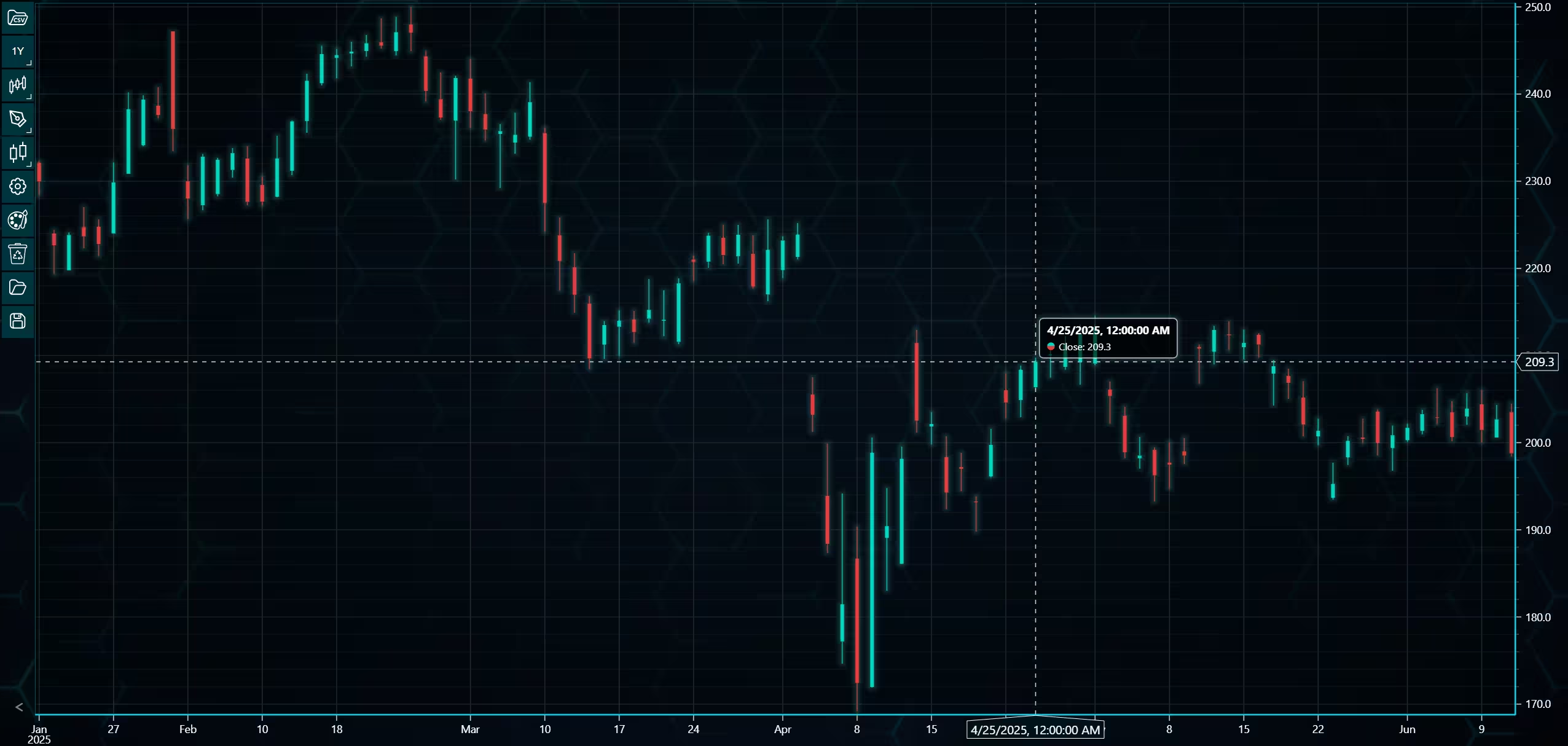
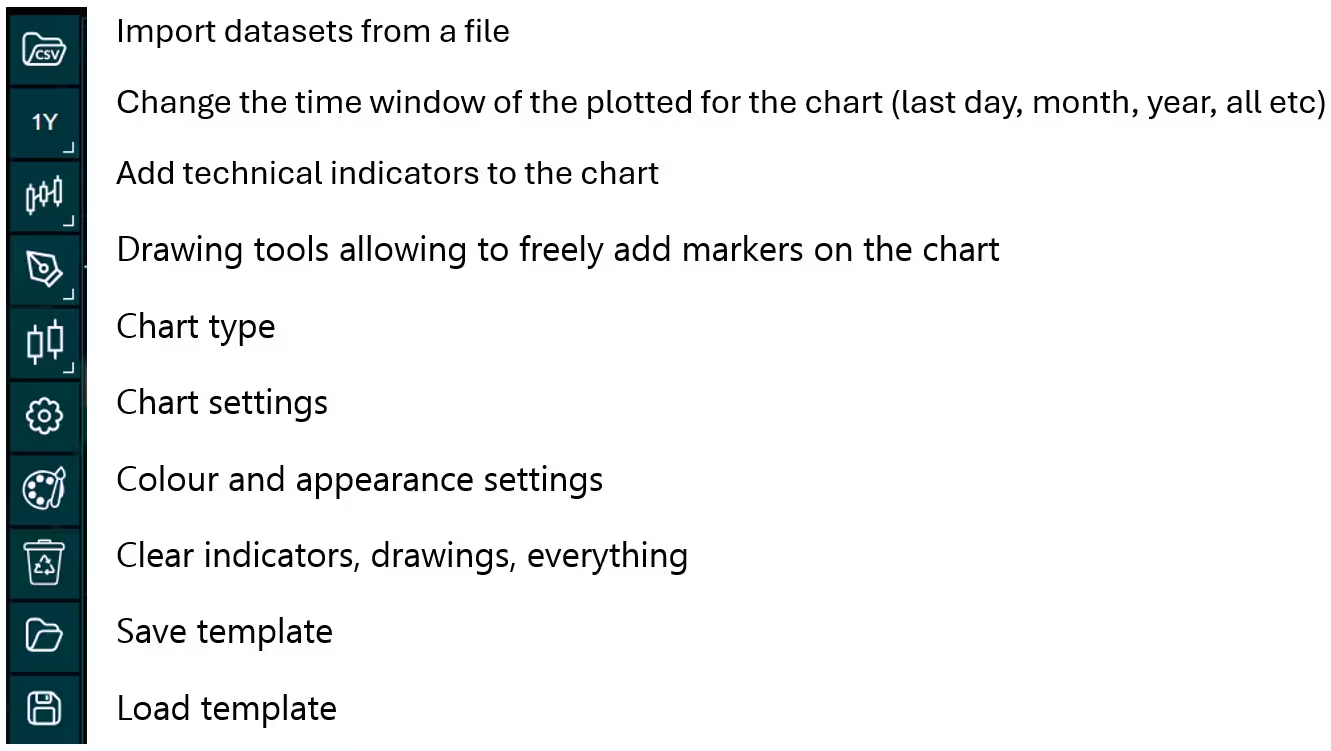
Above is the PT user interface with stock data charted using the default candlestick chart. On the top left are controls used to customize the chart and work with datasets. Here is the explanation for all the UI controls:
Charting features
These are chart types of Python trader provides out of the box.
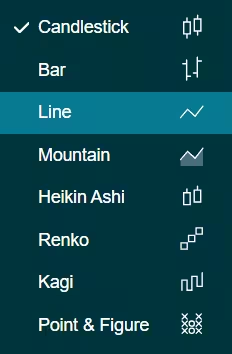
Chart types can be changed with the the UI or with the set_price_chart_type(chart_type) command. Available ones are ‘CandleStick’, ‘Bar’, ‘Line’, ‘Mountain’, ‘HeikinAshi’, ‘Renko’, ‘Kagi’, and ‘PointAndFigure’. For example, a mountain creating a mountain chart using the following methods:
trader.set_price_chart_type('Mountain')
trader.add_data_array(data)
trader.open()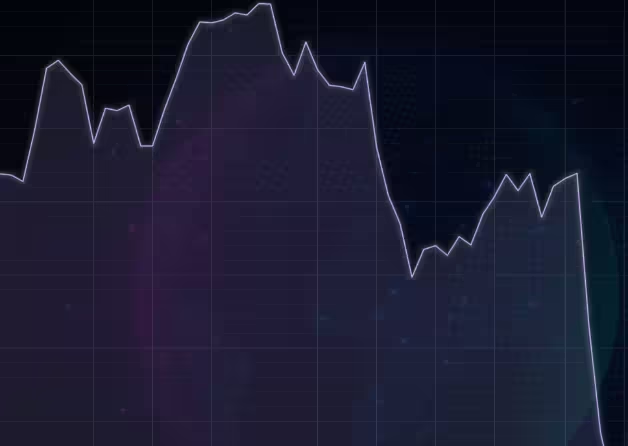
Chart visuals can be customized using the Python trader UI. Below are available settings for chart and indicator colours, background colour/image etc.
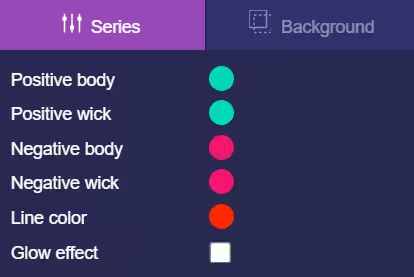
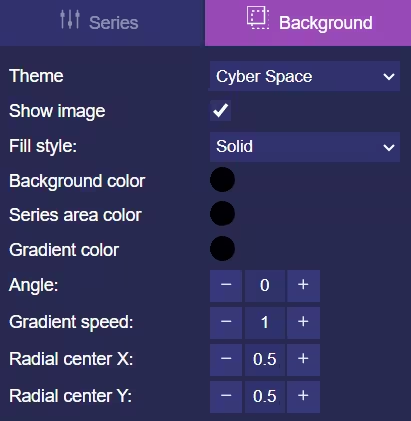
Default chart colours.
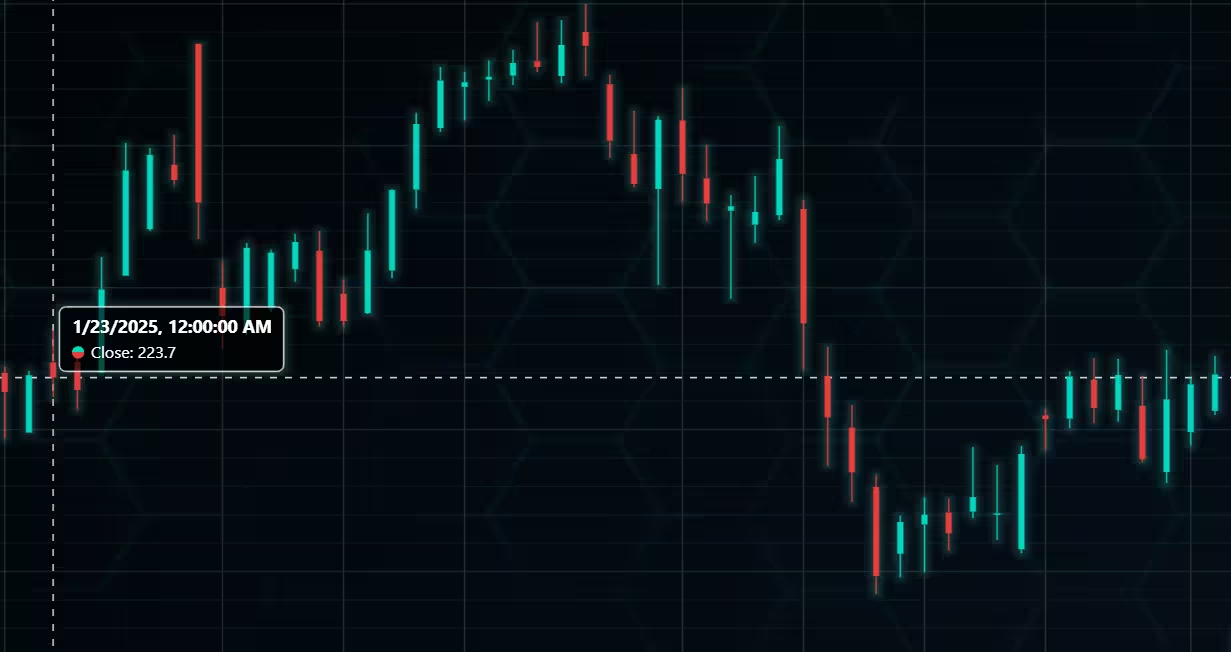
Background and indicator colours changed
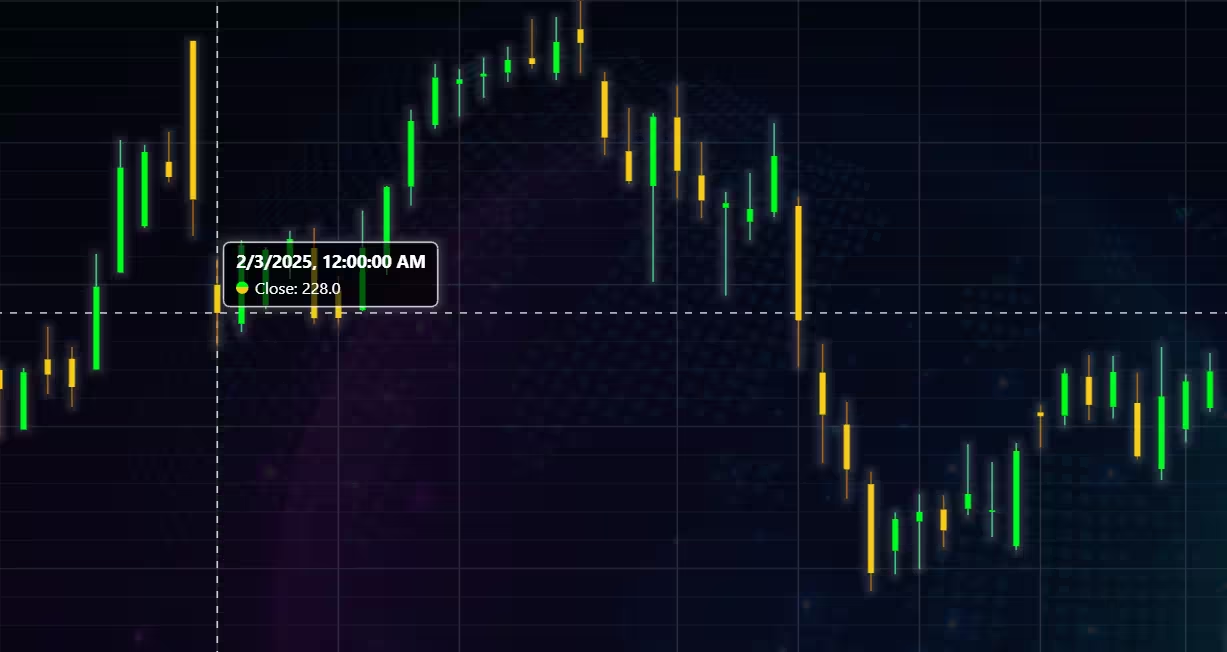
Chart customization
Customisation can also be done with code, using the built-in methods. The code below changes the background image and the chart colours to the ones seen in the right image. But why use code for customisation, since working with UI is easier?
trader.set_color_theme('cyberSpace')
# Changing the indicator colours for the candlesticks
trader.set_positive_body_color('#0fdf0c')
trader.set_positive_wick_color('#33d7a0')
trader.set_negative_body_color("#f3eb16")
trader.set_negative_wick_color('#b85900')
When the customization is applied on code level there’s no need to change any settings or load a template. Meaning you won’t have to make the changes every time when opening a chart. Python trader supports the use of templates for customization, and these files can be loaded in with code.
However, you still need to manually select the file, and in case you want to share the chart the template file would also need to be shared. When the changes are done in code, only it needs to be shared to get the same results.
Technical indicators
Python trader supports over 100 technical indicators. These include ones such as Relative Strength Index (RSI), Bollinger bands, Moving averages (SMA, EMA etc), Oscillators for money flow and price, Fibonacci retracements, as well as statistical ones like Standard deviation. Technical indicators can be added to a chart easily with the trader UI, their properties (period count, standard dev) can also be changed the same way.
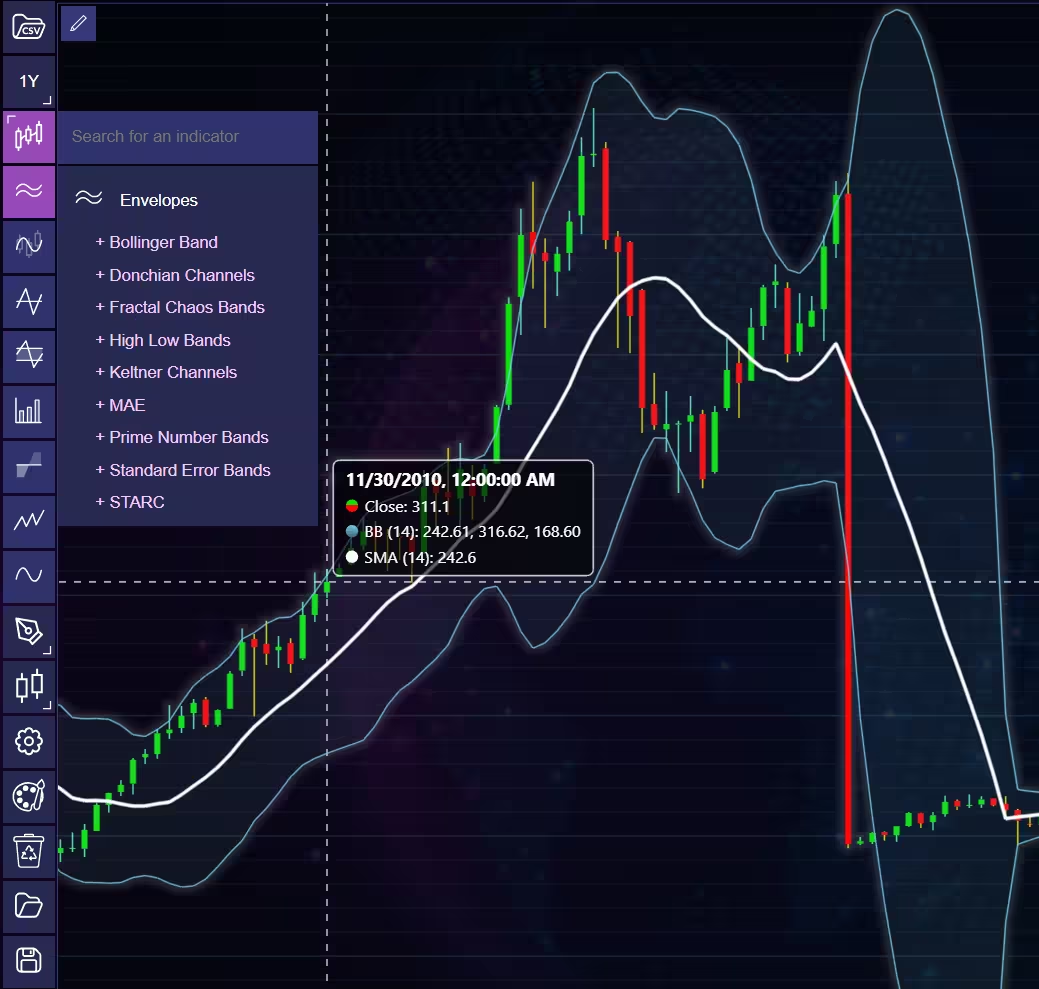
These indicators can also be added and customized via code.
trader.add_simple_moving_average(period_count=14)
trader.add_bollinger_band(period_count=14)
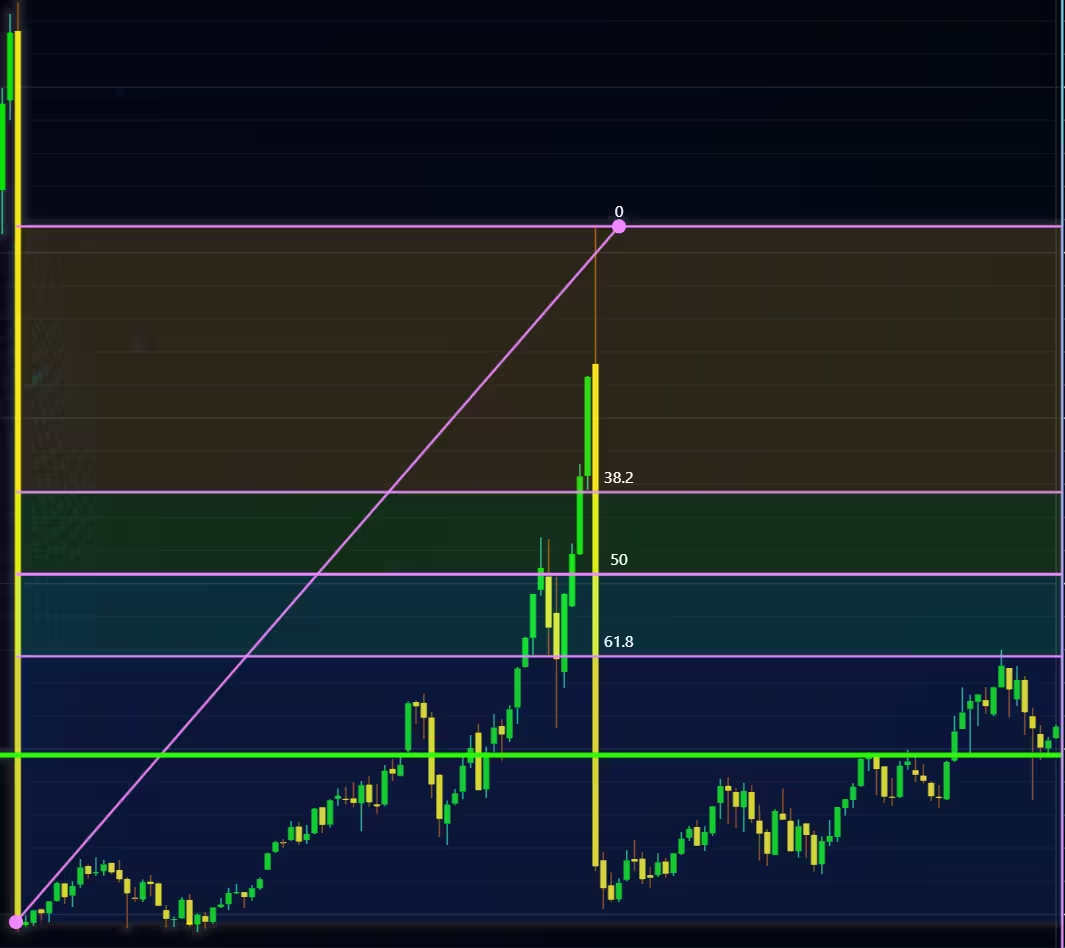
Indicators such as the Fibonacci patterns can be added with the built-in draw tools. Other markers can also be added this way. To see all the indicators, refer to the documentation.
Setting Up Python Environment
This code snippet imports the necessary libraries and creates a new trader instance, which remains unchanged across charts.
from lightningchart_trader import TAChart
import pandas as pd
import os
license_key_path = "Python-Trader_License_key.txt"

# license key for python trader and the stock API
license_key = open(license_key_path).read()
chart = TAChart(license_key)
path_to_csv = 'data/'

# All file names in the filepath
csv_list = os.listdir(path_to_csv)

# Transform the CSV into a dataframe, combine the file path, with the desired files name
stock_dataframe = pd.read_csv(path_to_csv + csv_list[0])
It is recommended to provide the full file path to the CSV files, even if the data is saved in the same directory or a subdirectory in relation to your .py files.
Example:
'C:/Users\name\Desktop\path\to\the\files/' Note the different types of forward slashes used. Otherwise, Python might give an error if you input the path in the same format as the file directory.
Visualizing Nabors Industries’ Stock Data
This section demonstrates how LightningChart Python Trader can be used to perform effective NBR stock data visualization across multiple time frames and chart types. Using historical price data for Nabors Industries, different visualizations are applied to examine long-term price development, short-term price action, trading volume, volatility, and overall trend direction.
Line charts, candlestick and Heikin Ashi charts, volume-based indicators, and Renko charts are used to highlight how different visualization techniques support distinct analytical perspectives.
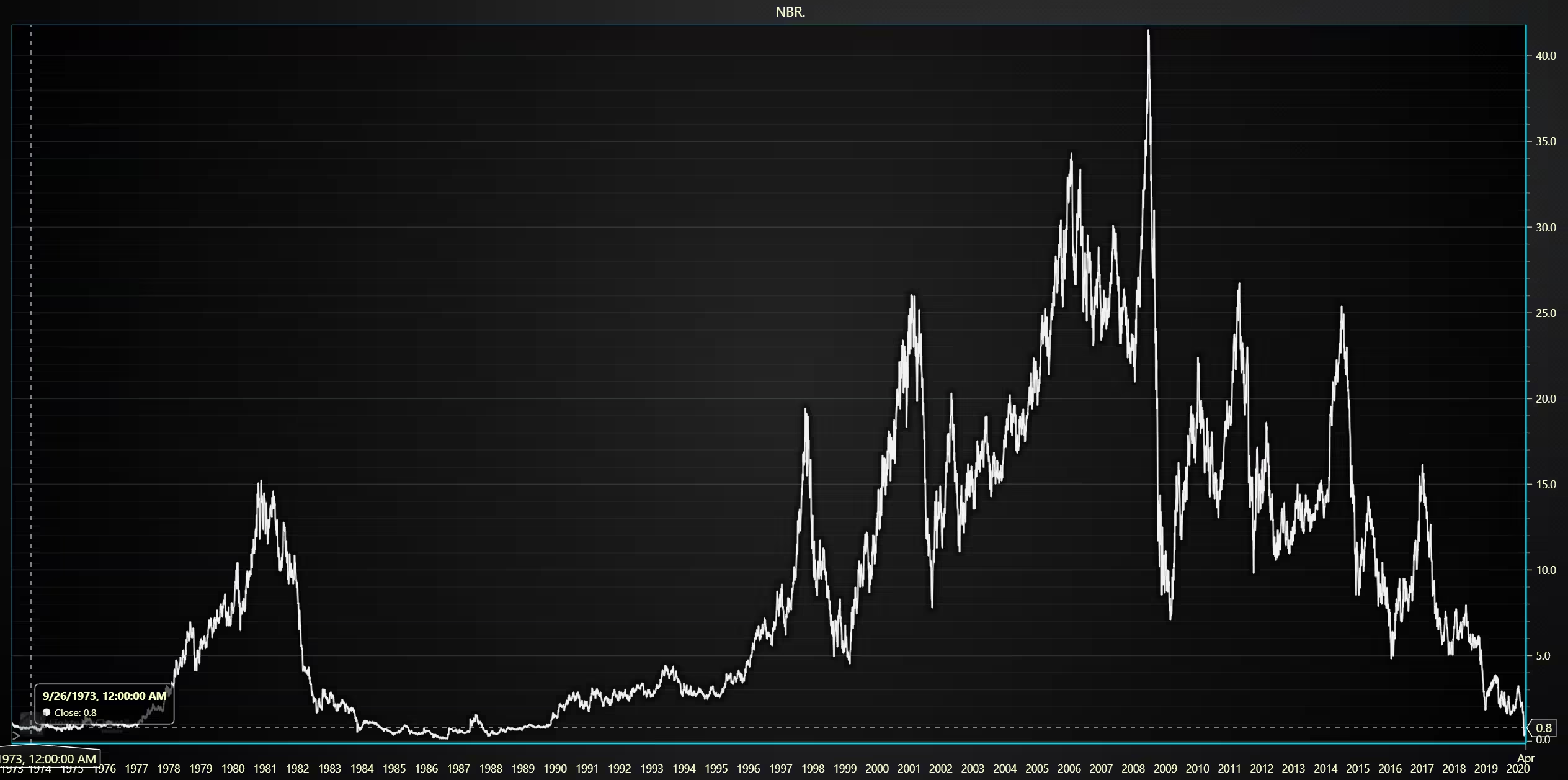
Nabors Industries historical closing price
The visualization shows Nabors Industries’ closing price between 1973 and 2020
def chart1():

    # New dataframe for the adjusted close price.
    stock_dataframe.rename(columns={
    'Close' : 'Old close',
    'Adj Close' : 'Close'}, inplace=True)

    # Set chart title; I'm using the file name as a placeholder,
    chart.set_chart_title(csv_list[0].removesuffix('.csv'))

    # type; CandleStick, Bar, Line, Mountain, Renko, HeikinAshi or Point&Figure
    chart.set_price_chart_type('Line')

    # and data source used; in this case the stock dataframe
    chart.set_data(stock_dataframe)

    # Optional appearence customization
    chart.set_color_theme('darkGold')
    chart.set_line_color("#F3F3F3")
    chart.change_time_range(0)
    chart.open()
OHLC data chart for a 1-year period
Candlestick and HeikinAshi charts were used for analysing price movements on a day-by-day basis as well as intraday volatility.
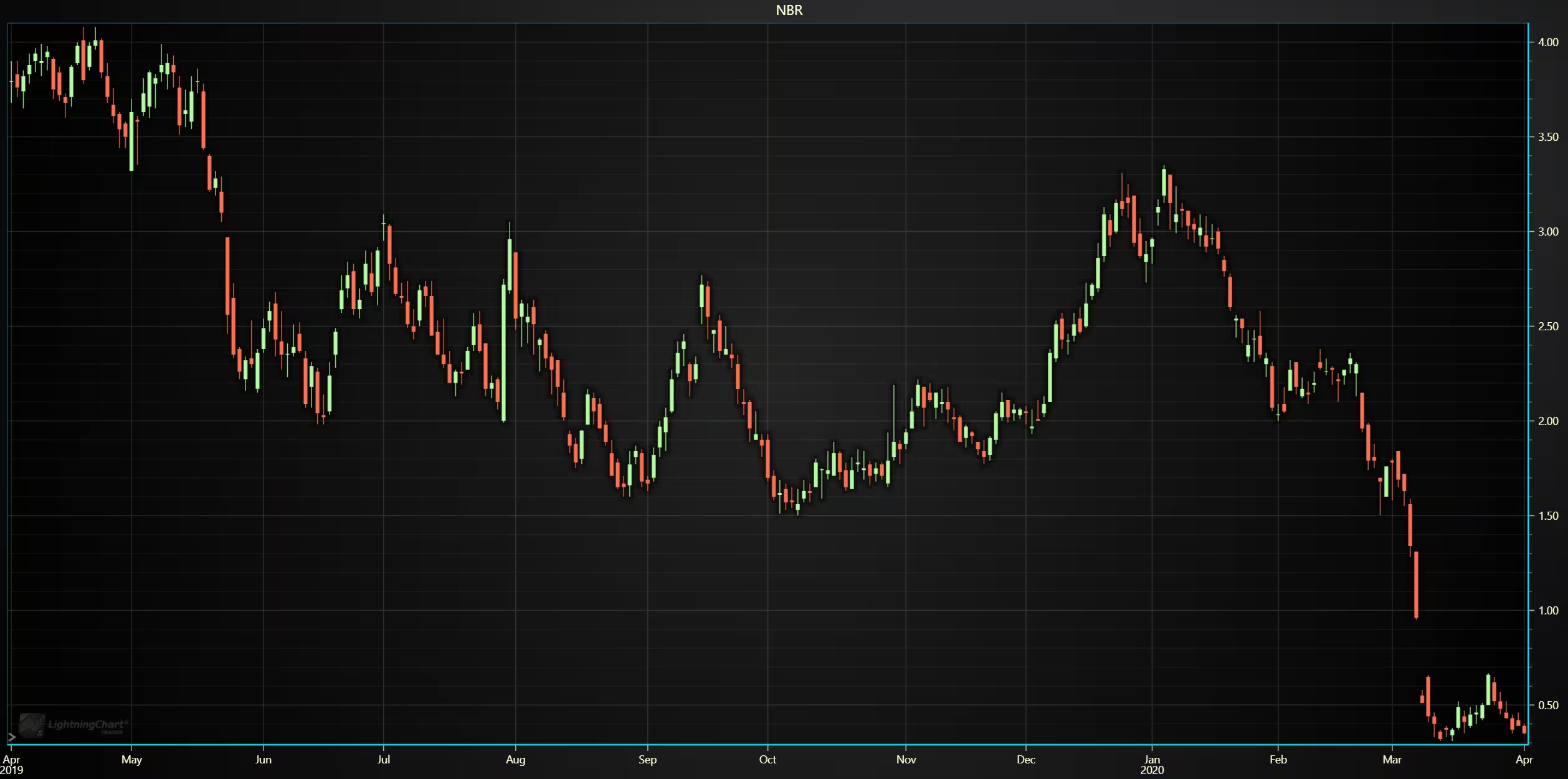
def chart2():

    # Set chart title; I'm using the file name as a placeholder,
    chart.set_chart_title(csv_list[0].removesuffix('.csv'))

    # type; CandleStick, Bar, Line, Mountain, Renko, HeikinAshi or Point&Figure
    chart.set_price_chart_type('CandleStick')

    # and data source used; in this case the stock dataframe
    chart.set_data(stock_dataframe)

    # Optional appearence customization
    chart.set_color_theme('darkGold')
    chart.change_time_range(4)
    chart.open()
Hiekin ashi charts are similar to candlesticks, but they ‘smooth’ out the price changes, reducing potential noise. Combined with the historical volatility index.
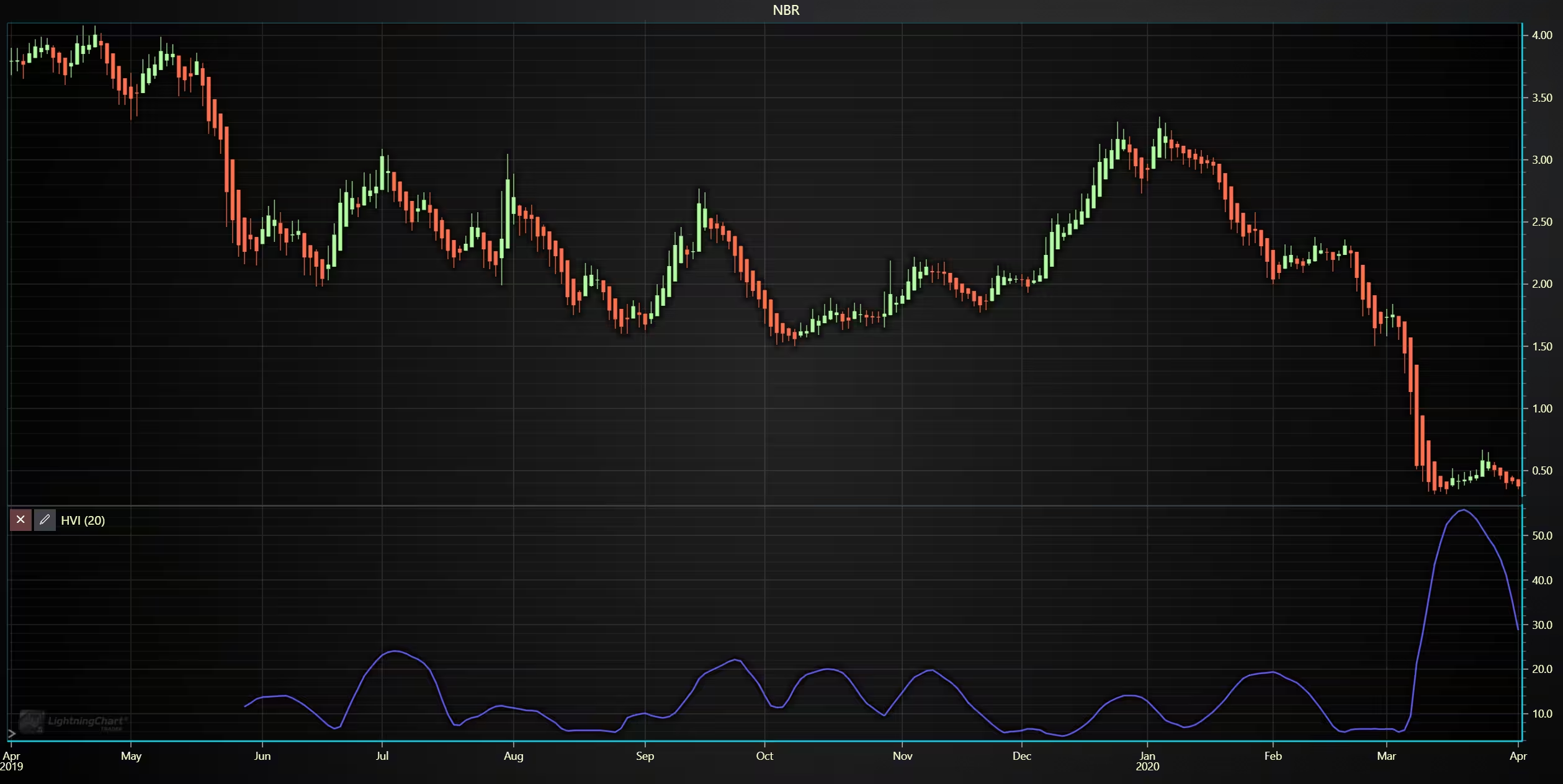
 def chart4():

    # Set chart title; I'm using the file name as a placeholder,
    chart.set_chart_title(csv_list[0].removesuffix('.csv'))

    # type; CandleStick, Bar, Line, Mountain, Renko, HeikinAshi or Point&Figure
    chart.set_price_chart_type('HeikinAshi')

    # and data source used; in this case the stock dataframe
    chart.set_data(stock_dataframe)

    # Add indicators
    chart.add_historical_volatility_index()

    # Optional appearence customization
    chart.set_color_theme('darkGold')
    chart.change_time_range(4)
    chart.open()
5-year volume and analysis
5-year time frame of the close price development, combined with volume and on-balance volume indicators. The Indicators were added via the trader UI.
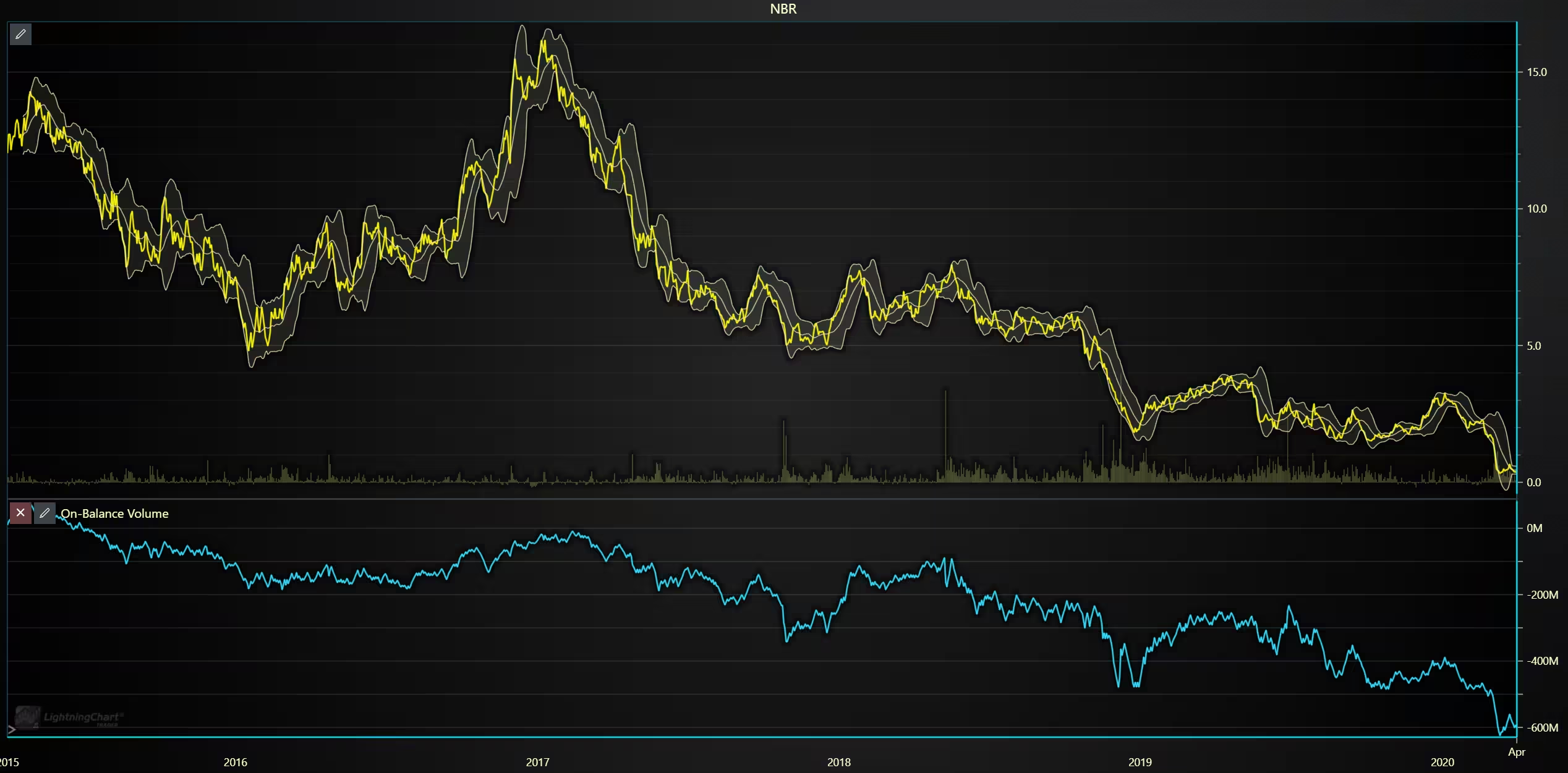
def chart3():

    stock_dataframe.rename(columns={
    'Close' : 'Old close',
    'Adj Close' : 'Close'}, inplace=True)

    # Set chart title; I'm using the file name as a placeholder,
    chart.set_chart_title(csv_list[0].removesuffix('.csv'))

    # type; CandleStick, Bar, Line, Mountain, Renko, HeikinAshi or Point&Figure
    chart.set_price_chart_type('Line')

    # and data source used; in this case the stock dataframe
    chart.set_data(stock_dataframe)

    # Add indicators
    chart.add_on_balance_volume()
    chart.add_volume()
    chart.add_bollinger_band()

    # Optional appearence customization
    chart.set_color_theme('darkGold')
    chart.set_line_color("#FCF800")
    chart.change_time_range(2)
    chart.open()
Price trend direction analysis with Renko chart
Renko charts are used to isolate trend directions and price movements; these charts do not represent time in a linear fashion like line or candlesticks do. This is because new bricks/boxes are only added when the price moves a set amount in one direction. This means that the time gap between bricks can be a day, week, or month, or more, depending on volatility.
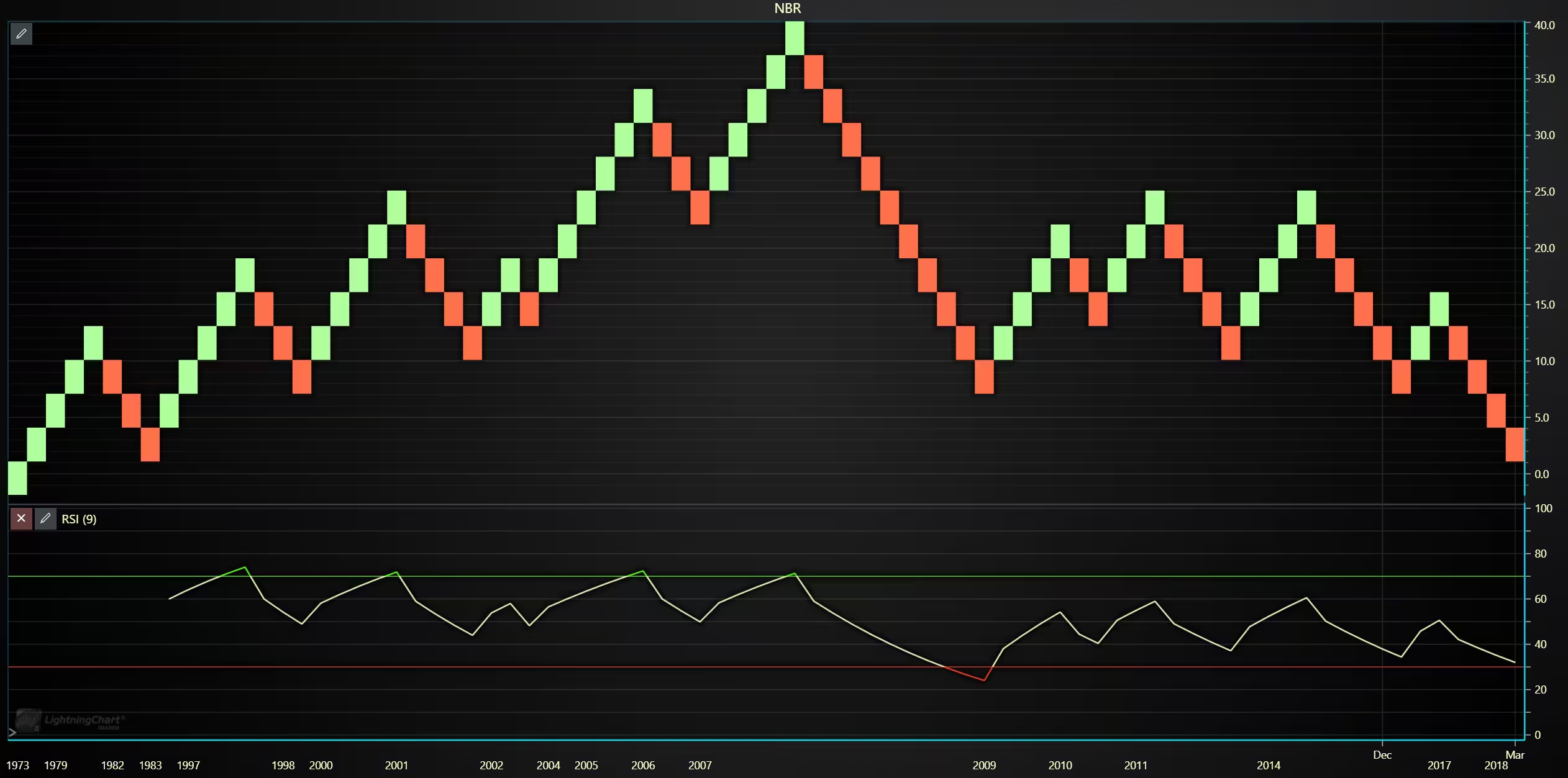
A box size of 8 was used for the chart. This means that the stock price has to move 8$ in either direction from the previous brick’s price before a new brick is added. Base type was close. These values can be changed from the chart settings, top left icon.
def chart5():

    stock_dataframe.rename(columns={
    'Close' : 'Old close',
    'Adj Close' : 'Close'}, inplace=True)

    # Set chart title; I'm using the file name as a placeholder,
    chart.set_chart_title(csv_list[0].removesuffix('.csv'))

    # type; CandleStick, Bar, Line, Mountain, Renko, HeikinAshi or Point&Figure
    chart.set_price_chart_type('Renko')

    # and data source used; in this case the stock dataframe
    chart.set_data(stock_dataframe)

    # Add indicators
    chart.add_relative_strength_index()

    # Optional appearence customization
    chart.set_color_theme('darkGold')
    chart.change_time_range(0)
    chart.open()
Analysis
How has NRB’s stock price evolved over time
NRB’s stock has had several up- and down trends over time. Peaking in 2008 before dropping sharply. Since then, the stock price has recovered to around 15-20$ temporarily but overall has been on a downward trend ever since.
What patterns emerge from OHLC vs. smoothed charts?
Heikin ashi charts do show the cycle of up and downward trends slightly better compared to candlesticks.
What relationships exist between volume surges and price movements?
During the 5-year period, volume goes up as time progresses. It can be noted that the following also applies to a decrease in stock prices.
Conclusion
The stock data was imported from a CSV file into Python Trader using Pandas, enabling efficient NBR stock data visualization. During preprocessing, the adjusted close values were used for selected charts to ensure accurate long-term analysis. Multiple chart types were applied to examine the stock’s development over both long- and short-term periods, with trading volume and trend direction also analyzed.
The process was straightforward, as Python makes it easy to visualize stock data. Although all charts in this article were scripted using code, the same adjustments could also be made directly through the Trader UI.
Continue learning with LightningChart
High-Performance Charting Controls for Fintech App Development
Written by a human | Updated on April 10th, 2025Charting Controls for Fintech Apps Money makes the world go round and as such, tracking and controlling financial transactions and information are some of the most important activities to do for any...
Data Visualization in Medical & Healthcare Applications
Written by a human | Updated on April 10th, 2025Charting Controls for Medical Healthcare Data Visualization Applications The fact that data and data visualization are everywhere in today's world, makes me wonder how data visualization impacts medical...
Creating a Smith Chart Application in .NET
Written by a human | Updated on April 9th, 2025Smith Charts The Smith chart is a diagram designed for the study and resolution of problems with transmission lines. This diagram is aimed at electrical and electronic engineers specializing in radio frequency....



If you have any questions, feel free to contact us!
©LightningChart Ltd 2025. All rights reserved.