





Cleaning Memory Resources Correctly 101

By Nikolai Arsenov
Software Developer & Quality Control Specialist
For cleaning memory resources efficiently, application should dispose existing objects before clearing related collection.
LightningChart provides predefined collections, e.g. XAxes, YAxes, PaletteSteps, etc. in WinForms and WPF Non-bindable platforms. In WPF Semi-bindable and Bindable platforms they should be created manually (e.g. ViewXY.CreateDefaultXAxes()). Moreover, a user’s application can have created collections of series, annotations, markers, cursors, etc.
If a user needs to recreate new specific collection for the chart without modifying the existing one, the old collection should be removed properly to use memory resources efficiently.
The following lines clean y-axes collection. However, the resources inside the application have not been freed, and they still reserve memory.
chart.ViewXY.YAxes.Clear();
Instead of using .Clear() method for collection, call .Dispose() for each item and clean the collection. Dispose method releases any resources from memory for clean-up:
foreach (AxisY yAxis in chart.ViewXY.YAxes)
         yAxis.Dispose();
chart.ViewXY.YAxes.Clear();

// Create new Y-axes collection
for (int axisY = 0; axisY < axisYCounter; axisY++)
{
        // Create your axes here
}
In our Demo applications, we have an auxiliary method to make proper resource cleaning:
ExampleUtils.DisposeAllAndClear(chart.ViewXY.YAxes);
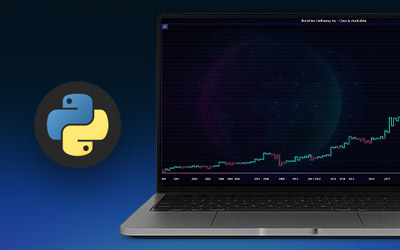
Visualize Time Series Data for Stock Trading
Learn how to visualize time series data for creating stock trading data analysis Python applications using LightningChart Python Trader library.
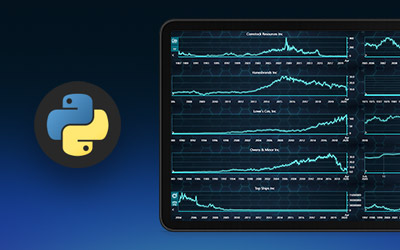
NASDAQ Stock Market
Learn how to create a NASDAQ stock market data analysis examining close and open prices, their correlation, and ranges using LightningChart.

Stock Market Data Visualization
Stock market data visualization Python analysis using LightningChart. Learn technical analysis, advanced charting, and trading strategies.
Python's charting ecosystem is large, overlapping, and regularly misunderstood. Most comparison guides stop at Matplotlib, Plotly, and Seaborn. This one goes further: it covers what happens when your datasets grow large, your update rates increase, or your chart types go beyond the standard set: and which libraries survive those conditions.
1. How to Choose a Python Charting Library
The first question is not "which library is most popular" but "what does my use case actually require?" Python's charting ecosystem has around 20 actively maintained libraries in 2026. Most fall into three buckets:
- Static, publication-quality output (Matplotlib, Seaborn, Plotnine): For journal papers, PDFs, and reports. Not for interactive dashboards or real-time data.
- Interactive web-first (Plotly, Bokeh, Altair, ECharts via pyecharts): For notebooks, dashboards, and browser-based visualizations. Excellent for moderate datasets. Performance degrades at millions of data points.
- GPU-accelerated high-performance (LightningChart Python): For engineering, scientific, financial, and IoT applications that need real-time streaming, millions of data points, or chart types unavailable in the other categories. WebGL rendering on the GPU, not SVG or Canvas on the CPU.
Picking wrong costs weeks. Using Matplotlib for a live data dashboard means building refresh logic from scratch. Using Plotly for a dataset with 5 million rows means watching your notebook freeze. Using LightningChart for a quick one-off static chart for a report is overkill.
How many data points will your largest chart display? Under 100,000: most libraries work. 100,000 to 1 million: use Canvas-based or WebGL libraries. Over 1 million: use a GPU-accelerated library or accept that performance will be a problem you manage around.
2. Rendering Engines: Why They Matter More Than Feature Lists
Every Python charting library ultimately turns data into pixels. How it does that determines how far the library scales. The three approaches in use today are:
Static file rendering (Matplotlib, Seaborn)
Matplotlib renders charts to image files or inline in notebooks using a software rendering pipeline. There is no browser, no DOM, no interaction layer at the output stage. This gives it a uniquely high ceiling for static quality: precise typesetting, publication-standard fonts, exact pixel control. The limitation is that interactivity in a browser requires either Plotly, a Dash-style wrapper, or workarounds that are always fighting the tool's design.
SVG and WebGL in the browser (Plotly, Bokeh, Altair)
These libraries generate charts that run in a web browser via Jupyter notebooks or standalone web applications. Plotly uses a mix of SVG and WebGL depending on the series type. Bokeh generates JavaScript that renders to Canvas. Altair compiles to Vega-Lite, which uses SVG. Performance scales reasonably to hundreds of thousands of data points before rendering becomes visibly slow.
GPU-accelerated WebGL (LightningChart Python)
LightningChart Python uses the same WebGL rendering engine as LightningChart JS: a GPU-accelerated pipeline that offloads all chart rendering to the graphics card. The practical result is that it handles tens of millions of data points and real-time streaming at 60 FPS: performance that the CPU-based libraries cannot approach at those scales. The trade-off is that it is a commercial library with a different API design philosophy than the open-source alternatives.
3. Matplotlib
Matplotlib is the backbone of Python data visualization. Released in 2003 and maintained for over two decades, it underpins Seaborn, Pandas' built-in plotting, and countless scientific workflows. If you have done any Python data analysis, you have used Matplotlib, often without knowing it.
Its strengths are in static output: publication-quality figures with precise control over every element. It produces the kind of charts that appear in Nature, IEEE publications, and academic papers. The code is verbose by modern standards, but that verbosity gives you control. You can customize axes, tick positions, font sizes, line weights, color maps, and annotation positions with surgical precision.
Where Matplotlib falls short is interactive web-based dashboards and large live datasets. It was not designed for either. Turning Matplotlib into an interactive dashboard requires Dash, Streamlit, or a similar framework wrapping the output. Real-time updates require explicit management of the animation loop. Performance at millions of data points is acceptable for static rendering but not for interactive exploration.
import numpy as np
x = np.linspace(0, 10, 1000)
y = np.sin(x)
fig, ax = plt.subplots(figsize=(10, 4))
ax.plot(x, y, color='#0066CC', linewidth=1.5)
ax.set_title('Sine wave: 1,000 points')
ax.set_xlabel('x')
ax.set_ylabel('sin(x)')
plt.tight_layout()
plt.show()
Strengths
- Publication-quality static output
- Maximum customization control
- Pandas and NumPy native integration
- MIT license, completely free
- Enormous community and documentation base
- Stable, well-tested, two decades of production use
Limitations
- No native interactive browser charts
- Verbose API for modern chart types
- Not designed for real-time streaming
- Performance degrades at millions of data points for interactive use
License: PSF (free) |
Rendering: Software rendering to static files or notebook inline
4. Seaborn
Seaborn wraps Matplotlib with a cleaner API and smarter defaults, specifically for statistical visualization. Where Matplotlib requires you to compute your own regression lines, confidence intervals, and distribution shapes, Seaborn handles these automatically from a Pandas DataFrame. The result is significantly less code for a polished statistical chart.
Seaborn shines for exploratory data analysis: quickly understanding the shape of distributions, correlations between variables, and group-level differences in a dataset. The categorical, distribution, and regression plot families are particularly strong.
Its limitations mirror Matplotlib's: the output is static, interactivity in the browser is not native, and real-time streaming is not a use case it addresses. Seaborn is an analytical exploration tool, not a dashboard tool.
Strengths
- Much cleaner API than Matplotlib for statistical charts
- Beautiful default aesthetics out of the box
- Native Pandas DataFrame integration
- Excellent for exploratory data analysis
- Free, MIT license
Limitations
- Built on Matplotlib: shares all its interactive limitations
- Limited to statistical chart types
- Not for real-time, engineering, or technical chart types
License: BSD (free) |
Rendering: Matplotlib backend
5. Plotly
Plotly is the default choice for interactive Python data visualization in 2026. It works natively in Jupyter notebooks, produces charts that can be embedded in web applications, and covers a wider range of chart types than any other open-source Python library: scatter, line, bar, pie, heatmap, 3D scatter, surface, candlestick, funnel, geographic choropleth, and more. Plotly Express is the simplified API that handles most use cases in five lines of code.
Dash, the companion web framework, turns Plotly charts into full interactive applications with callbacks, dropdowns, and cross-chart interaction. For data scientists who need to share results as an application rather than a notebook, Dash plus Plotly is the most common Python-native stack in 2026.
The performance ceiling is real. Plotly uses SVG for most chart types and WebGL only for specific series (scattergl, densitymapbox). At datasets larger than roughly 500,000 points in SVG mode, browser performance degrades. At a million or more, notebooks become unresponsive. For datasets in that range, Plotly is the wrong tool regardless of how much you like its API.
import pandas as pd
import numpy as np
df = pd.DataFrame({
'x': np.linspace(0, 10, 10_000),
'y': np.sin(np.linspace(0, 10, 10_000))
})
fig = px.line(df, x='x', y='y', title='Sine wave: 10,000 points')
fig.show() # Interactive in notebook, embeddable in Dash app
Strengths
- Interactive by default: works in notebooks and web apps
- Widest chart type coverage of any open-source Python library
- Plotly Express makes common charts very fast to write
- Dash integration for full interactive web applications
- Free community edition; Dash Enterprise for production scale
- Strong 3D chart support (scatter3d, surface, mesh3d)
Limitations
- Performance degrades significantly above 500K points in SVG mode
- WebGL mode (scattergl) limited to scatter series only
- Not suitable for real-time streaming at high update rates
- No GPU rendering across all chart types
- Large bundle size when embedded in web applications
License: MIT (free) / Dash Enterprise (paid) |
Rendering: SVG (most types) + WebGL (scatter only)
6. Bokeh
Bokeh targets interactive web visualizations with a specific strength that most Python libraries lack: server-side streaming. Bokeh Server allows you to run Python code on the server and push updates to the browser in response to data changes or user interactions, without a page reload. This makes Bokeh one of the few Python-native options for real-time streaming dashboards, though the architecture requires running a persistent Bokeh Server process.
Performance is generally better than Plotly's SVG rendering for large datasets because Bokeh uses Canvas. It handles hundreds of thousands of data points more gracefully. For genuinely high-frequency streaming or very large datasets, it still falls short of a GPU-accelerated solution.
Strengths
- Bokeh Server enables server-side Python callbacks for real-time updates
- Canvas rendering scales better than Plotly SVG at large datasets
- Good widget and layout system for dashboard building
- Free, BSD license
Limitations
- Bokeh Server adds operational complexity (persistent server process)
- Smaller community than Plotly or Matplotlib
- No GPU rendering; performance limited at very high data volumes
- API is more verbose than Plotly Express for simple charts
License: BSD (free) |
Rendering: HTML5 Canvas
7. Altair
Altair brings a grammar-of-graphics approach to Python: you describe what you want (data, encoding, mark type) rather than how to draw it. This makes it uniquely readable and concise for statistical visualizations. A 10-line Altair specification produces a chart that would take 30 lines in Matplotlib.
The constraint is that Altair compiles to Vega-Lite, which has its own data size limits. Large datasets need to be pre-aggregated before passing to Altair, or served via a data transformer. It is not a library for millions of data points, high-frequency real-time streams, or engineering-specific chart types. It is excellent for analytical exploration with moderate datasets and for producing reproducible, shareable chart specifications.
Strengths
- Most concise and readable API of any Python charting library
- Declarative grammar-of-graphics approach
- Excellent faceting and linked views
- Free, BSD license
Limitations
- Hard data size limit: 5,000 rows default before requiring workarounds
- Not suitable for real-time streaming
- Limited to Vega-Lite chart types: no engineering or scientific chart types
License: BSD (free) |
Rendering: SVG (via Vega-Lite)
8. LightningChart Python
LightningChart Python is built by LightningChart Ltd, the Finnish company that has been developing GPU-accelerated charting engines since 2007. The same WebGL rendering engine used in JavaScript products deployed at Tesla, Airbus, Siemens, Medtronic, and Microsoft is exposed through a Python API.
The core difference from every other library in this comparison: LightningChart Python renders all charts on the GPU via WebGL, not on the CPU via SVG or Canvas. At low data volumes, this is invisible. At the scales that engineers, scientists, financial analysts, and IoT developers work with, it determines whether the library is usable at all.
Performance at scale
LightningChart Python handles 10 million data points in approximately 290 milliseconds at 60 FPS. Plotly crashes or freezes at 10 million points in most configurations. Matplotlib handles 10 million points in a static plot but interactive exploration is impractical. Bokeh degrades significantly beyond a few hundred thousand points for real-time applications.
A day of sensor data at 1,000 Hz sampling rate across 5 channels produces 432 million data points. A week of 1-minute financial tick data across 50 instruments produces roughly 250 million data points. These are the scales that LightningChart Python is designed for. Plotly, Matplotlib, and Bokeh are not.
Chart types beyond the standard set
LightningChart Python covers chart types that no other Python library provides natively:
- Spectrogram charts: Frequency-domain visualization for signal processing, acoustic analysis, and vibration monitoring. Essential for engineering and scientific applications, unavailable in Plotly, Bokeh, or Matplotlib without significant custom code.
- 3D charts (GPU-accelerated): 3D surface charts, 3D scatter, 3D bar: all rendering on the GPU at production frame rates with real-time data updates.
- Polar charts: Full polar coordinate system charts for directional data, radar analysis, and cyclical patterns.
- Technical analysis charts: Candlestick, OHLC, Heikin-Ashi charts with 100 plus built-in indicators. Available in the Python Trader product line.
- Real-time waveform charts: Continuous scrolling waveform display for ECG, EEG, audio signals, and sensor data at the native sample rate of the source.
import numpy as np
lc.set_license('your-license-key')
chart = lc.ChartXY(theme=lc.Themes.Dark)
series = chart.add_line_series()
# 10 million points: runs at 60 FPS on GPU
x = np.linspace(0, 100, 10_000_000)
y = np.sin(x) + np.random.normal(0, 0.1, 10_000_000)
series.add(x, y)
chart.set_title('10 Million Points: GPU Rendered')
chart.open()
Real-time streaming with NumPy and Pandas
LightningChart Python integrates with NumPy arrays and Pandas DataFrames for data ingestion and supports live data appending for real-time streaming use cases. The rendering loop runs independently of the data ingestion loop, so incoming data does not block the display.
Where LightningChart Python fits in your workflow
It is not a replacement for Matplotlib for publication figures, or for Plotly for quick exploratory dashboards in notebooks with moderate data. It is the right choice when your data volume, your chart types, your streaming requirements, or your performance needs exceed what the open-source alternatives provide.
Strengths
- Only Python library with GPU-accelerated WebGL rendering across all chart types
- Handles tens of millions of data points at 60 FPS
- Spectrogram, polar, 3D, and technical analysis charts unavailable in other Python libraries
- Real-time streaming at high update rates
- NumPy and Pandas native integration
- 30-day free trial, full documentation
Limitations
- Commercial license (not free for production use)
- Smaller community than Plotly or Matplotlib
- Overkill for simple static charts or small datasets
- Requires a license key for production deployment
License: Commercial (30-day free trial) |
Rendering: WebGL (GPU-accelerated, all chart types)
9. Full Comparison Table
| Capability | LightningChart Python | Plotly | Matplotlib | Bokeh | Altair | Seaborn |
|---|---|---|---|---|---|---|
| Rendering engine | WebGL (GPU) | SVG + WebGL (scatter only) | Software rendering | HTML5 Canvas | SVG (Vega-Lite) | Matplotlib backend |
| 10M+ data points | Yes: 60 FPS | No: crashes/freezes | Static only | No: significant lag | No: 5K row default limit | Static only |
| Real-time streaming | Yes: core capability | Limited (Dash callbacks) | No | Yes (Bokeh Server) | No | No |
| Interactive charts | Yes | Yes | No (native) | Yes | Yes | No |
| Spectrogram charts | Yes | No | Custom only | No | No | No |
| 3D charts (GPU) | Yes: GPU | Yes: CPU (SVG) | Yes: CPU (static) | No | No | No |
| Technical analysis charts | Yes (100+ indicators) | Candlestick only | No | No | No | No |
| NumPy/Pandas native | Yes | Yes | Yes | Yes | Yes | Yes |
| Publication-quality static output | Not its primary use | Yes (with export) | Yes: best in class | Limited | With Vega export | Yes: excellent |
| Free license | Trial only; commercial for production | Yes (MIT) | Yes (PSF) | Yes (BSD) | Yes (BSD) | Yes (BSD) |
10. Decision Guide: Which Python Charting Library for Which Use Case
Use Matplotlib when:
- You are producing charts for academic papers, scientific publications, or printed reports
- You need precise control over every visual element (tick placement, font weight, annotation positioning)
- Your output is a static image file (PNG, PDF, SVG) rather than an interactive browser chart
- You are working in an environment where browser-based rendering is not an option
Use Seaborn when:
- You are doing statistical exploratory data analysis and want less code than Matplotlib
- Your charts are going into research notebooks or analytical reports
- You need distribution plots, regression charts, or categorical comparisons with minimal code
Use Plotly when:
- You want interactive charts in Jupyter notebooks without writing JavaScript
- You are building a Dash application for sharing analysis results as an interactive web app
- Your datasets are under 500,000 data points and do not require real-time high-frequency updates
- You need a wide variety of chart types (3D scatter, geographic choropleth, funnel, treemap) in a single library
Use Bokeh when:
- You need Python-side callbacks that update charts in response to user interactions or new data
- You want real-time streaming at moderate update rates without a full engineering pipeline
- You are comfortable running a persistent Bokeh Server process
Use Altair when:
- Your datasets are under 100,000 rows and you want the most concise chart specification code
- You want faceted, linked, or brushable charts with minimal effort
- Reproducibility and readable chart specification matter more than performance
Use LightningChart Python when:
- Your dataset has more than 1 million data points and interactive exploration performance matters
- You need real-time streaming at high update rates (IoT sensors, financial tick data, scientific instruments)
- Your chart types include spectrograms, polar charts, ECG/EEG waveforms, or technical analysis charts with indicators
- You are building engineering, scientific, medical, or financial trading visualization tools where performance is not negotiable
- You need GPU-accelerated 3D charts that update from live data
Try LightningChart Python free for 30 days
Full feature access. No credit card required on trial. Includes all chart types, NumPy/Pandas integration, and real-time streaming capability.
11. Frequently Asked Questions
What is the best Python charting library in 2026?
It depends entirely on your use case. Matplotlib is best for publication-quality static output. Plotly is best for interactive notebooks and Dash applications with moderate datasets. Seaborn is best for statistical analysis with minimal code. LightningChart Python is best for large datasets, real-time streaming, and engineering or scientific chart types unavailable in the open-source alternatives. There is no single best library: there is a best library for your specific requirements.
Which Python charting library handles the most data points?
LightningChart Python handles the most data points at interactive frame rates, processing 10 million data points at 60 FPS using GPU-accelerated WebGL rendering. Matplotlib can render static charts with millions of data points but is not interactive at that scale. Plotly degrades significantly above 500,000 points in SVG mode. Altair has a default 5,000-row limit.
Can Python charting libraries do real-time streaming?
Yes, with different approaches. Bokeh Server supports Python-side callbacks that push updates to the browser. Plotly via Dash supports interval-based updates and streaming through Dash callbacks. LightningChart Python supports direct real-time data appending with GPU-accelerated rendering at high update rates. Matplotlib is not suited for real-time streaming without significant additional engineering.
Is there a Python library for spectrogram charts?
LightningChart Python provides native spectrogram charts as a built-in chart type. In Matplotlib, spectrogram-like visualizations can be approximated using ax.specgram() or pcolormesh() with STFT output, but these are not interactive and do not update in real-time. No other major Python charting library provides native interactive spectrograms.
What is the difference between Plotly and LightningChart Python?
Plotly is a free, open-source library for interactive web charts that runs on SVG and limited WebGL. It is excellent for moderate datasets and Dash applications. LightningChart Python is a commercial GPU-accelerated library using WebGL rendering for all chart types. It handles scales that Plotly cannot: tens of millions of data points, high-frequency real-time streaming, and specialist chart types like spectrograms, polar charts, and technical analysis charts with 100 plus indicators.
Further reading





If you have any questions, feel free to contact us!
©LightningChart Ltd 2026. All rights reserved.