





7 Best Plotly.js Alternatives in 2026: Faster, Lighter, No Context Limits
Article

Jarkko Tirkkonen
Senior Developer


Plotly.js holds a unique position in the JavaScript charting ecosystem. Data scientists already know it from Python, when Plotly.py generates a chart in a Jupyter notebook, it’s Plotly.js rendering it in the browser. That continuity between languages is genuinely useful, and it’s the main reason teams end up with Plotly on the web even when they weren’t specifically looking for a JavaScript charting library.
The problem is that the real-world limitations of Plotly.js on the web are harder and more specific than most evaluations let on. It’s not just “slow with large datasets”, it’s a hard browser limit of 4–8 WebGL charts per page that causes silent rendering failures. It’s a bundle that lands at 10MB+ unoptimized in React. It’s performance degrading past 10,000 points whenever annotations and tooltips are active. And it’s a virtual-webgl workaround that Plotly’s own documentation recommends for the context limit — but which breaks 3D chart rendering entirely (documented in Plotly’s own GitHub issue tracker).
This article covers seven genuine alternatives, ranked honestly. LightningChart JS and LightningChart Python lead the list — together they address every specific Plotly limitation while covering the cross-language workflow that Plotly users care about. We’ll explain exactly what each alternative does better, and where Plotly remains a reasonable choice.
1. Plotly.js’s Real Limitations: The Specific Ones Nobody Talks About
Most “Plotly alternatives” articles say it’s “heavy” and “slow” and move on. Let’s be precise, because the specific failure modes determine which alternative actually solves your problem.
The WebGL context limit: 4–8 charts per page, maximum
Confirmed from Plotly’s own documentation:
“Most browsers have a limit of between 8 and 16 WebGL contexts per page. A Plotly WebGL-based figure may use multiple WebGL contexts, but generally you’ll be able to render between 4 and 8 figures on one page. If you exceed the browser limit on WebGL contexts, some figures won’t render and you’ll see an error: ‘Too many active WebGL contexts. Oldest context will be lost.'”
This isn’t a configuration issue you can tune away. It’s a hard ceiling imposed by browser architecture. Every Plotly chart that uses WebGL traces (3D plots, scattergl, heatmapgl, parcoords) consumes one or more WebGL contexts. Dashboard applications showing 6, 8, or 12 charts simultaneously will hit this limit. When they do, older charts silently stop rendering, no error visible to the user, just a blank chart container.
Plotly’s recommended workaround is loading a virtual-webgl script that multiplexes contexts. It resolves the issue for 2D WebGL traces. But Plotly’s own GitHub issue tracker (issue #7298, December 2024) confirms the virtual-webgl fix breaks 3D plot, surface, and mesh3d rendering, so the workaround to fix the context limit breaks the 3D charts that were using those contexts in the first place.
Bundle size: 3.6MB+ that scales badly in React
The Plotly.js full bundle is approximately 3.6MB minified (closer to 4.7MB with dependencies). In a React application importing react-plotly.js, unoptimized builds regularly exceed 10MB—confirmed in Plotly’s own community forum by multiple users. Partial bundles can reduce this to ~1MB for basic traces, but this requires explicitly configuring which chart types are included and is not the default experience.
For a data science internal tool where bundle size isn’t a hard constraint, this is manageable. For a public-facing SaaS application where initial load time affects conversion and SEO Core Web Vitals, Plotly requires significant build optimization that other libraries don’t.
Performance past 10,000 points with overlays
Plotly’s WebGL scattergl trace handles datasets up to roughly 1 million points better than the SVG equivalent. But add tooltips, annotations, range selectors, or custom hover templates—which most production charts need—and performance degrades significantly well below that ceiling. Community reports and Plotly’s own GitHub issues document “janky and slow graphical performance” with WebGL enabled and custom interactions active at 10,000+ points.
Documentation gaps at the API level
Plotly.js has broad chart type coverage documented through examples, but API-level documentation for advanced customization is sparse. Users regularly report needing to trace behavior through the source code or community forum posts for anything beyond the standard examples. For data scientists who know Python well and are adapting Plotly.py knowledge to JavaScript, this gap is larger than expected.
When Plotly.js is actually fine
To be clear: for static or slowly-updating scientific charts at moderate data volumes (under 50,000 points), Plotly.js works well. The cross-language API consistency with Plotly.py is a genuine advantage for teams sharing charts between Jupyter and web applications. The chart type catalog (3D scatter, surface, contour, violin, parallel coordinates) covers scientific visualization needs that simpler libraries don’t. If you’re not hitting the context limit or bundle size issues, and your data volumes are modest, Plotly is a reasonable choice. The rest of this article is for the situations where it isn’t.
2. Quick Comparison: All 7 Alternatives
| # | Alternative | Rendering | WebGL chart limit | Bundle size | Python equivalent? | 10M data points? |
|---|---|---|---|---|---|---|
| 1 | LightningChart JS | WebGL/GPU native | No limit | ~1.1MB | Yes: LightningChart Python | Yes: 0.29s |
| 2 | Apache ECharts | Canvas + WebGL ext. | No limit | ~186KB | No native equivalent | Limited |
| 3 | Chart.js | Canvas/CPU | No limit | ~14KB | No | Crashes |
| 4 | D3.js | SVG + Canvas | No limit | ~16KB core | No | SVG fails |
| 5 | Vega-Lite / Observable Plot | Canvas/SVG | No limit | ~200–300KB | Altair (Python) | No |
| 6 | Bokeh (JS output) | Canvas/WebGL partial | Some limit | ~600KB+ | Yes: Bokeh Python | No |
| 7 | ApexCharts | SVG | No limit | ~120KB | No | Crashes |
3. The 7 Alternatives, In Depth
1. LightningChart JS + LightningChart Python (Recommended)
Rendering: WebGL / GPU-native | Bundle: ~1.1MB | WebGL limit: None | License: Free non-commercial; commercial
LightningChart JS addresses every specific Plotly.js limitation at the architectural level, not through workarounds.
On WebGL context limits: LightningChart JS manages all rendering through a single shared WebGL context regardless of how many charts are on the page. You can have 100 simultaneous charts in a dashboard (all GPU-accelerated) without hitting any context ceiling. There’s no virtual-webgl workaround needed, and no risk of charts silently failing to render when you add one too many.
On bundle size: at ~1.1MB, LightningChart JS is roughly a third of Plotly’s full bundle. The size includes WebGL shader programs—the GPU code that makes the performance possible—and cannot be reduced further by tree-shaking (shaders are binary assets, not JavaScript modules). That said, 1.1MB with lazy loading is a straightforward code-splitting exercise and rarely causes issues in modern applications.
On performance: LightningChart JS renders 10 million data points in 0.29 seconds. Plotly starts showing degradation at 10,000 points with overlays active. At 100,000 points, LightningChart JS loads in ~40ms; Plotly takes over 1,000ms. The gap is architectural- GPU parallel execution versus CPU-sequential rendering-not a configuration difference.
On 3D charts: LightningChart JS has a full native 3D suite (3D surface, 3D scatter, 3D heatmaps, 3D spectrograms, 3D bar charts) all GPU-accelerated. Plotly’s 3D is partial WebGL and breaks when virtual-webgl is active. LightningChart JS’s 3D works regardless of how many other charts are on the page.
The cross-language dimension: LightningChart Python brings the same GPU-accelerated rendering engine to Python-native environments (jupyter notebooks, PyQt5/6, PySide2/6, standalone Python applications). For teams who use Plotly.py in data science workflows and Plotly.js on the web, LightningChart Python + LightningChart JS provides an equivalent cross-language pipeline with dramatically better performance at scale. Both share the same chart type catalog, the same API concepts, and the same rendering engine. And for teams that also have desktop Windows tools, LightningChart .NET extends the same engine to WinForms, WPF, and UWP.
2. Apache ECharts – The Free High-Volume Alternative
Rendering: Canvas (default) + WebGL via echarts-gl | Bundle: ~186KB modular | License: Apache 2.0 (always free)
Apache ECharts (from Baidu, now an Apache top-level project) is the strongest free alternative for teams that need broad chart type coverage and larger dataset handling without licensing costs. The modular architecture keeps the bundle lean, you only include the chart types you actually use. The default Canvas renderer sidesteps Plotly’s WebGL context limit issue entirely.
For the scientific and analytical use cases where Plotly is often used, ECharts covers heatmaps, scatter plots, candlestick charts, parallel coordinates, and calendar visualizations. The echarts-gl extension adds 3D scatter, 3D bar, and 3D surface charts via WebGL, a genuine overlap with Plotly’s scientific chart territory.
ECharts doesn’t have a native Python equivalent that provides the same API consistency as Plotly.py. There are Python wrappers (pyecharts) that generate ECharts configs from Python, but they’re not the same rendering engine and the API isn’t shared. If Python-to-web workflow consistency matters for your team, ECharts doesn’t replicate what Plotly does there.
3. Chart.js – The Lightweight Free Alternative
Rendering: HTML5 Canvas | Bundle: ~14KB tree-shaken | License: MIT (always free)
If Plotly.js’s bundle size is the problem and you need something drastically lighter, Chart.js at ~14KB gzipped is about as small as JavaScript charting libraries get. The API is declarative, the documentation is excellent, and the community is the largest of any chart library by download volume.
The tradeoffs are significant for anyone coming from Plotly’s feature set: Chart.js has 9 chart types (bar, line, pie, radar, scatter, bubble, polar, doughnut, mixed). No 3D. No scientific chart types (contour, violin, parallel coordinates, heatmap). No surface charts. No statistical chart types. And the same Canvas performance ceiling that caps all CPU-bound libraries well below 1 million data points.
Chart.js doesn’t have a Python equivalent in any meaningful sense. If you’re using Plotly because of the Python connection, Chart.js doesn’t address that workflow at all.
4. D3.js – The Full-Control Alternative
Rendering: SVG primary; Canvas via manual implementation | Bundle: ~16KB core (modular) | License: BSD-3 (always free)
D3.js is the foundation that Plotly.js is actually built on—Plotly uses D3 for SVG rendering and layout math. Going to D3 directly means removing Plotly’s abstraction layer and working with primitives: data binding, scales, axes, transitions, and DOM manipulation. The tradeoff is total flexibility at the cost of significantly more code for equivalent output.
For the scientific visualization use cases where Plotly is typically evaluated, D3 can reproduce any chart type Plotly offers, but you build it yourself. A Plotly surface chart is a few configuration lines. A D3 surface chart is a substantial engineering task. The right answer depends entirely on whether you need something standard (use a library) or genuinely unique (use D3).
D3’s SVG-by-default approach shares the same DOM scaling limitations as Plotly’s SVG traces. Canvas rendering in D3 requires explicit implementation. There’s no Python equivalent.
5. Vega-Lite / Observable Plot – The Grammar-of-Graphics Alternative
Rendering: SVG (Vega-Lite) / Canvas (Observable Plot) | Bundle: ~200–300KB | License: BSD-3 / ISC (always free)
Vega-Lite and Observable Plot both implement a grammar-of-graphics approach to chart specification—similar in philosophy to ggplot2 in R or Altair in Python. If your team thinks in terms of data encodings (mark type, x channel, y channel, color encoding, faceting) rather than chart types, these libraries feel more natural than Plotly’s trace-based API.
Vega-Lite compiles to Vega, which renders to SVG, suitable for publication, quality static charts but sharing the DOM scaling limitations. Observable Plot is newer, uses Canvas, and is genuinely pleasant for exploratory data analysis in Observable notebooks. Neither matches Plotly’s 3D chart support.
The Python connection: Altair is a Python library that generates Vega-Lite specifications, giving it a similar cross-language appeal to Plotly/Plotly.py. For teams comfortable with declarative grammar-of-graphics thinking in both Python and JavaScript, Altair + Vega-Lite is a coherent alternative stack, though without GPU performance at scale.
6. Bokeh – The Python-First Alternative
Rendering: Canvas + partial WebGL | Bundle: ~600KB+ (BokehJS) | License: BSD-3 (always free)
Bokeh is the alternative that most directly targets the same Python-to-browser workflow as Plotly. You define charts in Python using the Bokeh Python API, and Bokeh generates BokehJS-powered visualizations that render interactively in the browser. For teams running Python servers that generate charts for web clients (without wanting to write separate JavaScript) Bokeh is the most established alternative to Dash/Plotly in that architecture.
Bokeh has partial WebGL support for scatter plots and line charts (via output_backend="webgl"), which extends its performance range beyond pure Canvas. It doesn’t have the same 3D chart depth as Plotly, and its JavaScript bundle (BokehJS) is heavier than you’d want for a public-facing web application. The server-centric model (Bokeh Server) is well-suited for internal data tools but adds infrastructure requirements that Plotly’s pure JavaScript approach doesn’t have.
7. ApexCharts – The Modern UI Alternative
Rendering: SVG | Bundle: ~120KB | License: MIT (always free)
ApexCharts is included here for completeness, it’s a strong React/Vue/Angular chart library with beautiful default styling and a clean MIT license. But it doesn’t address Plotly’s scientific chart use case directly: there’s no 3D support, no contour or parallel coordinates charts, no Python equivalent, and the SVG renderer hits performance walls at much lower data volumes than Plotly’s WebGL traces.
Where ApexCharts makes sense as a Plotly replacement is in cases where Plotly was being used for standard business charts (line, bar, area, candlestick) and the team wants something with better default aesthetics, lower bundle size, and cleaner React integration, without needing the scientific depth that Plotly’s 3D and statistical chart types provide.
4. Performance Benchmarks: Plotly vs the Alternatives
Tests run in Chrome 122 (production build), mid-range hardware (Intel i7-12th gen, 16GB RAM, NVIDIA RTX 3060). Each library used standard configuration per documentation.
Load time: single line/scatter series
| Library | 10K pts | 100K pts | 500K pts | 1M pts | 10M pts |
|---|---|---|---|---|---|
| LightningChart JS | ~20ms | ~40ms | ~80ms | ~120ms | 290ms |
| Apache ECharts | ~70ms | ~350ms | ~2,800ms | ~6,000ms | Crash |
| Plotly.js (scattergl) | ~200ms | ~1,200ms | ~8,000ms | ~12,000ms+ | Crash |
| Plotly.js (SVG) | ~350ms | ~5,000ms | Freeze | Crash | Crash |
| Bokeh (WebGL) | ~180ms | ~900ms | ~5,500ms | Crash | Crash |
| Chart.js | ~80ms | ~400ms | ~2,200ms | ~4,500ms | Crash |
| D3.js (SVG) | ~120ms | ~9,000ms | Crash | Crash | Crash |
Multi-chart dashboard: WebGL context behavior
| Library | 4 WebGL charts | 8 WebGL charts | 16 WebGL charts | 100 WebGL charts |
|---|---|---|---|---|
| LightningChart JS | All render | All render | All render | All render (single shared context) |
| Plotly.js (WebGL traces) | All render | Usually OK | Context lost: some charts blank | Most charts fail silently |
| Plotly.js (virtual-webgl) | 2D OK | 2D OK | 2D OK, 3D broken | 3D completely broken |
| Apache ECharts | All render | All render | All render | All render (Canvas) |
| Chart.js | All render | All render | All render | All render (Canvas) |
Bundle size comparison
| Library | Minified + gzipped | React app (unoptimized) | Notes |
|---|---|---|---|
| Chart.js | ~14KB | ~50KB | Tree-shakeable by chart type |
| ApexCharts | ~120KB | ~180KB | Minimal overhead in React |
| Apache ECharts | ~186KB | ~250KB | Highly modular, import only needed types |
| D3.js (core) | ~16KB | Varies | Modular; full suite is larger |
| LightningChart JS | ~1.1MB | ~1.1MB | Includes WebGL shaders; use lazy loading |
| Bokeh (BokehJS) | ~600KB+ | ~800KB+ | Server-side generation model |
| Plotly.js (full) | ~3.6MB | ~10MB+ | Partial bundles available (~1MB for basics) |
React.lazy() or a webpack dynamic import() defers the load until the chart is needed, making it a non-issue for below-the-fold content. For dashboards where charts are the primary content, 1.1MB is a straightforward tradeoff for the performance headroom it enables.5. The Python Angle: Replacing Plotly/Dash in Data Science Workflows
Most Plotly.js users arrived via Python. Plotly.py in Jupyter generates Plotly.js output. Dash builds Plotly-powered web applications from Python. The JavaScript library is often an afterthought, it just appears where the Python library sends its output.
This makes the Python layer the real consideration for many teams. What replaces Plotly.py?
LightningChart Python: the native GPU alternative
LightningChart Python is a native Python library—not a wrapper around a JavaScript library—that runs the same GPU-accelerated rendering engine as LightningChart JS. It works in Jupyter notebooks, PyQt5/6, PySide2/6, and standalone Python applications.
The performance difference from Plotly.py at scale is the same as the JavaScript comparison: LightningChart Python renders 10 million data points in the same sub-300ms range. Plotly.py with Dash starts showing noticeable slowdowns at similar thresholds to the JavaScript version. For data scientists working with large numpy arrays or pandas DataFrames in research contexts, this matters.
# LightningChart Python — 10M points in Jupyter, GPU-acceleratedimport lightningchart as lcimport numpy as nplc.set_license('YOUR_LICENSE_KEY')# Generate 10M sample pointsx = np.linspace(0, 100000, 10_000_000)y = np.sin(x * 0.001) + np.random.normal(0, 0.1, len(x))chart = lc.ChartXY(title='10M point series — LightningChart Python')series = chart.add_line_series(data_pattern='ProgressiveX')# Accepts numpy arrays directly — single GPU buffer uploadseries.add_array_y(y, x_start=x[0], x_step=x[1] - x[0])chart.open()
Bokeh: the established Python-first web visualization alternative
Bokeh is the most direct architectural alternative to the Plotly/Dash Python-to-browser model. Where Plotly.py generates Plotly.js output, Bokeh generates BokehJS output. Both allow defining charts in Python and serving them to browsers. Bokeh Server adds two-way communication between Python callbacks and browser interactions—similar to Dash’s callback model.
Bokeh’s performance ceiling is lower than LightningChart Python, and it doesn’t have the same 3D depth as Plotly. But for teams already invested in the Python-server-drives-browser architecture and looking for a Plotly/Dash alternative without GPU requirements, Bokeh is the most comparable option.
Altair + Vega-Lite: the grammar-of-graphics Python alternative
Altair generates Vega-Lite specifications from Python, similar to how ggplot2 generates charts in R. For exploratory data analysis where chart specifications are built iteratively in a notebook, Altair is elegant and concise. The limitation is rendering scale, Vega-Lite uses SVG, and the lack of 3D chart types.
6. Migrating from Plotly.js to LightningChart JS
The API shift is from Plotly’s trace/layout config model to LightningChart JS’s imperative API. For most standard chart types, the logic translates directly, it’s a matter of API familiarity, not fundamental conceptual difference.
Scatter chart
Plotly.js:
Plotly.newPlot('chart', [{type: 'scatter',mode: 'markers',x: xValues,y: yValues,name: 'Dataset A'}], {title: { text: 'Scatter Plot' }});
LightningChart JS equivalent — handles 10M+ points without context limits:
const lc = lightningChart({ license: 'YOUR_KEY' });const chart = lc.ChartXY({ container: 'chart' });chart.setTitle('Scatter Plot');const series = chart.addPointSeries();series.setName('Dataset A');series.add(xValues.map((x, i) => ({ x, y: yValues[i] })));
3D Surface chart
Plotly.js:
Plotly.newPlot('chart', [{type: 'surface',z: zMatrix, // 2D array — limited to ~8 charts per page totalcolorscale: 'Viridis'}]);
LightningChart JS — no context limit, GPU-native 3D:
const lc = lightningChart({ license: 'YOUR_KEY' });const chart = lc.Chart3D({ container: 'chart' });const ROWS = zMatrix.length;const COLS = zMatrix[0].length;const surface = chart.addSurfaceGridSeries({dataOrder: 'RowMajor',columns: COLS,rows: ROWS});// Flatten 2D array to Float32Array — single GPU uploadconst flat = new Float32Array(zMatrix.flat());surface.invalidateHeightMap({ iRow: 0, iColumn: 0, values: flat });
Key migration notes
- Data format: Plotly uses separate
xandyarrays. LightningChart JS uses{x, y}objects or typed arrays. For large datasets, useFloat32Arrayinterleaved withaddArrayY()for best performance. - Multi-chart dashboards: Remove any virtual-webgl script, it’s not needed and would cause issues. LightningChart JS handles all charts through a single shared WebGL context automatically.
- Layout: Plotly’s
layoutconfig maps to LightningChart’s chart method calls:chart.setTitle(), axis configuration methods, margin settings, etc. - Subplots: Plotly’s subplot grid maps to LightningChart’s
Dashboard—create a dashboard and add charts to rows and columns. - 3D from Python: Replace Plotly.py surface/scatter3d with LightningChart Python’s equivalent chart types, same API concepts, GPU-native rendering, no context limits.
7. FAQ
What is the best alternative to Plotly.js?
LightningChart JS addresses every specific Plotly.js limitation at the architectural level: no WebGL context limits, ~1.1MB bundle (vs 3.6MB+), 10 million data points in 290ms, and a full native 3D suite that doesn’t break when you have multiple charts on the page. For the Python workflow, LightningChart Python provides the same GPU-accelerated rendering natively in Jupyter and PyQt/PySide environments.
Why is Plotly.js slow with large datasets?
Plotly.js uses SVG rendering for most chart types, creating a DOM node per data point, performance collapses above ~10,000 SVG elements. The WebGL traces (scattergl, heatmapgl) bypass this, but Plotly’s WebGL implementation has its own constraints: performance degrades with overlays and annotations active, and a hard browser context limit caps the number of WebGL charts at 4–8 per page. LightningChart JS’s GPU-native architecture doesn’t share either of these constraints.
What is Plotly.js’s WebGL context limit?
Browsers limit WebGL contexts to roughly 8–16 per page. Plotly’s WebGL-based charts each consume one or more contexts, limiting you to 4–8 Plotly WebGL charts per page before the browser silently drops older contexts. The virtual-webgl workaround resolves this for 2D traces but breaks 3D rendering (confirmed in Plotly.js GitHub issue #7298). LightningChart JS uses a single shared WebGL context for all charts simultaneously, bypassing the browser limit entirely.
Is there a Plotly alternative that works in Python and JavaScript?
Yes. LightningChart provides LightningChart JS for web applications and LightningChart Python for Jupyter, PyQt, and PySide. Both share the same GPU rendering engine and chart type catalog. For .NET desktop applications, LightningChart .NET extends the same engine to WinForms, WPF, and UWP.
How large is Plotly.js and what are the alternatives?
Plotly.js full bundle: ~3.6MB minified (~4.7MB with dependencies). React imports regularly exceed 10MB unoptimized. Partial bundles for basic traces can reach ~1MB. By comparison: Chart.js ~14KB, ECharts ~186KB modular, LightningChart JS ~1.1MB (with WebGL shaders). Plotly has the largest bundle of any major JavaScript chart library, making code-splitting non-optional for production web applications.
Can I use LightningChart JS with React?
Yes. LightningChart JS has official React support. The standard integration pattern uses useRef to attach the chart to a DOM element and useEffect with a lc.dispose() cleanup to manage the GPU context lifecycle. The interactive examples gallery includes React integration examples for all major chart types.
8. Which One Is Right for You
The decision comes down to which Plotly limitation you’re actually hitting:
- Too many WebGL charts on the page causing silent failures: LightningChart JS. Single shared WebGL context, no per-chart context consumption, no virtual-webgl workaround needed.
- Bundle too large for your application: Apache ECharts (~186KB), Chart.js (~14KB), or ApexCharts (~120KB)—all dramatically smaller than Plotly. LightningChart JS at ~1.1MB is lighter than Plotly but still requires lazy loading for performance-sensitive pages.
- Performance degrading at scale (100K+ points): LightningChart JS. The only library in this comparison that handles 10 million data points interactively.
- Replacing Plotly.py in Python data science workflows: LightningChart Python for GPU performance in Jupyter/PyQt. Bokeh for Python-server-to-browser architecture. Altair + Vega-Lite for grammar-of-graphics preference.
- 3D charts without context limits: LightningChart JS. Native GPU-accelerated 3D that works alongside any number of 2D charts without context pressure.
- Plotly works fine and you want a free, lighter alternative for standard charts: Apache ECharts (most capable) or Chart.js (simplest). Both are free, significantly smaller, and avoid Plotly’s context limit issue for non-WebGL chart types.
To evaluate LightningChart JS specifically, the free non-commercial license gives you full access—all chart types including 3D, full WebGL rendering, React/Vue/Angular wrappers—at no cost. The interactive examples gallery covers every chart type with live, editable code. And the open-source benchmark repository lets you verify the performance numbers in this article against your own hardware.
Further reading:
- LightningChart JS performance benchmarks — full methodology
- LightningChart JS interactive examples — every chart type with live code
- Free non-commercial license — full feature access at no cost
- LightningChart Python — GPU-accelerated charts for Jupyter, PyQt, and PySide
- LightningChart .NET — high-performance charts for WinForms, WPF, and UWP
- LightningChart Trader — purpose-built components for financial visualization
- Highcharts Alternatives 2026 — the complete guide
Continue learning with LightningChart

Visualizing 10 Million Data Points in the Browser (2026): The Technical Deep-Dive
Ten Million Data Points in the Browser: How WebGL Makes Mass Datasets Interactive Ten million data points. That number used to mean a database problem, not a front-end problem. Now research teams want to explore it interactively in a browser. Trading desks want...
Elliott Wave Theory in Trading
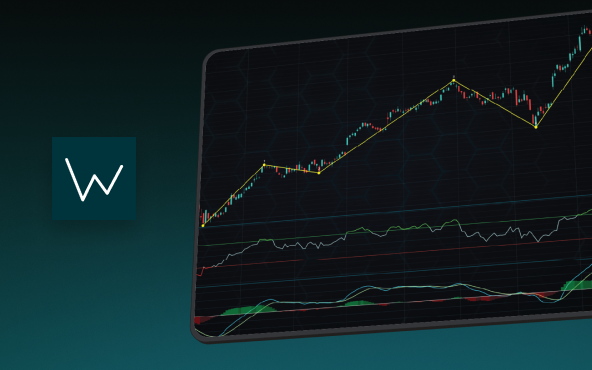
Financial markets often appear chaotic, but many traders believe that price movements follow recurring patterns driven by human psychology. One of the most influential approaches based on this idea is the Elliott Wave Theory. Developed nearly a century ago, it remains one of the most widely studied methods of technical analysis.
The Head and Shoulders Pattern in Technical Analysis
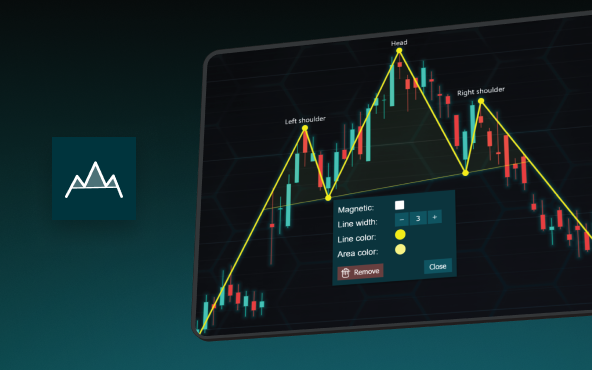
The Head and Shoulders Pattern in Technical Analysis The Head and Shoulders Pattern in Technical Analysis The Head and Shoulders pattern is one of the most recognized and widely used chart patterns in technical analysis. It is considered a reliable reversal pattern...





If you have any questions, feel free to contact us!
©LightningChart Ltd 2026. All rights reserved.