Annotation3D
View3D.Annotations collection allows adding annotations (Annotation3D) into the 3D scene. In general, they are similar to ViewXY’s Annotations (see AnnotationXY), with the exception of Target and Location properties using X, Y and Z dimensions (AxisValues is using [x,y,z] coordinate system, but ScreenCoords still using 2D [x,y]).
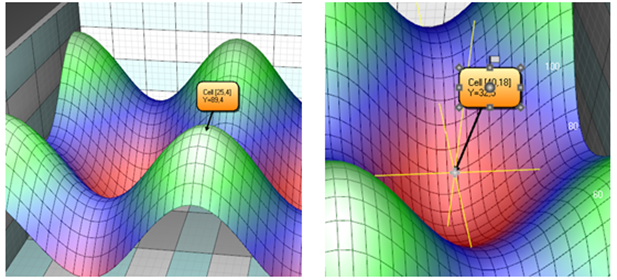 Annotation3D object displaying the value of a 3D series. Crosshair cursor can be used to aid the target movement.
Target can be moved by mouse in 3D. For aiding the movement, annotation can show cross-hair lines when mouse is over the Target node. Set ShowTargetCrosshair property to Auto/On/Off and adjust the line style in TargetCrosshairLineStyle.
To see Annotation 3D demonstration as example, check ExamplePointTracking3D, ExampleMeshModelAsteroid, Surface mouse control from our Demo.