Scatter
A commonly needed visualization feature is to display a set of X+Y+Z points scattered around.
// Creation of a 3D scatter series
const scatterSeries = chart.addPointSeries()
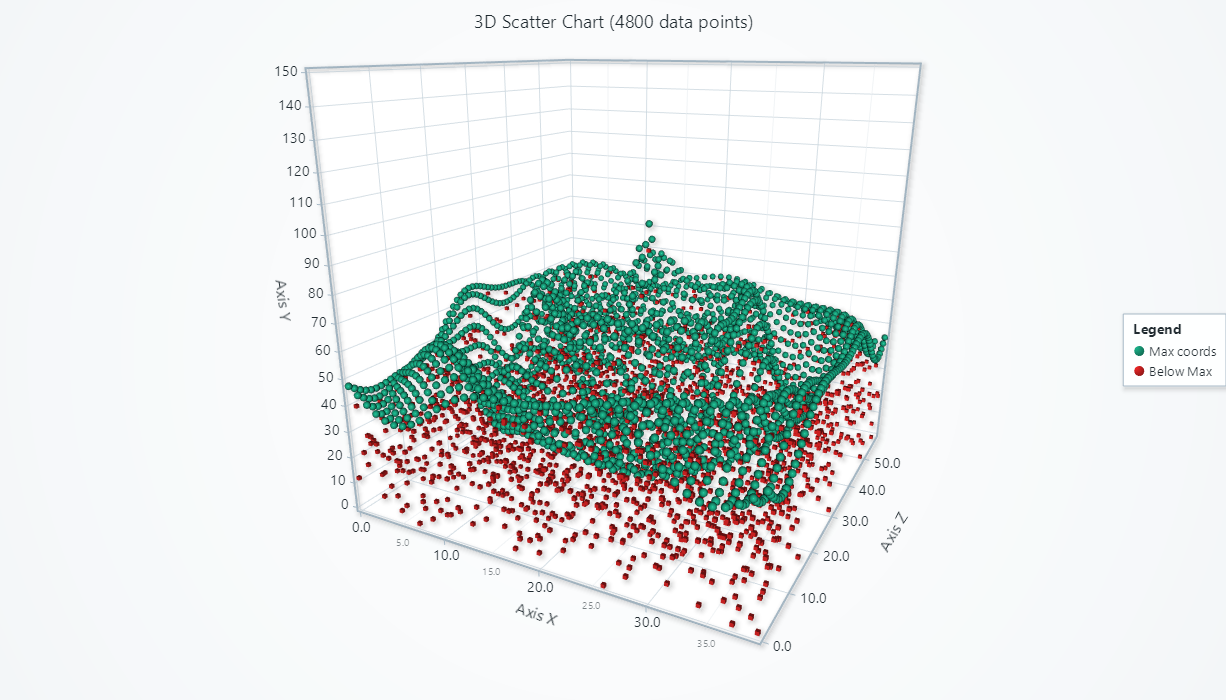

Adding data
This section works the same as for Line, to avoid duplication of guides, please refer to the section under Line 3D
Using timestamps
This section works the same as for Line, to avoid duplication of guides, please refer to the section under Line 3D
Point color
scatterSeries.setPointStyle((points) => points.setFillStyle(new SolidFill({ color: ColorRGBA(255, 0, 0) })))
For more details about style API, please see Styles, colors and fonts.
Point shape
You can select between 'cube' and 'sphere' shapes.
scatterSeries.setPointStyle((points) => points.setShape('cube'))
Point size
scatterSeries.setPointStyle((points) => points.setSize(10))
Individual colors
This section works the same as for XY Line, to avoid duplication of guides, please refer to the section under Line
Color by lookup table
This section works the same as for XY Line, to avoid duplication of guides, please refer to the section under Line
Color by X, Y or Z
This section works the same as for XY Line, to avoid duplication of guides, please refer to the section under Line
Using timestamps
This section works the same as for XY Line, to avoid duplication of guides, please refer to the section under Line
Data cleaning / maximum memory use
This section works the same as for XY Line, to avoid duplication of guides, please refer to the section under Line
Editing or clearing data
This section works the same as for XY Line, to avoid duplication of guides, please refer to the section under Line
3D color shading
This section works the same as for 3D Line, to avoid duplication of guides, please refer to the section under Line
Depth testing
This section works the same as for 3D Line, to avoid duplication of guides, please refer to the section under Line
Interactions with data points
This section works the same as for 3D Line, to avoid duplication of guides, please refer to the section under Line