Pictures
A common need in different XY Chart based visualizations is to show custom pictures positioned on axis coordinates. For example, a picture bound to a timestamp on X axis.
This can be done using a specifically configured Scatter chart](/6.1.2/features/xy/scatter). There are two different approaches clearly separated in this documentation.
Icons as Point shape
PointLineAreaSeries supports point shape as a Icon object.
This results in the Icon image source being used like a mask texture.
The colors of the picture are overridden by whatever is the active fill style of the series.
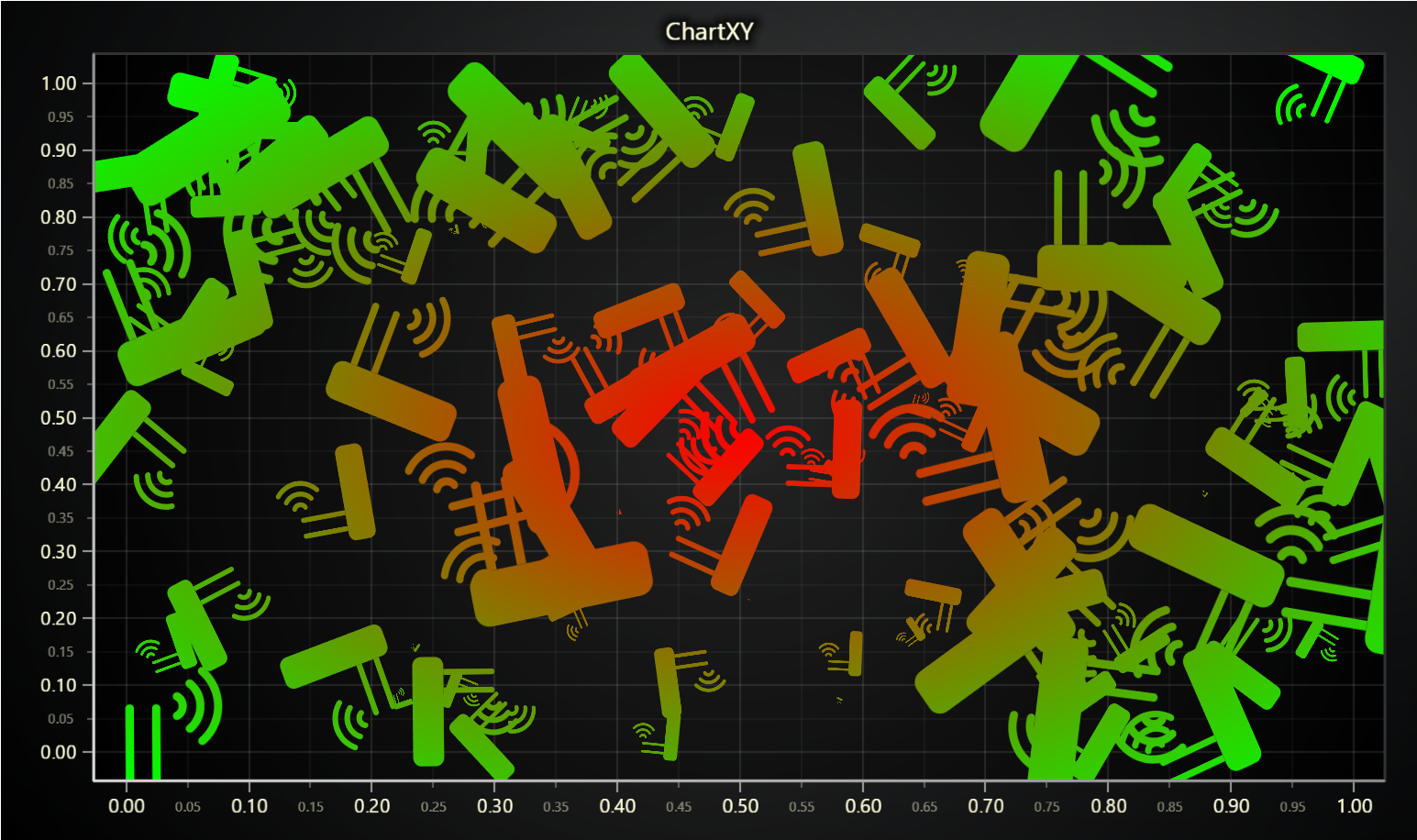
This can be convenient as you can use one picture and programmatically color it with various colors, or use advanced coloring approaches like dynamic coloring. Below picture shows scatter chart with icon shape, individual sizes, individual rotations and radial gradient fill.

const image = new Image()
image.crossOrigin = ''
image.src = 'image.png'
const iconSeries = chart
    .addPointLineAreaSeries({ dataPattern: null })
    .setAreaFillStyle(emptyFill)
    .setStrokeStyle(emptyLine)
    .setPointShape(chart.engine.addCustomIcon(image))
    // Point alignment can be used to offset the images relative to their size. For example, position image by its bottom.
    .setPointAlignment({ x: 0, y: -1.1 })
    // When using Icons, point size is interpreted as multiplier of source image size.
    .setPointSize(0.8)
    .appendSample({ x: 0, y: 0 })
For more documentation, please refer to documentation of Scatter chart](/6.1.2/features/xy/scatter).
Image Fill
PointLineAreaSeries supports point fill style as a ImageFill.
This results in points rendered as the supplied image source.


const warningImage = new Image()
warningImage.crossOrigin = ''
warningImage.src = 'warning.png'
const eventSeries = chart
    .addPointLineAreaSeries({ dataPattern: null })
    .setAreaFillStyle(emptyFill)
    .setStrokeStyle(emptyLine)
    .setPointFillStyle(new ImageFill({ source: warningImage }))
    // Point alignment can be used to offset the images relative to their size. For example, position image by its bottom.
    .setPointAlignment({ x: 0, y: -1.1 })
    // When using ImageFill, point size is interpreted as multiplier of source image size.
    .setPointSize(0.8)
    .appendSample({ x: 0, y: 0 })
To clarify, this approach can be used to display a massive amount of custom pictures, by simply adding more samples to the series.
For more documentation, please refer to documentation of Scatter chart](/6.1.2/features/xy/scatter).